
AI tools for birdwatchers in India: identify, log and plan trips
Published , Updated , 23 min read
You are standing in a park in Pune, Delhi, or Kochi, and a bird you have never seen before is singing from a tree you cannot see into. Ten years ago, identifying it meant carrying a field guide, memorising plumage details, and hoping a more experienced birder was nearby. Today, your phone can listen for a few seconds, look at a photo, and suggest a short list of likely species — and then log that sighting so it counts for science. The catch is that not every app that claims to identify birds actually works well in India, and a confident-looking answer is not the same as a correct one.
The short answer for India is this: start with Merlin Bird ID from the Cornell Lab of Ornithology, because it is completely free, it has a dedicated India bird pack, and it identifies birds three ways — by answering a few questions, by photo, and by sound. Pair it with eBird for logging your sightings, because eBird is the same Cornell Lab system that powers Merlin’s suggestions, and India already has a large, active eBird community through Bird Count India. For birds you hear but cannot see, add BirdNET, another free Cornell Lab tool that identifies birds by sound and now runs on your phone itself. Use iNaturalist when you want a community of naturalists to confirm a tricky identification, and use Google Lens only as a quick backup for a clear photo, never as your only source. Everything else in this article is for a specific kind of birdwatcher, not for everyone.
This article is written for India on purpose: Indian species, Indian birding hotspots, patchy mobile data on field trips, Hindi and English support where it exists, a normal Android phone or iPhone, and no assumption that you have a paid plan or a foreign credit card. It also carries a warning that matters more for bird identification than for most AI uses: an AI suggestion is a starting point, not a final identification. Similar species, juvenile birds, birds in non-breeding plumage, and poor photos or noisy recordings all fool these tools regularly. Always cross-check a surprising or rare identification against a field guide, eBird’s photos and range maps for that location and date, or an experienced birder before you report it as a rare sighting. Prices and free limits change, so re-check the official pricing or help page of any app before you pay for anything or promise a deadline based on it.

Short answer: which tool for which job
| Job | Best free tool | Why it wins in India |
|---|---|---|
| Identify a bird you saw | Merlin Bird ID | Free, India bird pack, photo plus step-by-step questions |
| Identify a bird you heard | Merlin Sound ID or BirdNET | Both free; Merlin covers common widespread Indian species by sound |
| Log sightings and build a life list | eBird | Free, India portal, your sightings feed science and conservation |
| Plan a birding trip | eBird hotspots, alerts and trip reports | Real recent sightings at real places, not generic lists |
| Get a second opinion on a tricky bird | iNaturalist | Free, community experts confirm or correct your identification |
| Quick check of a clear photo | Google Lens | Already on most phones, but weaker on similar Indian species |
If you install only two apps today, install Merlin and eBird. They share one Cornell Lab account, so a sighting you identify in Merlin can flow into your eBird lists, and eBird’s millions of Indian checklists are what make Merlin’s India suggestions sensible in the first place.
Merlin Bird ID: the first app every Indian birder should install
Merlin Bird ID is made by the Cornell Lab of Ornithology, the same organisation behind eBird, and it is free to download and use — it never asks for a credit card number. That matters because the app stores are full of lookalike bird apps that charge weekly subscriptions for a worse version of the same idea. If an app calling itself Merlin asks for payment, you are not in the real app. Download it from Google Play or the App Store by searching for “Merlin Bird ID” and checking that the developer is the Cornell Lab.
Merlin identifies birds in three ways, and beginners should learn all three because each one rescues you in a different situation. Step-by-step ID asks you five simple questions — where you saw the bird, when, how big it was, what colours you noticed, and what it was doing — and returns a short list of birds that match that description at that place and time. Photo ID uses computer vision trained on millions of birder photos to suggest species from a picture you take or pick from your camera roll. Sound ID listens live and highlights species as it hears them, which is genuinely magical the first time a hidden bird in a bush turns into a name on your screen.
For India, install the India bird pack before your first outing. Merlin’s support pages describe bird packs as regional bundles of photos, sounds, and identification help, and the India pack is what makes the app useful here rather than in North America. Bird Count India, which runs the eBird India community, announced Merlin’s arrival in India with an introductory pack of widespread Indian species and photo identification for hundreds more, and the app has expanded its Indian coverage substantially since then. A Hindi video tutorial from Bird Count India also walks beginners through the app step by step, which is worth watching if English field-guide language feels intimidating.
Merlin’s limits in India are honest ones, and knowing them will save you embarrassment. Its own help pages say Sound ID covers most birds of the United States, Canada, and Europe, plus common, widespread birds of India — so it will name your red-vented bulbul or common myna confidently, but it may stay silent on a skulking warbler or a rare Himalayan species it has not been trained on. Photo ID is only as good as your photo: a distant, blurry, backlit silhouette will produce guesses, not answers, and Merlin itself warns that its suggestions are likely guesses, not a final authority. Offline use works if you prepare: download the India pack and work through one test identification at your destination location while you still have internet, and Merlin saves your recent locations so the offline mode keeps working in the field. On a Himalayan trek or a remote wetland with no signal, that preparation is the difference between an app that works and an app that stares at you.
A practical field routine with Merlin looks like this. Before you leave home, download the India pack and charge your phone. In the field, when you hear an unknown song, open Sound ID and let it listen for thirty seconds without talking over it. When you see an unknown bird, take several photos if you can — a side view beats a head-on view, and a photo showing size against a branch beats a photo of a speck in the sky. If Merlin’s top suggestion surprises you, tap into the species account and compare photos of males, females, and juveniles, listen to the calls, and check whether eBird says that species is even expected at your location on that date. That thirty-second cross-check is what separates a birder from someone waving a phone at a tree.
eBird: where your sightings become something bigger
eBird is the logging side of the same Cornell Lab world, and it is the reason serious Indian birders treat Merlin as a doorway rather than a destination. eBird is free, and its India portal, run with Bird Count India, defaults its maps, hotspots, and seasonal charts to India. You submit checklists — the full list of species you saw at one place over one outing, including the common ones — and eBird turns those checklists into your life list, your year list, your district and state lists, and, in aggregate, into the data scientists use to track migration, population change, and the health of bird species.
The scale of Indian eBirding is worth grasping because it explains why the tool is so useful here. Bird Count India has reported that Indian birders have uploaded more than three million checklists and more than three million photos and audio clips to eBird. That is not a foreign database with a few Indian records bolted on; it is one of the largest citizen-science bird datasets in the world, built largely by Indian birders. When Merlin suggests a bird for your location and date, it is drawing on that mountain of Indian checklists. When you submit a complete checklist — including the house crows and mynas you barely noticed — you are adding to the same mountain.
Logging well is a small skill with a big payoff. Submit complete checklists rather than only the exciting birds, because scientists need to know what you did not see as well as what you did. Use the eBird mobile app in the field so your phone’s GPS records the exact location, and count birds honestly rather than guessing big numbers. Add photos and audio clips when you can, because media is what lets reviewers verify unusual records. If you report something rare — a species far outside its known range, or wildly out of season — expect a local eBird reviewer to ask for details. That is not suspicion; it is how the database stays trustworthy, and a photo or recording settles it in seconds.
For trip planning, eBird is quietly the best tool in this article. Its India hotspot pages show where birders actually go and what they recently saw there, its bar charts show which species are present in each month at a given place, and its rare bird alerts tell you when something unusual turns up near you. Its trip reports let you read how other birders covered a place like Bharatpur, Thattekad, or the Pangot hills — where they stayed, which trails they walked, and what they found. Before you book a birding weekend, spend twenty minutes on eBird’s India hotspot map for your destination. It will tell you more than any generic “top ten birding places” blog post, including this kind of article, because it is built from sightings logged last week, not written years ago.
BirdNET: for the birds you hear but never see
BirdNET is also from the Cornell Lab world, and it does one thing with unusual depth: it identifies birds by sound. Hold up your phone, record a few seconds of birdsong, and BirdNET returns a ranked list of species with confidence scores, built from a neural network trained for bioacoustics research. Its app pages describe global coverage of more than eleven thousand species across all continents, and a newer BirdNET Live mode that runs the model directly on your phone, so identification works with no internet at all.
Why would you need BirdNET if Merlin already has Sound ID? Because the two tools have different strengths, and in India the difference matters. Merlin’s Sound ID is woven into a field guide: it is brilliant for a beginner who wants a name plus photos, calls, and ID tips in one place, but its sound coverage in India is strongest for common, widespread species. BirdNET is a specialist sound tool with broader global species coverage and confidence scores that make it easier to judge how much to trust a result. On a morning walk where five species are singing at once, running both and comparing their suggestions is a genuinely good method: when both agree, you can be fairly confident; when they disagree, you know you have a puzzle worth solving with a field guide rather than a quick answer.
BirdNET has the same honesty requirement as every sound tool. Wind noise, traffic, other birds singing over your target, and human speech all degrade results, and the app filters human speech and does not publish clips containing it. Record close to the sound, hold the phone steady, avoid talking while recording, and treat a low-confidence suggestion as a hint, not an identification. If BirdNET suggests a rare species with low confidence and Merlin stays silent, the honest conclusion is “unidentified bird, possibly that species,” not a tick on your life list. Experienced birders keep a category in their heads for exactly this: heard but not confirmed.
iNaturalist: a community that checks your homework
iNaturalist is a free, nonprofit, community-powered platform for identifying plants, animals, fungi, and more, and its bird identifications work differently from Merlin’s: you upload a photo or sound, the app suggests an identification, and then real naturalists — including experts — can agree with you or correct you. iNaturalist and its companion app Seek are completely free, with no subscription or paywall, and its help pages warn you to be careful because commercial apps advertise on searches for iNaturalist and may charge you by mistake. Download the real one, not a lookalike.
For birdwatchers, iNaturalist is best used as a second opinion, not a first stop. Its strength is everything Merlin is weak at: a confusing juvenile, an odd plumage, a bird photographed at a strange angle, or a species at the edge of its range. Post your best photos, say where and when you saw the bird, and say what you think it is and why you are unsure. The community’s corrections are often accompanied by explanations — a bill shape, a wing bar, a leg colour — that teach you more than a bare AI answer ever will. Over time, observations that enough knowledgeable people agree on become “research grade,” which means your sighting can feed into scientific databases beyond iNaturalist itself.
The trade-off is speed. iNaturalist’s community may take hours or days to confirm a tricky bird, while Merlin answers in seconds. That is a feature, not a bug: a slow, careful confirmation is exactly what a rare or confusing record needs. A sensible workflow is to identify with Merlin in the field, log with eBird the same day, and post your one or two genuinely puzzling photos to iNaturalist in the evening for the community to weigh in on. Do not post every common myna and house crow to iNaturalist; the community’s time is best spent on birds that actually puzzle people.
Google Lens: a handy backup, not a bird guide
Google Lens is already on most Android phones and is free on iOS too, and it can identify a bird from a photo by matching it against Google’s vast image index. For a clear, close-up photo of a distinctive bird — a kingfisher, a hoopoe, a peacock — it will often give you the right name instantly, along with photos and range information to compare. That convenience is real, and there is no harm in using it as a quick first check.
But Lens is a general image search tool, not a bird identification system, and that shows in exactly the situations where Indian birders most need help. It has no built-in sense of what birds are expected at your location on a given date, so it can confidently suggest a European or American lookalike over the Indian species actually in front of you. It struggles with plain-coloured birds, juveniles, and birds in non-breeding plumage, and a busy background or a distant bird makes it worse. Treat a Lens result the way you would treat a stranger’s guess at a party: interesting, possibly right, and worth verifying in Merlin or a field guide before you believe it. If Lens and Merlin agree, that is reassuring. If they disagree, trust Merlin’s location-and-date-aware suggestion first, and then check both against eBird’s range maps.
General AI chatbots: useful for learning, dangerous for listing
You will be tempted to send a bird photo to a general chatbot and ask “what bird is this?” Tools like ChatGPT and Gemini can be genuinely helpful for learning — explaining the difference between two similar warblers, summarising a species’ habits, or drafting a trip checklist — and our guide to free AI tools in India covers their free tiers. But general chatbots are not trained as bird identification systems, they have no reliable sense of Indian range and seasonality, and they can describe a wrong identification with total confidence. Never add a bird to your life list, and never report a rare sighting, on the basis of a chatbot answer alone. Use chatbots to study and to plan, and use Merlin, BirdNET, and eBird to identify and to record. That division of labour keeps the fun parts of AI without letting its confident mistakes into your records.
Using these tools across India: field craft that matters more than apps
India is not one birding environment, and the same app behaves differently in each. In a city park in Bengaluru or Delhi, Merlin’s Sound ID will be at its best: common, widespread species, decent phone signal, and plenty of eBird data for your exact neighbourhood. In the Western Ghats, expect more species Merlin has not been trained on by sound, more mixed flocks singing at once, and weaker signal — so download packs and maps in advance, carry a power bank, and lean on photo ID and field-guide cross-checks. In the Himalayas, altitude changes everything: species replace each other over short distances, weather kills phone batteries faster, and offline preparation is not optional. In coastal wetlands and deserts, heat haze and distance make photography hard, so practise estimating size and behaviour for step-by-step ID, which needs no photo at all.
Language is a smaller but real part of the India story. Bird Count India’s tutorials for Merlin and eBird exist in Hindi, Tamil, English, and other Indian languages, and eBird’s India community materials span twenty languages for events like the Great Backyard Bird Count. If you are introducing birding to schoolchildren, a local bird club, or family members who are more comfortable in Hindi, start from Bird Count India’s resources rather than assuming everyone must learn in English. Birding in India is a multilingual hobby, and the tools are slowly catching up.
Ethics matter as much as identification, and AI makes it easier to forget them. Do not play back recorded birdsong to lure birds, especially during breeding season — it stresses birds and disturbs nests, and several Indian birding groups and reserves discourage or ban it. Do not approach nests for a closer photo, do not share the exact location of a sensitive or nesting rare bird publicly, and keep your distance from any bird that is clearly alarmed by your presence. eBird lets you hide the precise location of sensitive species, and you should use that option. The point of logging sightings is to help birds, not to collect them like trophies at their expense. A good rule is simple: if getting the photo or the recording would change the bird’s behaviour, skip it.
Trip planning deserves its own routine, and it is where eBird earns its place alongside Merlin. Pick your destination on eBird’s India hotspot map, read recent checklists from the last few weeks rather than the all-time species list, and check the monthly bar charts so you arrive when your target birds are actually present. Read a couple of trip reports for practical details like entry timings and local guides. Then, and only then, use a general trip planner to sort out trains, stays, and transport — our guide to AI tools for travel planning in India covers that side. Birding trips fail more often on logistics than on identification, and a perfect ID app will not rescue a trip where you arrived at a closed gate or in the wrong season.
What to avoid
First, avoid paid bird ID apps that promise more than Merlin and BirdNET give away free. The app stores are crowded with subscription bird apps whose identification is weaker than Merlin’s and whose “premium” features are mostly a nicer interface. Before paying for any bird app, check what it does that the free Cornell Lab tools do not, read recent reviews from Indian users specifically, and remember that prices and free limits change — re-check the official pricing page before you subscribe, and never subscribe in the field on a patchy connection where you cannot read the terms.
Second, avoid trusting a single AI answer for a rare bird. A rare sighting needs a photo or a recording, a check against eBird’s range and seasonality for that place, and ideally a second opinion from iNaturalist or an experienced birder. Reporting an unverified rarity does real harm: it pollutes the data scientists rely on, it sends other birders on wasted trips, and it teaches beginners to trust the app over the bird. If you are not sure, log it as an uncertain identification or leave it unidentified. An honest blank is worth more than a confident error.
Third, avoid apps and websites that ask for payment or personal details in Merlin’s or eBird’s name. The real Merlin never asks for a credit card, and the real eBird is free. Fake apps, phishing pages, and “premium bird guide” scams trade on the Cornell Lab’s reputation. Download only from the official app stores, check the developer name, and be suspicious of any bird app that demands payment before showing you a single identification.
Fourth, avoid the trap of identifying everything and logging nothing. An identification that stays on your phone helps nobody. The habit that turns a casual birdwatcher into a contributor is small: identify with Merlin, log a complete checklist on eBird the same day, and add your best photo. That habit, repeated by thousands of Indian birders, is literally how the three-million-checklist dataset was built, and it is how your local park’s birds get counted in conservation decisions.
Finally, avoid letting the phone replace the watching. The best birders use AI the way a good field guide is used: a quick check, then eyes back on the bird. Watch how it moves, how it feeds, how it holds its tail, what it does when it is alarmed. Those details are what make the next identification easier without any app at all, and they are the actual pleasure of birdwatching. The app is a tool for the hobby, not the hobby itself.
Frequently asked questions
Which is the best free bird identification app in India?
Merlin Bird ID is the best free starting point for most Indian birders. It is free, it has a dedicated India bird pack, and it identifies birds by questions, photo, and sound. Pair it with eBird for logging, and add BirdNET if you often hear birds you cannot see.
Does Merlin Bird ID work offline in India?
Yes, if you prepare. Download the India bird pack and work through one test identification at your destination while you still have internet, and Merlin saves your recent locations for offline use. Without that preparation, offline identification will be limited, so do it before you leave home, not at the trailhead.
Is eBird free, and does it work for Indian birds?
Yes, eBird is free, and it works exceptionally well for India. Its India portal is run with Bird Count India, Indian birders have submitted more than three million checklists, and its hotspot maps, bar charts, and alerts are built from real recent Indian sightings.
Can BirdNET identify Indian birds by sound?
Yes, BirdNET covers more than eleven thousand species globally, including many Indian species, and its newer Live mode runs on your phone without internet. It is a strong complement to Merlin Sound ID, especially for species Merlin’s sound coverage does not yet include. Always treat low-confidence results as hints, not identifications.
Is Google Lens reliable for identifying birds?
Only sometimes. Google Lens works well for clear, close-up photos of distinctive birds, but it has no sense of which birds are expected at your location and date, so it can suggest foreign lookalikes. Use it as a backup and verify its answers in Merlin or against eBird range maps.
Should I pay for a bird identification app?
For most birders, no. Merlin, eBird, BirdNET, and iNaturalist are all free and cover identification, sound, logging, and community confirmation. Pay only if a specific app offers something you can name that the free tools do not, and re-check its official pricing page before subscribing, because prices and limits change.
How do I plan a birding trip in India with these tools?
Start on eBird’s India hotspot map for your destination, read checklists from the last few weeks, check monthly bar charts for when your target birds are present, and read trip reports for practical details. Then sort out trains and stays separately. Arriving in the right season matters more than any identification app.
What should I do if the app suggests a very rare bird?
Slow down and verify. Get a photo or recording if you can do so without disturbing the bird, check whether eBird says the species is expected at your location and date, compare photos and calls in Merlin, and get a second opinion from iNaturalist or an experienced birder before reporting it. An unverified rarity helps nobody.
Are these apps safe for children and beginners?
Yes, with normal supervision. Merlin and eBird are made by a nonprofit university lab, iNaturalist is a nonprofit, and none of them requires payment. For children, use the apps together with an adult, keep location sharing in mind when posting sightings publicly, and treat Bird Count India’s beginner tutorials as the starting point rather than handing a child an app with no guidance.
Do I need a VPN to use these bird apps in India?
No. Merlin, eBird, BirdNET, iNaturalist, and Google Lens all work in India without a VPN, through the normal Google Play Store and Apple App Store. If an app you downloaded demands a VPN or payment to function, you have probably downloaded a lookalike rather than the real app, and you should uninstall it and download the official one.
Final verdict
Start free with Merlin for identification and eBird for logging; add BirdNET for birdsong and plan trips from eBird hotspots. That combination costs nothing, works across India without a VPN, and covers the three jobs every birdwatcher actually has: naming the bird, recording the sighting, and finding the next place to go. Use iNaturalist for the birds that puzzle you, Google Lens only as a backup, and general chatbots for learning rather than listing. And remember the honest limit that runs through all of these tools: an AI suggestion is a starting point, and the final identification is yours — checked against the bird, the place, and the season, before it goes into your list.
Image credits:
- A birdwatcher looking up through binoculars in a lush green forest — Pexels, photo by Gandhar Thakur, Pexels License (resized for this page).
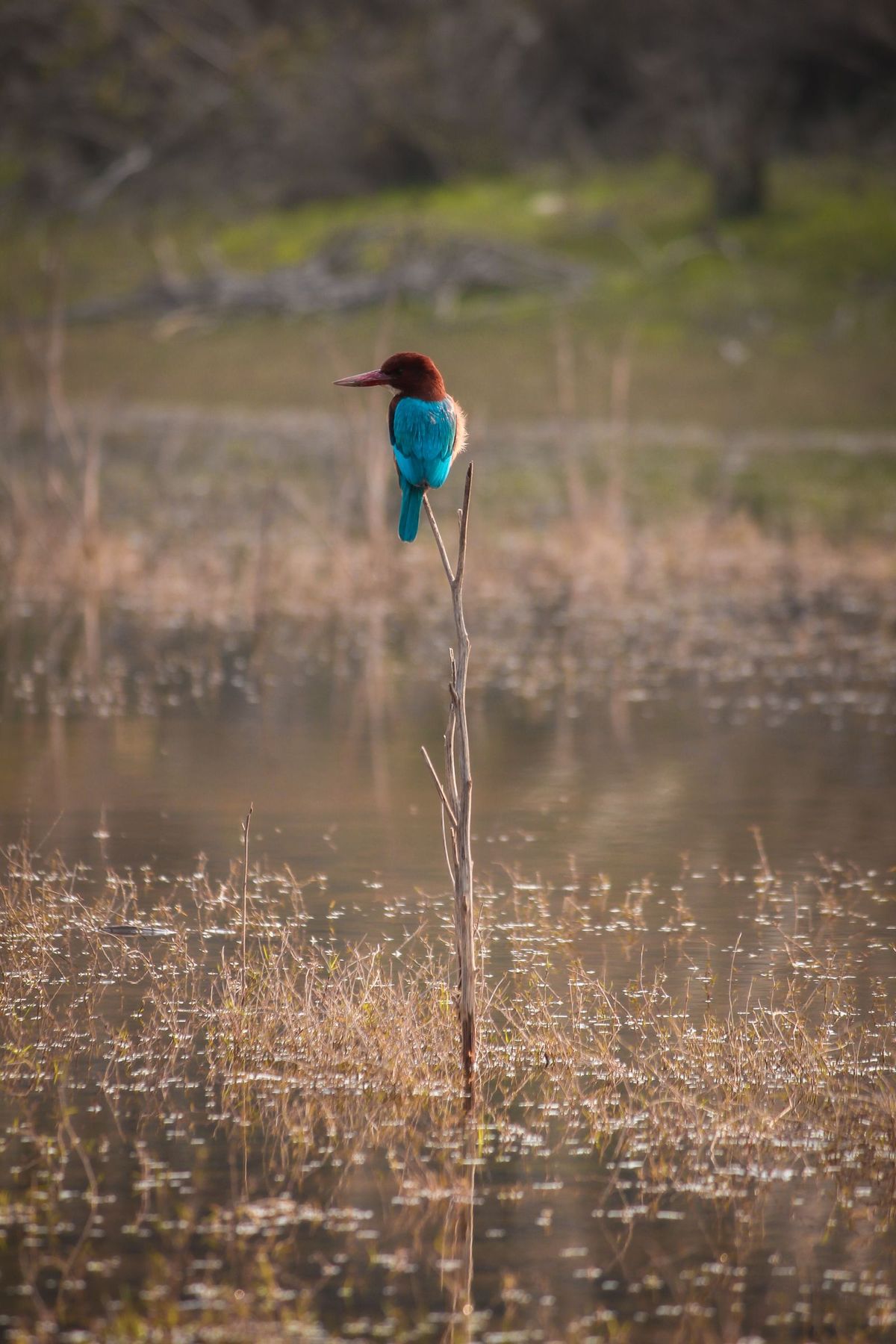
- A white-throated kingfisher perched on a stem over a wetland in India — Pexels, photo by Guriqbal Billing, Pexels License (resized for this page).
- A large flock of flamingos wading in water at sunset in Navi Mumbai, India — Pexels, photo by Gaurav Patil, Pexels License (resized for this page).