
AI tools for cooking and recipes in India that use what you already have
Published , Updated , 24 min read
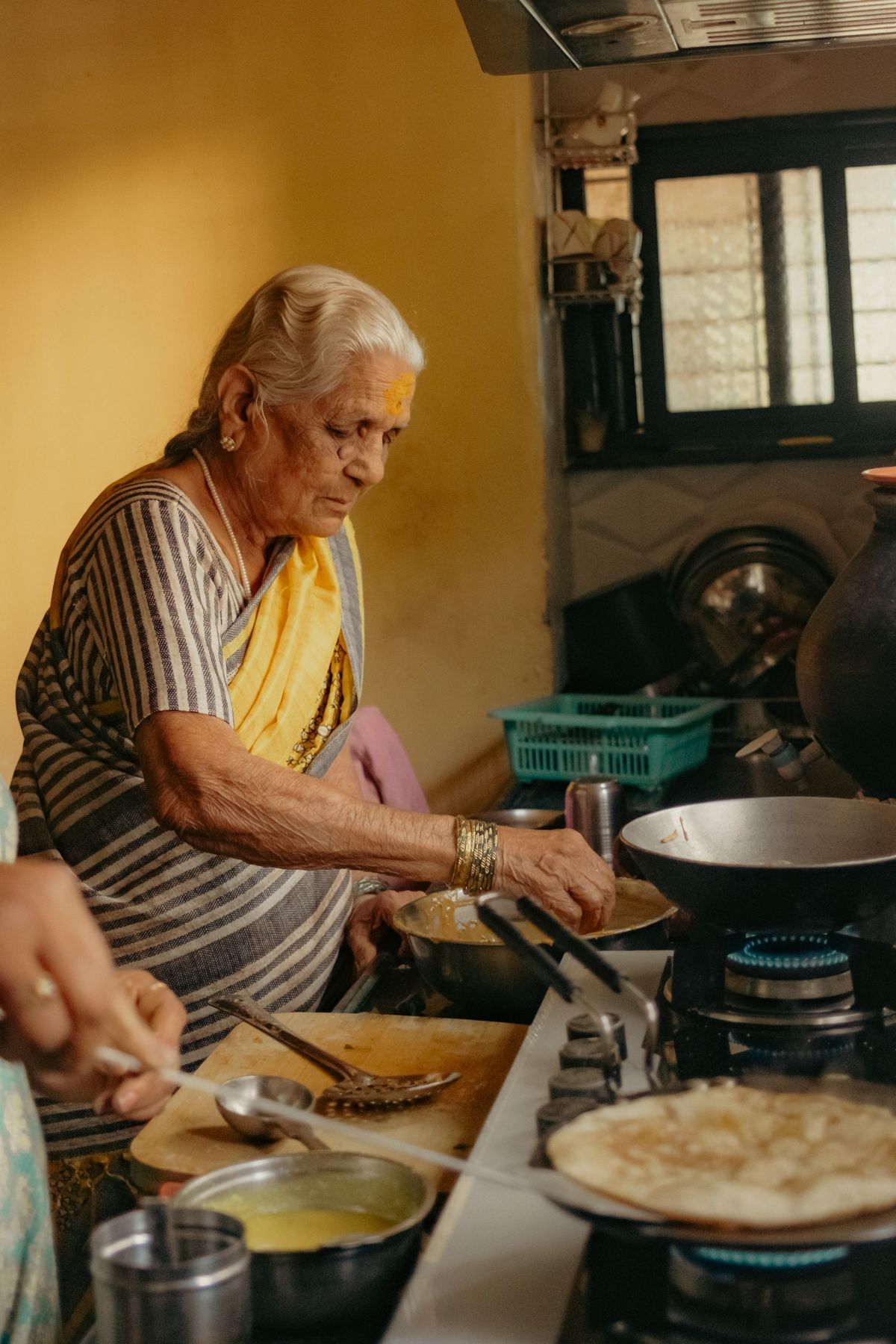
Cooking in India usually starts with a different question from cooking anywhere else. It is not “what should I cook tonight” in the abstract. It is “there is leftover rice, half a cabbage, besan, and two tomatoes — what can I make now, without going to the market, that my family will actually eat?” AI cooking tools are useful exactly when they answer that question, with the ingredients you already have, in the style your household eats, and with the diet rules your household follows.
The short answer for India is this: use SnapDish when you want to photograph your ingredients or your fridge and get a custom recipe back, because it is built for that photo-first job and its free tier needs no signup for the first scan. Use PlanNEat when you want a full week of Indian home-style meals planned at once, because it is made for Indian kitchens with regional dishes, nutrition shown while you plan, and one grocery list at the end. Use DishGen when you want a fully custom recipe or meal plan from a written idea, because its free tier gives you a usable weekly allowance of credits and its chat lets you ask for substitutions and diet changes. Use SuperCook when you want real, tested recipes that match your pantry, because it searches millions of existing recipes instead of inventing a new one. Everything else in this article covers a narrower job: a specific diet, a missing ingredient, or a whole week of planning.
This article is written for India on purpose: normal phones and laptops, English and Hindi recipe names, vegetarian, Jain, vegan, and halal filters where they matter, gas stoves as well as microwaves, and prices in rupees where the tool actually charges in rupees. It also carries a warning that matters more for cooking than for most AI jobs: an AI recipe is a draft, not a tested recipe. Quantities, salt, spice, water, and cooking time can be wrong, and for a serious allergy or a medical diet, an AI guess is never enough on its own. Taste as you cook, adjust, and check the official pricing and help pages of any tool before you pay or promise a deadline, because free limits and prices change without notice.
The short answer, in one table
| Tool | Best for | Free limit, as checked in November 2026 | India note |
|---|---|---|---|
| SnapDish | Photo of ingredients or fridge becomes a recipe | 1 free scan per day, no signup for the first scan | Indian site, 200+ cuisines, diet and allergy filters |
| PlanNEat | A week of Indian home-style meals | Free right now, no paywall stated on its site | 800+ dishes, 50+ regional cuisines |
| DishGen | Custom recipes and meal plans from any idea | 15 free credits per week, 1 credit per recipe or plan | Works on the web in India, no VPN needed |
| ChefGPT | Custom recipes and short meal plans | 10 free generations per month | Paid price differs across sources, check in the app |
| SuperCook | Real recipes that match your pantry | Free app, no subscription stated | Pantry search, not AI invention |
| Samsung Food | Saving, organising, and personalising recipes | Free app; some AI features are in the paid Food+ plan | Food Lens photo search, recipe personalisation |
| Ingredient Swapper | Replacing one missing ingredient | Free web tool, no daily limit stated on its page | Gives ratios and the effect on the dish |
| DotIAM recipe generator | Indian vegetarian recipes from what you have | Free web tool, no daily limit stated on its page | Built around Indian vegetarian cooking |
SnapDish: photograph your ingredients, get a recipe back
SnapDish is the most India-specific tool in this list, and it solves the most common Indian kitchen problem: you have ingredients, not a plan. You take a photo of your food items or your fridge, its vision model identifies the ingredients, and its cooking AI writes a custom recipe built around exactly what you have, instead of handing you a recipe from a database that needs twelve more things. That difference matters, because the old style of ingredient search often fails in India: it finds a recipe that needs an ingredient you do not have, and the whole search starts again.
The free tier is genuinely usable but deliberately thin. You get one free scan per day, complete cooking steps with preparation times and difficulty, full nutrition estimates per serving, and allergy and diet filters that include gluten-free, dairy-free, nut-free, vegan, halal, and vegetarian options, across more than 200 cuisines including regional Indian food. You do not need an account or a card to try your first scan, which makes it the lowest-friction tool here. The paid plan is listed at 49 rupees per month for unlimited scans, a meal planner, a shopping list, and faster AI, which is cheap by paid-tool standards and priced in rupees rather than dollars.
The honest limit is the one scan a day. If you cook twice a day or you want to test three ideas before dinner, the free tier will stop you, and you will either wait for the daily reset or pay. Use the free scan wisely: photograph everything you have in one shot, including the spices and the leftover rice, so the recipe it writes uses the whole picture. And taste-check the salt and water, because even SnapDish’s own pitch says it adjusts salt ratios and water volumes dynamically — that is a claim about its model, not a guarantee about your pan, your stove, or your family’s taste.
PlanNEat: a week of Indian meals, planned the Indian way
PlanNEat is an Indian meal planner that starts from a different idea: most Indian households do not need one clever recipe, they need the whole week sorted. Its AI builds weekly plans from home-style dishes, shows nutrition while you plan, and turns the week into one grocery list in a single tap. The catalogue is the reason it belongs in this article: more than 800 dishes across more than 50 regional cuisines, already mapped to their ingredients, so a plan can mix a Tamil lunch, a Punjabi dinner, and a Gujarati breakfast without forcing everything into a North Indian template.
As checked in November 2026, PlanNEat states its AI planning, nutrition insights, and grocery lists are included free right now, at zero rupees with no paywall. That is a strong claim, and it is also exactly the kind of claim that can change: a free-while-growing tool can add a paywall later, so treat the current free status as a window, not a promise, and re-check before you build a habit around it or recommend it to someone else with a deadline. For now, though, it is the best free answer to the weekly question, because no other tool in this list plans an Indian week with regional variety and a single shopping list.
PlanNEat works best when you tell it how your household actually eats: vegetarian or not, how many people, which cuisines, and what you never cook. A weekly plan that ignores those answers is just a list of dishes, and the value of the tool is that it plans around your answers instead of handing you a generic seven-day menu. Check the grocery list against what you already have before you shop, because the list is only as good as the plan, and the plan is only as good as the details you gave it.
DishGen: custom recipes and meal plans from any idea
DishGen is the most flexible generator in this list. You describe an idea, an ingredient list, a dietary need, or a meal plan request, and it creates a new recipe or plan on demand. Its chat is the feature that matters most in practice: after the first recipe, you can ask for substitutions, a different cuisine, or a dietary tweak, and it rewrites the recipe instead of making you start over. That is useful for Indian cooking, where a recipe often needs to change in three directions at once: make it vegetarian, make it less oily, and make it with the vegetables that are actually in season.
The free tier is clear and usable. DishGen Basic accounts are free forever, with 15 usage credits per week, where one credit is one recipe or one meal plan, plus saved recipes, plans, and favourites, and basic AI chat with recipe and meal plan tools. You can try it without an account or a credit card. The paid Premium plan gives roughly 25 times more credits that refresh daily, a personalised AI model, and AI nutrition facts, and every paid plan starts with a seven-day free trial that you can cancel. For most home cooks, 15 credits a week is enough for two custom recipes a day, which is more than most people will actually cook.
The limit to watch is that DishGen invents recipes. An invented recipe can have a wrong quantity, a missing step, or a cooking time that does not match your stove. That is the trade-off against a tool like SuperCook, which finds tested recipes. Use DishGen when you want something new or when you have unusual ingredients, and use SuperCook when you want something that someone has already cooked and rated. For baking, prefer a tested recipe every time, because baking is far less forgiving of an invented quantity than a sabzi is.
ChefGPT: custom recipes, short meal plans, and a pricing disagreement
ChefGPT is a recipe generator with different chef modes and a meal-plan builder that creates a week of meals from your preferences, goals, and dietary needs, with a shopping list at the end. Its free plan, as described in its own May 2024 product update, gives 10 monthly generations, all chef modes included, and meal plans up to three days long. Its mobile app also lets you watch an advertisement for an additional generation, which is a useful trick if you only need one more recipe in a month.
There is a genuine disagreement about its paid price, and this article states it rather than picking one number. The same 2024 update prices the Pro plan at 2.99 dollars per month, but current app-store listings show several different Pro purchase amounts, including a weekly option around 4.99 dollars, without mapping every price to a duration in the public listing. Prices can also vary by region, platform, and promotion. The safe way to use ChefGPT is to enjoy the 10 free generations a month, and if you ever consider paying, check the exact paywall inside the app — the price, the renewal period, and whether a trial converts automatically — before you confirm anything. Never pay from a price quoted in an article, including this one.
ChefGPT is a good second generator after DishGen, not a replacement for it. Its free allowance is monthly rather than weekly, so it runs out faster if you generate every day, but its meal-plan builder and chef modes make it better for a specific job: plan three days, or generate a recipe in a specific style, and then stop. For daily cooking, SnapDish or SuperCook will serve you better, because their free tiers reset daily or do not limit you at all.
SuperCook: real recipes that match your pantry
SuperCook works differently from every generator above, and that difference is its strength. It does not invent recipes. You build a pantry in the app from more than 2,000 ingredients, including oils and spices, and it searches more than 11 million recipes from 18,000 recipe websites in 20 languages to find the ones you can make right now, with what you already have. You can also filter by the maximum number of ingredients, allow one missing item you could shop for, or search by a keyword such as slow cooker or microwave. Voice dictation lets you add ingredients by speaking them, which is faster than typing a long pantry list.
The app is listed as free on the App Store, with a high user rating, and the store listing and user reviews describe it as free without a subscription. Favourites need a free account, but searching does not need one. That makes SuperCook the best no-cost, no-pressure tool in this list: there is no credit counter, no daily scan limit, and no monthly generation cap to watch. The trade-off is that you get existing recipes, not custom ones, so if you want a recipe invented around an unusual combination, DishGen or SnapDish will do that better. But for the everyday Indian question — what can I make with what I have — a tested recipe that someone has already cooked is often the safer answer, especially for dishes where quantities matter.
SuperCook’s weakness in India is language and cuisine coverage. Its recipe collection is global, and while it includes Indian recipes, it is not built around Indian cooking the way PlanNEat or DotIAM are. Search in English, use ingredient names the app recognises, and check the recipe’s origin before you cook it, because a recipe written for a different cuisine may use the same ingredient names for different things. For Hindi recipe names, recipe translation tools can help you move between a Hindi recipe you found and an English search.
Samsung Food: save, organise, and personalise your recipes
Samsung Food is a recipe app with AI woven through it, rather than a pure generator. When you type in or import a recipe, its AI organises the ingredients and connects them to nutrition and price information. Its recommendations learn from your preferences, and its Food Lens feature finds recipes from a photo of food. That makes it a good home for the recipes you already like: save them, organise them, and let the app suggest similar ones, instead of generating something new every time.
The important distinction is between the free app and the paid Food+ subscription. Samsung’s own help pages describe recipe personalisation with AI — tap personalise to make a dish healthier, swap in seasonal ingredients, or give it a fusion twist — and the “Use It Up” recipe search for ingredients you already have as part of what the Food+ subscription includes. The free app covers saving, searching, and basic AI organising, but the deeper personalisation and use-it-up features sit behind the paid plan, whose price varies by region and is not stated as a single number here for that reason. If you only want to save and organise recipes, the free app is enough. If you want the AI to rewrite your recipes, check the Food+ price in your region first, and compare it with DishGen’s free weekly credits before you pay.
Samsung Food is also a good companion to the other tools here. Generate a recipe in DishGen, save it in Samsung Food, and it becomes part of your organised collection with nutrition attached, instead of a chat message you lose. For cooking videos and food content, the same habit applies: save what works, so you are not searching for the same recipe twice.
Ingredient Swapper: when one ingredient is missing
Every Indian cook knows this moment: the recipe needs buttermilk, or an egg, or maida, and you do not have it, and the shop is closed. Ingredient Swapper is a free web tool built for exactly that moment. You type the ingredient you want to replace, optionally add the recipe name for more tailored results, and its AI returns up to five smart substitutions, each with the exact ratio to use and an explanation of how it affects the dish. That ratio is the difference between a useful swap and a guess: knowing that you can replace one egg with a certain amount of curd or flaxseed, and knowing what it does to texture, is what makes the swap work.
The tool’s page states no daily limit, so it is fair to describe it as a free web tool with no stated daily limit, while noting that the page could add one later. It is also useful beyond missing ingredients: for dietary restrictions, for allergies, and for eating healthier, because you can ask for a swap that fits the constraint rather than abandoning the recipe. For Indian cooking, the most useful swaps are the everyday ones: dahi for buttermilk, besan or atta adjustments for maida, jaggery for sugar, and oil changes for ghee. Ask the tool for the specific dish, not just the ingredient, because a swap that works in a cake may fail in a dosa, and the recipe context is what makes the answer reliable.
Ingredient Swapper does not generate full recipes, and it should not be asked to. Its job is one ingredient at a time, and it does that job well. Pair it with SuperCook or DishGen: find or generate the recipe, and when one ingredient is missing, swap it instead of changing the whole plan. For serious allergies, though, no swap tool is enough on its own — check the substitute against the allergy yourself, because AI tools do not know cross-contamination, brand changes, or your medical history.
DotIAM: Indian vegetarian recipes from what you have
DotIAM’s AI recipe generator is built around a specifically Indian problem: vegetarian cooking from what is already at home. You tell it what you have — leftover roti, besan, aloo, anything — and it gives instant Indian vegetarian recipes with more than ten detailed steps. That focus matters, because most global recipe tools treat vegetarian as a filter, while DotIAM treats it as the default, and its recipes start from the ingredients Indian kitchens actually keep.
The tool is free to use on the web, and its page states no daily limit, so it is described here as a free web tool with no stated daily limit. Its own disclaimer is worth repeating, because it is honest and it applies to every tool in this article: recipes are AI-generated from internet data, cooking times and quantities may vary slightly with your stove, utensils, and ingredient brands, and you should adjust with your own judgment. For any health condition, allergy, or special dietary requirement, it tells you to consult a doctor or nutritionist, and it says the tool is for guidance only. That is the right attitude, and it is the attitude this article recommends for all AI cooking: use the recipe as a starting draft, adjust for your kitchen, and never outsource a medical decision to a generator.
DotIAM is the best tool here for a vegetarian household that wants Indian recipes without translating a global tool’s ideas into Indian ingredients. Its weakness is the mirror image of its strength: it is vegetarian-first, so a household that eats meat will need SnapDish, DishGen, or SuperCook for those dishes. Use it alongside the others, not instead of them, and you cover both vegetarian and non-vegetarian cooking without forcing either side into the wrong tool.
Using cooking AI in India: language, payment, and what to check
Language is the first practical question. Most of these tools work in English, and recipe names in Hindi or Hinglish usually work when you type them into a chat-style generator, because the model understands the dish even if the interface is in English. For a recipe you found in Hindi that you want to search in English, or the other way round, recipe translation tools help you move the dish name and the steps between languages. PlanNEat and DotIAM are the most Indian in their content, because their dishes start from Indian cooking rather than being translated into it. If a tool gives you a recipe in a language you cannot read comfortably, do not cook from it — translate it first, because a misunderstood step is worse than a missing recipe.
Payment is the second question. SnapDish charges in rupees at 49 rupees per month, which is easy to judge. DishGen and ChefGPT charge in dollars or through app-store pricing that varies by region, so the rupee amount on your statement will depend on the exchange rate and the store’s pricing at the time. UPI and cards work through the app stores, but a web subscription may need an international card, so check the payment page before you assume UPI will work. And re-check the official pricing and help page before you pay or promise a deadline, because every free limit and price in this article was checked in November 2026 and can change: DishGen’s weekly credits, ChefGPT’s monthly generations, SnapDish’s daily scan, and PlanNEat’s free status are all current facts, not permanent ones.
What to check in every AI recipe is the third question, and it is the same for all eight tools. First, quantities: AI tools often give salt, spice, and water in round numbers that look confident but are not measured, so taste and adjust, especially for salt and chilli. Second, measures: ask the tool for grams or katori measures if it gives you cups you do not use, because a cup of atta and a cup of rice do not weigh the same. Third, method: ask for a gas-stove version if the recipe assumes a microwave or an instant pot you do not have, because the cooking time and the water will change. Fourth, allergies and medical diets: AI tools do not know your history, so verify every substitute and every nutrition claim yourself. A recipe that is almost right is still a good starting point, as long as you treat it as a draft and finish it with your own judgment.
For food creators, the same tools feed a second job. A recipe you generate can become a video, a blog post, or a reel, and the tools for that job are covered in the articles on cooking videos and social media. Food photos for a blog or a menu are a separate job again, and they deserve their own tools rather than a screenshot of a recipe app. Keep the jobs separate — generate the recipe with a cooking tool, and present it with a presentation tool — and each job gets the right tool.
What to avoid
Avoid paying for a cooking tool before you have tested its free tier for a full week of real cooking. A tool that looks good for one recipe can fail for seven, because its free limit, its cuisine coverage, or its quantity accuracy only shows up with use. SnapDish’s one scan a day, DishGen’s 15 credits a week, and ChefGPT’s 10 generations a month are all testable in a week, and that week will tell you more than any review, including this one.
Avoid trusting AI nutrition numbers for a medical diet. Nutrition estimates from a generator are approximations from a model, not measurements from a lab, and they do not account for your oil, your brand, or your portion size. For diabetes, kidney disease, severe allergies, or any condition where a number matters, use the AI recipe as an idea and check the nutrition with a professional or a verified source, because a wrong number here is not a small mistake.
Avoid AI recipes for baking without a tested source. Baking is chemistry: a wrong quantity of baking soda, a wrong flour ratio, or a wrong oven temperature ruins the dish in a way that a sabzi forgives. For cakes, breads, and pastries, prefer a tested recipe from SuperCook or a known cookbook, and use AI only to adapt a recipe you already trust, with the change checked against a reliable source.
Avoid tools that demand a card for a “free” trial without telling you the renewal price and date in plain language. DishGen’s paid plans offer a seven-day trial you can cancel, which is fair, but only if you know the trial exists, when it ends, and what it costs after. ChefGPT’s pricing disagreement is a warning in itself: if the price is not clear before you pay, do not pay yet. And avoid sharing health data, allergy details, or children’s dietary needs with a tool whose privacy policy you have not read, because a recipe generator does not need your medical history to suggest dinner.
Frequently asked questions
Can AI tools make real Indian recipes, not just pasta and salads? Yes, but the tool matters. PlanNEat and DotIAM start from Indian dishes and regional cuisines, so their recipes taste Indian by default. Global generators like DishGen and ChefGPT can make Indian recipes too, but you have to ask for them specifically — name the dish, the region, and the diet — or they will default to the global dishes they know best.
Which free tool is best if I only have leftover rice and dal? Start with SnapDish: photograph the leftovers and let it write a recipe around them, because its photo-first design fits leftovers better than typing a list. If the one-scan daily limit stops you, use SuperCook next: add rice and dal to your pantry and search for real recipes that use both, without any credit limit.
Are AI recipes safe for allergies? No AI recipe is safe enough on its own for a serious allergy. Tools like SnapDish and DishGen offer allergy filters, and Ingredient Swapper can suggest substitutes, but none of them know cross-contamination, brand changes, or your medical history. Use the filters as a first pass, check every ingredient and substitute yourself, and consult a doctor or nutritionist for a serious allergy or a medical diet.
Do these tools work in Hindi? Mostly in English interfaces, with Hindi dish names usually understood by chat-style generators. PlanNEat and DotIAM are the most Indian in content. For translating a full recipe between Hindi and English, use a dedicated translation tool, and do not cook from a recipe in a language you cannot read comfortably.
Which tool is best for a full week of Indian meal planning? PlanNEat, because it plans an Indian week with regional variety, nutrition while you plan, and one grocery list, and it is free right now with no paywall stated. DishGen and ChefGPT can also build meal plans, but their free tiers limit you to weekly credits or monthly generations, and neither is built around Indian regional dishes the way PlanNEat is.
Do I need to pay to get useful recipes? No. Every tool in this article has a usable free tier: SnapDish gives a daily scan, DishGen gives weekly credits, ChefGPT gives monthly generations, SuperCook is free, PlanNEat is free right now, and Ingredient Swapper and DotIAM state no daily limit. Pay only when a free tier repeatedly blocks a job you actually do every week, and check the official pricing page before you pay, because prices and limits change.
The final verdict
Start with SnapDish for photo-based cooking and PlanNEat for weekly Indian meal plans. Use DishGen’s free credits for custom recipes. Taste-check AI quantities before you serve. That combination covers the three jobs that matter most in an Indian kitchen: what to cook with what you have, what to cook all week, and what to cook when you want something new. Add SuperCook when you want a tested recipe instead of an invented one, Ingredient Swapper when one ingredient is missing, and DotIAM when the household eats vegetarian and wants Indian recipes by default. Pay for nothing until a free tier has blocked you for a full week, and when you do pay, pay for the tool that blocked the job you actually do, not the tool with the longest feature list. AI will not replace your judgment in the kitchen, but used this way, it will remove the hardest part of cooking in India: deciding what to make, with what you already have, before anyone gets hungry.
Image credits:
- Home cooking in an Indian kitchen — Pexels photo by Apurva Chandwadkar — Pexels License
- Colourful spice powders in bowls at a market — Pexels photo by Dirk Pothen — Pexels License
- Indian thali served on a brass plate — Pexels photo by Lalit Bali — Pexels License