
AI tools for fact-checking in India: catch fake news before you forward it
Published , Updated , 20 min read
If a forwarded message makes you angry, scared, or proud within five seconds, stop before you forward it. Start with Google Lens for the photo and Google Fact Check Explorer for the claim, because those two free checks catch most recycled photos and already-debunked stories in under two minutes, and both work in India without a VPN. If the item is a video, add the free InVID plugin to pull out individual frames. If it is a government scheme or order, check PIB Fact Check before anything else. Everything else in this article is for a harder case: an AI-generated image, a clipped video, a photo claimed to be from a place it is not from, or a claim nobody has checked yet.
That order matters. Most viral fakes in India are not brand-new creations. They are old photos given a new caption, real videos cut to remove context, or screenshots of headlines that were never published. Reverse image search and claim search attack exactly those tricks, and they cost nothing. AI detectors, by contrast, only guess whether pixels look machine-made, and every serious fact-checker warns that their scores are indicators, not verdicts. Use them last, not first, and never forward a message just because a detector said it looked real.

The short answer, in one table
| Tool | Best for | Free limit, honestly stated | Works in India |
|---|---|---|---|
| Google Lens | Reverse image search, find where a photo appeared before | Free, no account needed for basic search | Yes, no VPN |
| Google Fact Check Explorer | Search already-published fact checks by words or image | Free to search | Yes, no VPN |
| TinEye | Reverse image search with oldest-match sorting | Free searches on the site; exact limits are on its own pages | Yes, no VPN |
| InVID-WeVerify plugin | Split a video into keyframes for reverse image search | Free Chrome plugin | Yes, no VPN |
| Hive Moderation | AI-image, video and audio detection | Free web tool; no free cap is published, so do not assume unlimited use | Yes, no VPN |
| AI or Not | AI-image, video, voice and text detection | First checks free; free plan includes 20 image checks according to a published comparison | Yes, no VPN |
| PIB Fact Check | Claims about the Government of India | Free, no fee charged | Yes, official channel |
| Alt News and BOOM Live | Indian fact-check archives to search before sharing | Free to read | Yes, India-based |
| Google Maps and Google Earth | Checking whether a photo really matches a claimed place | Free | Yes, no VPN |
| Wayback Machine | Seeing what a page or post said before it was edited or deleted | Free | Yes, no VPN |
A note that applies to every price and limit in this article: free limits and paid prices change. Before you pay for anything, or before you promise anyone a deadline that depends on a paid plan, re-check the tool’s official pricing or help page. Where sources disagreed about a limit, this article says so rather than picking the friendlier number.
1. Google Lens: the first check for any photo
Google Lens is the single most useful fact-checking tool for an ordinary phone user, because it answers the question that matters most: has this photo appeared somewhere else before, and in what context? Open the Google app or Chrome on your phone, tap the camera icon, and upload the photo, or long-press an image on a website and choose to search with Lens. On a computer, go to lens.google.com and upload the image, or right-click an image and search with Google. Lens then shows visually similar images and the websites that carry them.
What you are looking for is the oldest or most credible match. If a photo claimed to show a flood in Bihar this week also appears in a 2019 news report about a flood in another country, the claim collapses. If every match is a social media post from today and no news site carries it, that is not proof it is fake, but it is a reason to pause. Lens also lets you crop to one part of an image, which helps when a real photo has been combined with a fake caption or a misleading overlay.
Lens is free for basic searching, it needs no special account, and it works in India without a VPN. Its limits are honest ones: it cannot find images that were never published online, it can struggle with heavily cropped or text-heavy images, and a lack of matches is not proof that a photo is genuine. A photo taken five minutes ago will naturally have no matches at all. Use Lens to catch recycling, not to certify originality.
2. Google Fact Check Explorer: search the claim, not just the photo
Fact Check Explorer searches published fact checks from many organisations at once. Type the claim in words, a politician’s quote, or a topic, and it returns matching fact checks with their verdicts. You can also search by image: upload a photo or paste an image link, and it looks for fact checks about that image. Google itself stresses that it does not create or endorse these fact checks; it only indexes checks published by others in a standard format, so always open the original fact check and read its evidence rather than trusting the search snippet alone.
For India, this is powerful because Indian fact-checkers such as Alt News, BOOM Live and others publish checks that the Explorer can surface, and you can filter by language and publisher. If a claim has already been checked, this tool finds the answer in seconds and saves you from redoing someone else’s work. If no check appears, that does not mean the claim is true; it may simply be too new, too local, or too small for any fact-checker to have covered. Treat an empty result as “not yet checked”, never as “verified”.
The Explorer is free to search. One practical tip from its own help pages: if an image link fails to fetch, save the image to your device and upload it directly instead. Text-heavy images can also fail to match, so cropping the image to remove most of the text sometimes helps.
3. TinEye: the second opinion on reverse image search
TinEye is a dedicated reverse image search engine, and its value is that it searches differently from Google. Its most useful feature for fact-checking is sorting results by oldest first, which points you toward the earliest known appearance of an image. Upload an image or paste its link, and TinEye shows where else it appears, including pages Google may rank differently or miss.
TinEye’s free web search is genuinely useful for one-off checks, but do not assume it is unlimited or that it covers everything: its index is smaller than Google’s, and some sites block its crawler. That is exactly why it is a second opinion rather than a replacement. When Google Lens and TinEye agree on an old source, your confidence rises a lot. When they disagree, believe the older, more credible source, and say so if you report the claim.
A related habit costs nothing and catches a surprising number of fakes: search for distinctive words from the caption or headline in quotation marks, and use date filters to restrict results to before the claimed event. A “breaking news” screenshot that only exists in posts from today, with no trace in any newspaper archive, deserves scepticism.
4. InVID-WeVerify: the video check most people skip
Videos are harder to fake-check than photos because you cannot reverse-search a whole video at once. The free InVID-WeVerify browser plugin solves this by splitting a video into keyframes, which are individual still frames you can then reverse image search one by one. Install the plugin in Chrome, open its toolbar, go to the video section, paste the video link or upload the file, and it extracts the frames. Right-click any frame and search it with Google, TinEye, or another engine.
This is how many professional fact-checkers catch recycled videos: a dramatic clip claimed to be from a protest this week often turns out to be a frame from a years-old event in another country, or from a film, a drill, or a different incident entirely. The plugin is free, but it can be slow on long videos, since keyframe extraction takes time. If it stalls, take screenshots of a few distinct frames yourself and reverse-search those manually; the method matters more than the tool.
Also listen, not just watch. A video’s audio can reveal a different language, accent, or background sound than the claimed location suggests, and a transcript search of a distinctive spoken phrase can find the original longer video from which a clip was cut. Whenever a clip feels too short to be fair, assume context may have been removed until you find the full version.
5. Hive Moderation and AI or Not: AI detectors, used with humility
AI-generated images and deepfake videos are a real and growing problem, and tools like Hive Moderation and AI or Not try to detect them. Hive offers a free web tool and a Chrome extension that analyse images, video, and audio, and it can name the generator it thinks most likely made a picture. AI or Not covers images, video, voice, music, and text on one credit balance, with its first checks free and a free plan that a published comparison puts at 20 image checks.
Here is the honest limit, stated plainly because it matters: these detectors provide helpful indicators, not proof. That warning comes from fact-checkers themselves, and it is repeated in comparisons of the tools. A detector can be wrong in both directions, calling a real photo fake or missing a well-made fake. Results also vary between tools, so if you run one image through two detectors and they disagree, that disagreement is itself the finding: the image is uncertain, and you should not share it as fact either way. Never use a detector score as your only evidence in an argument, and never forward something because a detector said it looked real.
Paid plans exist for both tools, with prices in US dollars, and those prices change. Hive’s paid pricing is mainly per-image API pricing, while AI or Not’s paid plan has been listed at around five dollars a month. Re-check the official pricing page before paying, and remember that paying does not buy certainty; it buys more checks, not a guarantee.
Privacy note: free detector tools may handle your uploads under different terms. One published comparison notes that Hive’s terms give it a licence to content submitted to its free tools, while AI or Not says uploads are deleted immediately after analysis. If the image involves a private person or a sensitive situation, think before uploading it to any free detector.
6. PIB Fact Check: the official route for government claims
Many viral fakes in India claim that the government has announced a scheme, a payment, a job, an exam change, or a new rule. For those, the official PIB Fact Check channel is the right first stop. It is run by the Press Information Bureau, it charges no fee, and it accepts complaints on its WhatsApp hotline, by email, and through its website portal. Its published FAQ gives the WhatsApp number as +91 8799711259 and the email as factcheck@pib.gov.in, and it states clearly that it only takes up matters relating to the Government of India, its ministries, departments, and public sector entities. It does not check opinions, and it does not check claims about state governments, private companies, or individuals.
That scope limit is important. If a message claims a central government scheme, PIB Fact Check can settle it. If it claims something about a state government, a local official, or a private company, you need a different route: the relevant department’s official website or verified handle, or an independent fact-checker. Also check the ministry’s own site directly, because fake government orders often carry wrong letterheads, old logos, spelling mistakes, or a “last date” designed to create panic. Real government announcements appear on official domains and are repeated by multiple official handles, not only in one forwarded screenshot.
7. Alt News and BOOM Live: search Indian fact-checkers before you share
Alt News and BOOM Live are two of India’s best-known independent fact-checking organisations, and both are free to read. Before you forward a political claim, a communal rumour, or a health scare, search their sites for the key words. Alt News publishes its methodology openly: it monitors viral claims, selects them by reach and potential harm, and verifies them with reverse image search, date-filtered search, contact with authorities, original transcripts, and official data. BOOM publishes a verifier’s toolkit that walks ordinary readers through the same steps: pause, check the source, cross-check with other trusted outlets, and use reverse image search and geolocation.
These archives matter because they cover exactly the claims that global tools miss: local rumours, regional-language forwards, and communally sensitive stories that spread on WhatsApp before they reach newspapers. A claim that has already been debunked by Alt News or BOOM should never be forwarded again, even “just to ask if it is true”, because forwarding is how it spreads. If you must discuss it, share the fact check, not the original rumour.
Other Indian fact-checkers exist too, and a claim checked by two independent organisations is stronger than one checked by a single outlet. When fact-checkers disagree, which happens, say so honestly instead of picking the verdict you prefer. Disagreement is a reason to wait, not to choose a side.
8. Geolocation and archives: prove the place and the date
A photo’s claimed place is often its weakest point. Google Maps and Google Earth are free and work in India, and they let you compare a photo’s background with street view and satellite imagery: shop signs, number plates, police uniforms, road markings, vegetation, and building shapes all carry location clues. If a photo claims to show a street in Delhi but the signs, vehicles, and architecture match another country, the claim fails. Weather is another free check: if a photo claims a sunny day in a city that had heavy rain that day, search the date and weather records.
The Wayback Machine, run by the Internet Archive, is free and lets you see what a web page said before it was edited or deleted. It helps when someone shares a screenshot of a “news article” that no longer exists, or claims a site reported something it never did. If the archived page does not contain the claimed headline, the screenshot is suspect. Note the limit: the Wayback Machine only has pages somebody archived, so absence there proves nothing on its own.
Together, these checks form a simple workflow: reverse image search for recycling, claim search for existing fact checks, keyframes for video, geolocation for place, archives for date, and official sources for government claims. No single tool does all five, which is why the combination matters.
Fact-checking in India: the local traps
India’s misinformation has its own patterns, and knowing them makes every tool above more effective. First, WhatsApp forwards are the main highway: messages arrive from trusted family members, which makes people skip checks they would apply to a stranger’s post. The sender’s trustworthiness is not evidence about the message; even careful people forward things they have not checked. Second, many fakes exploit language: a claim in Hindi, Tamil, Bengali, or another Indian language may have no English fact check yet, so search in the original language too, and check regional-language fact-checkers. Third, communal and election-period rumours are designed to provoke, and they spread fastest in the hours when verification is hardest. Slowing down is itself a countermeasure: most rumours lose their power if they are not forwarded within the first hour.
Fourth, cheap data and short-video apps mean a clip can reach millions before any fact-checker sees it. If you receive a shocking video with no source, no date, and no location, treat the missing details as evidence, not as an accident. Real news carries a source, a place, and a date. Fifth, screenshots are easy to forge: a fake tweet, a fake news headline, or a fake government order can be made in minutes with free editing tools. Whenever a claim rests on a single screenshot, search for the same words on the original account or outlet. If the original account never posted it, the screenshot is the whole trick.
Finally, be careful with your own sharing. Do not forward a rumour “to warn others” without the fact check attached, do not add your own alarming caption to an unverified clip, and do not share the personal details of people accused in a viral post. A wrong accusation can harm a real person long after the correction appears, and corrections almost never travel as far as the original rumour.
What to avoid
- Do not trust a single AI detector score as proof, in either direction. Detectors guess, and they disagree with each other.
- Do not forward a claim “just asking” whether it is true. Forwarding is distribution, whatever your caption says.
- Do not trust screenshots of headlines, tweets, or government orders without finding the original post or official page.
- Do not use a tool that needs a VPN, a pirated download, or your bank details to “verify” a message. The tools in this article are free and need none of those.
- Do not pay for a detector or a “verification” service in a hurry because a message creates panic. Prices and limits change, and no paid plan guarantees a correct verdict.
- Do not upload private photos of identifiable people to free detectors without thinking about what the tool’s terms allow it to do with the upload.
- Do not assume that no fact check means a claim is true. It may mean nobody has checked it yet, especially for local or regional-language claims.
- Do not share personal information, addresses, or phone numbers of people named in a viral accusation, even if you believe the accusation.
- Do not rely on one search engine alone. Google Lens, TinEye, and claim search each miss things the others catch.
A five-minute workflow you can actually use
When a suspicious message arrives, spend five minutes in this order. First, read it fully and note the exact claim, the place, and the date it implies. Second, reverse-search the photo with Google Lens, and sort TinEye results by oldest if Lens is unclear. Third, search the claim’s key words in Fact Check Explorer and on Alt News or BOOM Live, in the message’s own language as well as English. Fourth, if it is a video, pull keyframes with InVID and reverse-search the most distinctive frame. Fifth, if it is a government claim, check PIB Fact Check and the ministry’s official site. If after those steps the claim is still unverified, do not forward it, and tell the sender plainly that you could not verify it. That sentence, sent back up the chain, is itself a useful act.
For teachers, journalists, and community group admins, the same workflow scales: pin a short “check before forwarding” note in the group, share the fact check rather than the rumour, and correct a false post in the same group where it appeared. Corrections posted elsewhere rarely reach the people who saw the original.
Frequently asked questions
What is the best free AI tool for fact-checking in India?
There is no single best tool, because different fakes need different checks. For most forwarded photos and claims, start with Google Lens and Google Fact Check Explorer, both free and working in India without a VPN. For government scheme claims, PIB Fact Check is the official route. For AI-generated images, Hive Moderation and AI or Not give useful indicators, but neither is proof on its own.
Can Google Lens detect AI-generated images?
No, not reliably. Google Lens finds where an image has appeared before, which catches recycled photos, but it does not certify whether pixels were generated by AI. For that question, use a dedicated detector such as Hive Moderation or AI or Not, and treat the result as a clue to be combined with reverse search and source checks, not as a final verdict.
Is PIB Fact Check free, and what does it cover?
Yes, PIB Fact Check charges no fee. It covers claims about the Government of India, its ministries, departments, and public sector entities, and you can reach it on WhatsApp at +91 8799711259, by email, or through its website portal. It does not check opinions, state government claims, or claims about private individuals and companies.
How do I check a WhatsApp forward without embarrassing the sender?
Reply privately with the fact check or with what you found, rather than correcting them in a large group. A short message works: “I checked this photo and it is actually from an older event, here is the original.” Most senders are relieved, not offended, and a private correction stops the forward without starting an argument.
Are AI detectors reliable enough to settle an argument?
No. Detectors can be wrong in both directions, and different detectors often disagree on the same image. Fact-checkers themselves describe detector results as helpful indicators, not foolproof verdicts. If two detectors disagree, the honest answer is that the image is uncertain, and it should not be shared as fact.
What should I do if I cannot verify a claim either way?
Do not forward it. Tell the sender you could not verify it, and wait for a credible source, an official statement, or a published fact check. An unverified claim that you do not forward harms nobody, while a false claim that you forward can travel further than any later correction.
Do these tools work in Hindi and other Indian languages?
Google Lens works on images regardless of language, and Fact Check Explorer lets you filter by language. Alt News and BOOM Live publish checks in multiple Indian languages, and searching in the message’s original language often finds a check that an English search misses. PIB Fact Check also works in Indian languages through its WhatsApp channel.
Is TinEye better than Google Lens for reverse image search?
Neither is strictly better; they are complementary. TinEye’s oldest-first sorting is excellent for finding an image’s first appearance, while Google’s index is larger and its Lens interface is easier on a phone. Use Lens first for speed, then TinEye when Lens is unclear or when you specifically want the earliest match.
The final verdict
Start with Google Lens and Fact Check Explorer, add InVID for videos, and treat every AI detector score as a clue, never as proof. That combination is free, works in India without a VPN, and catches the most common fakes: recycled photos, clipped videos, and already-debunked claims. When a claim is about the government, PIB Fact Check settles it. When you cannot verify something after a genuine five-minute check, the right move is simple: do not forward it.
If you want to build the wider habit, read our guides to news summary tools for following verified news, and free AI tools for the broader free toolkit. Prices and free limits change, so before paying for any detector or promising a deadline that depends on one, re-check its official pricing and help page.
Image credits:
- A person closely inspecting a handwritten paper through a magnifying glass — Pexels, photo by KoolShooters, Pexels License (resized for this page).
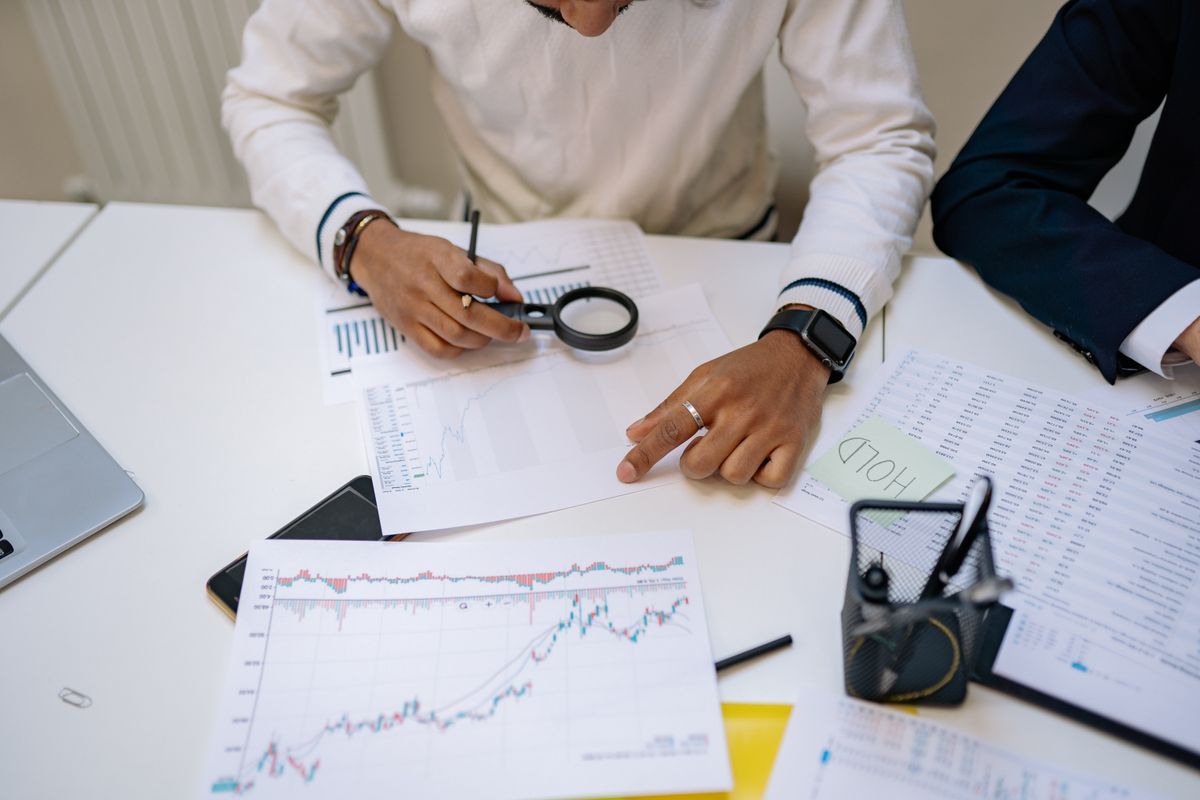
- A person checking printed documents with a magnifying glass, with a phone on the desk — Pexels, photo by Yan Krukau, Pexels License (resized for this page).
- A magnifying glass resting on a handwritten letter beside crumpled papers — Pexels, photo by KoolShooters, Pexels License (resized for this page).