
AI tools for kindergartens in India: admissions, activities and parent updates
Published , Updated , 21 min read
A kindergarten does not need the most powerful AI in the world. It needs three ordinary jobs done well, every single day: answer admission enquiries before the parent next door answers them, give teachers activity ideas that actually work with three-year-olds, and tell parents what their child did today without creating twenty WhatsApp groups. The tools below are judged on exactly those three jobs, not on how impressive their demos look.
The direct answer is simple. If you run a single small preschool in India, start with tools that cost nothing: Google Forms for admission enquiries, WhatsApp Business for parent messages, and Canva for posters, worksheets and activity sheets. Add a general chatbot such as Gemini or ChatGPT only for drafting — never for children’s personal information. Move to a paid preschool system such as CuePilot, Fledgly or Minilytic only when enquiries, fees and daily updates have grown beyond what one phone and one spreadsheet can honestly handle. That order matters, because a paid system bought too early becomes one more login nobody opens, while a free setup used well already solves the most urgent problem, which is lost enquiries and confused parents.
This article is written for India: play schools, nurseries, pre-primary sections and kindergartens in metros and smaller towns, parents who read Hindi, English and regional languages, fees collected largely through UPI, and staff who work mostly from a phone. Every tool listed here works in India without a VPN. Prices and free limits change often, so before paying for anything, or before promising a parent a deadline that depends on a tool, re-check the official pricing and help page of that tool. Where sources disagreed or a price was not publicly confirmed, this article says so instead of guessing.
One rule comes before every tool in this article, and it is not negotiable. Never paste a child’s full name, photo, address, health note, allergy detail or fee record into a public chatbot, a free image generator or any tool your school has no written agreement with. Draft the words with AI if you like, but keep children’s personal data inside your school’s own system, share photos only with the consent of that child’s parents, and share them only with that child’s own family, never in a public group or a public post. AI can write the notice. It must never become the place where children’s records live.

The short answer, in one table
| Tool | Best for | Free limit or price to watch |
|---|---|---|
| Google Forms and Sheets | Admission enquiries, waitlists, consent forms | Free with a Google account; check storage and form limits on Google’s own pages before admission season |
| WhatsApp Business | Parent messages, broadcasts, quick replies | Free app; broadcast lists hold up to 256 contacts, and broadcasts reach only contacts who saved your number |
| Canva | Admission posters, worksheets, flashcards, activity sheets | Free preschool templates exist; paid features are extra, so check each template before promising a print run |
| Gemini | Drafting notices, activity ideas, translations | Free tier listed at no charge in India with a Google account; paid plans add higher limits |
| ChatGPT | Drafting replies, activity plans, parent letters | Free tier exists, but limits vary and change; check the official pricing page before relying on it daily |
| CuePilot | Admissions, billing, parent app and AI reports in one system | Paid, per child per year, from about Rs 1,000 in smaller cities, with a 30-student minimum |
| Fledgly | Preschool ERP: admissions, attendance, fees, parent app | AI-powered preschool ERP for India; price is by demo and quote, so confirm it in writing before budgeting |
| Minilytic | Admission CRM with WhatsApp updates for preschools | Built for preschools, with Hindi and English support; confirm current pricing on its site before buying |
Google Forms and Sheets: the free admission desk
Every admission season in India follows the same pattern. Enquiries arrive by phone call, walk-in, Instagram message and a relative’s recommendation, and the school that replies first usually wins the seat. Google Forms turns that chaos into one list. A parent fills one form — child’s name, age, class sought, parent phone number, how they heard about the school, and preferred visit slot — and every answer lands in one Google Sheet, in the order it arrived, with a time stamp. Nobody has to retype a phone number from a diary, and nobody can honestly say an enquiry was lost, because the sheet is the record.
Set the form up with care, because a long form loses parents. Ask only what you need to arrange a visit: child’s first name and age, class, parent name and mobile number, and one question about transport or timing if that affects admission. Put the longer questions — documents, medical notes, previous school — on the visit form, not the first enquiry form. Add a clear line on the form itself about what the school will do with the details, and who parents can contact to ask for their details to be removed. That one line builds more trust than a glossy brochure.
Sheets then does the follow-up work. Sort by visit date, filter by class, and mark each row as new, visit booked, visited, admitted or waitlisted. One staff member owns the sheet each morning, and the rule is simple: every new row gets a reply the same day. Free tools have limits, and Google’s storage and service limits change, so before the February to April rush, check Google’s own help pages for current limits rather than assuming last year’s setup still holds. For a deeper look at running a whole school on connected tools, see the guide to AI tools for school management in India.
WhatsApp Business: parent communication parents actually read
Parents in India read WhatsApp. They do not reliably read email, they do not always check a school app, and a printed diary note can sit unread in a bag for a week. WhatsApp Business is a free app made for businesses and organisations, and for a preschool it is the single most useful communication tool, provided it is used with discipline. Set up a proper business profile with the school name, address, description, email and website, so a new parent can tell at a glance that the number belongs to a school and not to a stranger.
Three features do most of the work. Quick replies save the answers to the questions every parent asks — admission process, fee structure, school timings, transport availability — so staff do not retype them fifty times. Labels organise contacts by status, such as new enquiry, visit scheduled, admission confirmed and follow-up needed, so no parent falls through the gap between enquiry and admission. Broadcast lists let the school send one message to up to 256 contacts at once, and each parent receives it as a personal one-to-one message, not as a group chat, with replies coming back privately. That last point matters enormously for kindergartens: a parent asking about their own child’s food, sleep or behaviour should never have that conversation in front of two hundred other parents.
There are two hard limits to respect. First, WhatsApp delivers a broadcast only to contacts who have saved the school’s number in their phone, so every brochure, poster and social media profile should carry a simple line asking parents to save the school’s number. Second, consent is mandatory. Only message parents who have agreed to hear from the school, never buy contact lists, never send unsolicited marketing, and always give parents a clear way to stop messages. Over-messaging gets numbers blocked and, in the worst case, banned, and a banned school number in the middle of admission season is a self-inflicted crisis. Keep broadcasts useful and occasional: a fee reminder, a holiday notice, a parent-teacher meeting invite. A daily blast gets muted, and a muted school is a school parents stop hearing.
Canva: posters, worksheets and activity sheets without a designer
A kindergarten needs a surprising amount of printed and shared material: admission posters, classroom door posters, daily routine charts, counting worksheets, colouring sheets, flashcards, birthday boards and festival notices. Canva’s free preschool collection covers exactly this ground, with lesson plans, report cards, worksheets, flashcards and posters that can be customised rather than designed from scratch. A counting worksheet, a name-tracing sheet, a shapes-matching exercise or an admissions-open poster can be adapted in minutes, in the school’s colours, with the school’s name and phone number.
Use Canva for what it is good at — fast, cheerful, print-ready material — and do not pretend it is a curriculum. A worksheet is only useful if a teacher has checked it: is the counting right, are the words age-appropriate, does the sheet work in black-and-white printing as well as in colour, and can a child actually hold a crayon and complete it? Check every sheet by printing one copy and trying it with a real class before printing fifty. Also check each template before promising a print run, because some designs and elements need a paid plan, and a poster that looks free on screen can carry a paid element that blocks download or printing. For activity ideas beyond printables, the guide to AI tools for teachers in India covers planning tools that pair well with Canva’s visuals.
Gemini: drafting notices, ideas and translations
Gemini is Google’s chatbot, and for a kindergarten its honest job is drafting. Give it a plain instruction — write a short, warm notice in simple English and Hindi about a parent-teacher meeting on Saturday, telling parents the timing and asking them to confirm — and it produces a usable first draft in seconds. The same approach works for activity ideas (five rainy-day activities for four-year-olds using only paper and crayons), for simplifying a long circular into three short paragraphs, and for first-draft translations between English and Hindi that a staff member then reads and corrects.
Google’s India subscriptions page lists a free tier at no charge with a Google account, including the Gemini app with image generation and editing, Deep Research, Gemini Live, Canvas and Gems, and 15 GB of storage across Gmail, Drive and Photos. Paid plans, including Google AI Pro and Google AI Ultra, add higher usage limits and more features, with Ultra listed at Rs 6,500 per month at the time of checking. Those details will change, and this article deliberately does not promise that any particular model or limit will still be free next term — check Google’s subscriptions page before building a daily routine around one feature. The rule that never changes is the safety rule: draft with Gemini, but never paste children’s names, photos or records into it, and never send an AI draft to parents without a teacher reading it first. A chatbot does not know your school’s timings, your transport routes or your fee dates, and it will invent confident-sounding details if you let it.
ChatGPT: the general drafting assistant, used with the same caution
ChatGPT plays the same role as Gemini in a kindergarten office: a fast drafting assistant for replies, activity plans, parent letters and social media captions. Its strength is fluent, natural wording, which matters when a school writes to anxious first-time parents. A reply that says, warmly and clearly, what to bring for a trial class, where to park, and who to ask for at the gate does more for admissions than any advertisement, and a chatbot can draft that reply in the school’s tone if you show it one or two examples of how the school normally writes.
Be honest about its limits. ChatGPT’s free tier exists, but its exact message limits vary over time and by model, and comparison sources describe its limits differently from Gemini’s — one comparison notes that ChatGPT’s everyday chat is described as unlimited on every plan while Gemini uses usage limits that refresh on a cycle, which is itself a sign that these details shift and must be re-checked. Do not build an admission promise, a fee deadline or a daily workflow on an assumed free limit. Check OpenAI’s official pricing page, try the free tier for a week with real school drafts, and only then decide whether a paid plan is worth it. The same child-safety rule applies here with full force: no children’s personal information, no photos, no health notes, and no fee records in a public chatbot, ever.
CuePilot: when one system should hold admissions, billing and the parent app
CuePilot is built specifically for preschools and early-learning centres in India, not adapted from a generic school system, and that focus shows in its features. Enquiries from walk-ins, calls and portals land in one pipeline, follow-ups go out automatically, and the system can forecast which programmes fill first. Billing is automated, with invoices on schedule and UPI, card and net-banking payments matched to the right child. The parent app carries photos, circulars and daily updates in one feed per family, with read receipts, so a notice no longer drowns in a large group chat. For teachers, voice notes become structured observations, photos sort by child, and term observations compile into a first draft of a report card for the teacher’s final say — the teacher remains the author, which is exactly as it should be for young children.
Pricing is public and unusually clear for this market, which is a point in its favour. Plans are priced per child per year, with a 30-student minimum: Starter at Rs 1,200 per child per year for parent communication and billing, Growth at Rs 1,800 per child per year adding enrolment, assessments, CRM and automated billing, and Pro at Rs 2,160 per child per year adding Cue AI and predictive reporting, with lower starting prices mentioned for tier 2 and tier 3 cities. For a 60-child preschool, that means roughly Rs 72,000 to Rs 1,29,600 per year depending on the plan, before any taxes or extras — a serious budget line that must be weighed against the staff hours it saves. Confirm the current price, the minimum, and what support and migration help is included before signing, because per-child pricing punishes a school that grows quickly if the contract was written for a smaller school. Take the demo, ask to see the parent app on a real phone, and ask how a parent with a basic phone and patchy internet will actually receive updates.
Fledgly: an India-focused preschool ERP
Fledgly describes itself as an AI-powered ERP for playschools, nurseries, preschools and kindergartens in India, covering admissions and enquiry CRM, attendance, online fee collection through UPI, card and net banking, staff management, a parent communication app with updates, gallery and notices, secure OTP-verified student pickup, exam reports and digital ID cards. Its AI features are pitched as practical time-savers: auto-sending notices, optimising fee reminders, and drafting teacher updates, rather than as replacements for teachers.
That breadth is both the attraction and the question to ask about. A system that does everything is only useful if staff actually use the parts that matter most — admissions follow-up, daily parent updates and fee reminders — every single day. Fledgly’s public pages do not state a fixed price in the material checked for this article, so treat pricing as a quote to be confirmed in writing, including how many children and staff are covered, what support is included, and what happens to the school’s data if the school later leaves. Ask for a trial with real admission data, even if only a week’s worth, and judge it on one test: can a new enquiry be answered, booked for a visit and reminded automatically without anyone opening a second app? If the answer is yes, the system earns its keep. If staff still keep a parallel diary, it does not.

Minilytic: a preschool CRM that starts from the admission season
Minilytic takes a narrower starting point, and for many small preschools that narrowness is a virtue. It is described as a CRM built for pre-schools and play schools from day one, aimed at the specific pains of admission season: enquiries flooding in during the February to April season, parents expecting a daily update or photo, fee cycles tangled with sibling discounts and transport charges, and attendance that needs a simple pickup and drop record rather than a register built for teenagers. Its answers are correspondingly concrete: an AI calling agent that responds to admission enquiries within minutes, one-tap WhatsApp updates and photos from the same place enquiries and fees live, custom fields for sibling discounts, transport charges and annual renewal dates, and simple daily attendance built around pickup and drop.
The vendor also advertises setup in ten minutes, no credit card required to start, and Hindi and English support — claims that should be tested, not assumed, but which point in the right direction for a small Indian preschool. The right way to evaluate Minilytic, or any CRM, is to run it through one real admission week: every enquiry entered once, every follow-up sent from the CRM, every parent update sent through it, and then count how many enquiries were answered within an hour and how many needed a second chase. If those numbers improve, the tool has paid for itself in seats filled. Confirm current pricing on its official site before budgeting, since this article does not quote a price it could not verify.
Using these tools in India: a practical weekly routine
Tools only help if they fit into a week a real preschool actually lives. A workable routine looks like this. On Monday morning, one staff member opens the admission sheet, replies to every new enquiry, and books visits for the week. Teachers spend one focused hour with Canva and a chatbot draft, preparing the week’s activity sheets and the parent notice, and a second teacher checks every sheet and every notice before it goes out. Daily, at a fixed time — after lunch, for example — each class sends one short parent update through WhatsApp Business or the parent app: what the children did, one photo only where parents have consented, and one line about tomorrow. Fee reminders go out on a fixed day of the month, from the system, not from a teacher’s personal phone. On Friday, the school checks three numbers: enquiries answered the same day, visits completed, and parents who replied to the week’s update. Those three numbers tell the school more about its tools than any feature list.
Language deserves a deliberate decision, not an accident. Many parents are most comfortable in Hindi or a regional language, while school records are often kept in English. Decide, class by class, which messages go out in which language, and use AI translation only as a first draft that a fluent staff member corrects. A mistranslated fee date or a wrongly translated allergy note is worse than a message sent a day late in the right language. Keep a small library of approved messages — admission reply, visit confirmation, fee reminder, holiday notice, sick-child note, parent-teacher meeting invite — in each language the school actually uses, and reuse them instead of generating new wording every time.
Connectivity and phones are part of the plan, not an afterthought. Choose tools that work well on an ordinary Android phone, on mobile data, and with intermittent internet, because that is the phone most parents and many teachers actually carry. Test the parent app and the WhatsApp flow on a low-cost phone before rolling them out, and keep one non-digital fallback — a notice board at the gate and a phone call for urgent matters — for families with limited connectivity. A kindergarten that only works for parents with the newest phones has quietly excluded the families it most needs to reach. For ideas on choosing tools for families rather than for offices, the guide to AI tools for parents and kids in India is a useful companion.
What to avoid
Avoid putting children’s photos, names or personal details into any public AI tool, including chatbots and image generators. A cute classroom photo fed into a public tool is no longer under the school’s control, and no admission gained is worth that loss. Avoid AI-generated activity sheets that nobody has checked: wrong counting, unsafe instructions, words too advanced for the age group, and images that do not match the Indian classroom all slip through when generation replaces review. Avoid promising parents a feature, a date or a fee detail that came from an AI draft without checking it against the school’s own records. Avoid running parent communication from a teacher’s personal WhatsApp account, where messages disappear when staff change and where professional boundaries blur. Avoid buying a large system before the free setup has been used well for one full admission season, because the school will not yet know which features it actually needs. And avoid judging a tool by its advertisement: judge it by one real week of enquiries, updates and fee reminders.
FAQ
Which single free tool should a new kindergarten start with? Start with Google Forms for enquiries and WhatsApp Business for parent messages, because together they solve the two problems that lose seats and trust: unanswered enquiries and unheard parents. Add Canva when posters and worksheets become a weekly need, not before.
Do kindergartens need a paid preschool system? Not at first. A school with fewer than about thirty children can usually run well on Forms, Sheets, WhatsApp Business and Canva. A paid system earns its price when enquiries, billing and daily updates together take more staff hours than the system costs, or when records start living in too many places to trust.
Can AI write parent notices and activity plans? Yes, as a first draft. Gemini and ChatGPT both draft warm, clear notices and activity ideas quickly. A teacher must always read, correct and approve the draft before it reaches parents, because only the teacher knows the school’s real timings, dates and children.
Is it safe to upload children’s photos to AI tools? No, not to public AI tools. Share photos only through the school’s own parent app or a private message to that child’s own family, only with that family’s consent, and never feed children’s photos or personal details into a public chatbot or image generator.
Which tool is best for admission follow-up in India? For a small school, a Google Sheet with a same-day reply rule beats an expensive system nobody opens. For a growing school, a preschool CRM such as Minilytic, or a full system such as CuePilot or Fledgly, keeps every enquiry, follow-up and visit in one pipeline so no seat is lost to slow replies.
How much does CuePilot cost in India? CuePilot’s published plans at the time of checking start at about Rs 1,000 per child per year in tier 2 and tier 3 cities, with metro plans from Rs 1,200, Rs 1,800 and Rs 2,160 per child per year, and a 30-student minimum. Re-check its official pricing page before budgeting, because prices and plan contents change.
Can parents receive updates in Hindi? Yes. WhatsApp Business supports messages in Hindi, English and regional languages, Minilytic advertises Hindi and English support, and chatbot drafts can be translated as a first draft. Always have a fluent staff member check translated fee dates, timings and health-related notes before sending.
What should a school check before paying for any AI tool? Check the official pricing page, the free limits, what happens to the school’s data if it cancels, whether the tool works on ordinary phones and mobile data, and whether parents can opt out of messages. Run a one-week trial with real enquiries before signing anything longer than a month.
Final verdict
Start free with Google Forms, WhatsApp Business and Canva; pay only for a preschool system like CuePilot once admissions need one shared pipeline.
That verdict is deliberately boring, because kindergarten administration should be boring: enquiries answered the same day, one clear update to each family, activity sheets checked before printing, and children’s data kept where the school controls it. AI earns its place in a kindergarten not by sounding clever, but by giving teachers back the hour they would have spent retyping the same reply, so they can spend it with the children instead.
This article is general information only, not professional advice. Prices, free limits and features change, so re-check the official pricing and help page of each tool before paying, promising a parent a deadline, or choosing a system for your school. For questions about children’s safety, health, fees or legal obligations, check official and professional sources and consult a qualified professional.
Image credits:
- Children playing with colourful wooden blocks — Pexels — Ksenia Chernaya — Pexels License
- Young children playing with colourful balls and toys in a preschool classroom — Pexels — Pavel Danilyuk — Pexels License
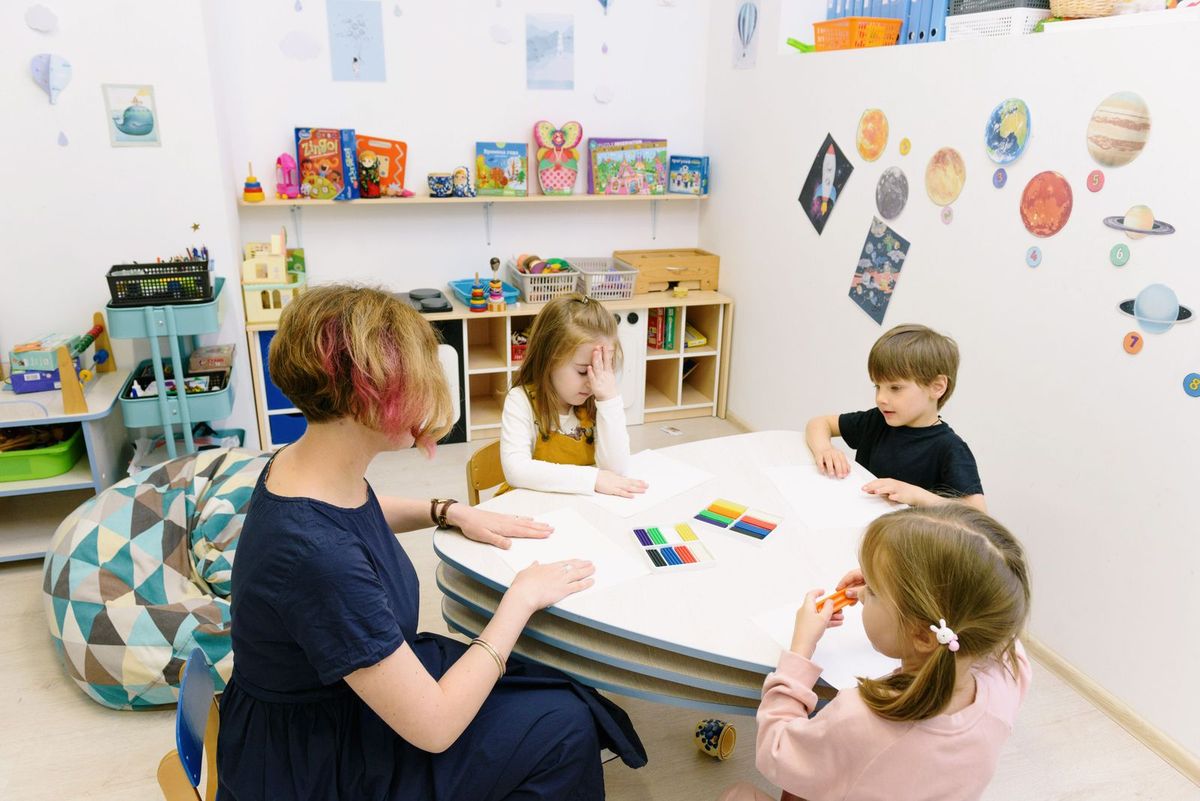
- A teacher doing artwork with children in a kindergarten classroom — Pexels — Ksenia Chernaya — Pexels License