
AI tools for music teachers in India: lessons, practice tracking and fees
Published , Updated , 21 min read
A music teacher in India does at least three jobs at once. You teach the lesson, you chase the practice that should happen between lessons, and you run a small business: scheduling, reminders, fees, receipts, and recital planning. The best AI tools for music teachers are the ones that take a real hour off one of those three jobs. A tool that only looks impressive in a demo, or that adds another dashboard you must feed by hand, is not worth paying for, however clever its marketing sounds.
The direct answer is this: start free. Use MuseScore Studio to write, transpose, and print notation at no cost, because it is open-source software with no limited or trial version. Use Moises on its free tier to separate a song into vocals and instruments so a student can practise along with only their part, or without it. Use a general chatbot only as a drafting assistant for lesson plans, practice checklists, and parent messages, and always correct its tempos, fingerings, and theory before you send anything to a student. Add a paid studio tool only when one specific pain becomes regular: if students keep arriving without having practised, try Tonara for practice tracking; if scheduling, invoicing, and fee reminders are eating your evenings, try My Music Staff for studio management. Prices and free limits change, so re-check the official pricing and help pages before you pay, promise a parent a feature, or set a deadline around a tool.
This article is written for private music teachers, school music teachers, and small music schools in India: piano, guitar, violin, voice, tabla, harmonium, keyboard, and Western and Indian classical teachers alike, working on an ordinary phone and laptop, with students and parents mostly on WhatsApp. It does not assume a United States school account, a paid plan, or a fast studio computer. It also carries one warning that matters more for music teachers than for many other professions: do not upload a student’s recording, a child’s name, or a family’s payment details into a free AI tool that has no agreement with you or your school. A practice recording is a child’s voice or performance, and once it is uploaded, you cannot control where it goes. Keep student recordings inside the practice app or studio system you have chosen, and use general AI tools only with anonymised, made-up examples.
The short answer, in one table
| Tool | Best for | Free limit or price to watch |
|---|---|---|
| MuseScore Studio | Writing, transposing, and printing notation | Free, open source, no limited version |
| Moises | Separating stems, slowing down, practising along | Free tier with limited uploads per month; free separation is 2 stems or 4 stems |
| Tonara | Practice assignments, tracking, and teacher-student messaging | 30-day free trial reported; paid plans listed from about USD 11.95 per month for 10 students, but sources disagree on the lowest price |
| My Music Staff | Scheduling, invoicing, fees, student portal, and lesson notes | USD 16.95 per month plus USD 4.95 per extra teacher; 30-day trial reported |
| Musicnotes | Buying ready-made, quality sheet music in many keys | Free sheet music section exists; most titles are paid, and educator offers change |
| LessonMemo | Turning voice notes after a lesson into practice notes for parents | Free tier for up to 3 students reported by a secondary review, not confirmed on an official pricing page in this check |
| ChatGPT and Gemini | Drafting lesson plans, practice checklists, and parent messages | Free tiers exist; paid plans and limits change, so check the official page before paying |
If you read nothing else, remember three rules. First, correct every AI output before it reaches a student, because a chatbot can invent a fingering, a scale pattern, or a tempo marking with total confidence. Second, test a practice app with two real students for two weeks before you move your whole studio, because a tool your students will not open is worse than a notebook they will use. Third, keep fees and recordings in separate, trusted places, and never promise a parent that a fee, a recording, or a report is safe inside a free tool you have not checked.
MuseScore Studio: free notation that does the core job
MuseScore Studio is the starting point for almost every music teacher, because notation is the one thing a general chatbot cannot do reliably. MuseScore’s own frequently asked questions page is unusually clear: there is no demo, trial, or limited version of the open-source MuseScore software, there is only one version, and it can be downloaded for free. It is released under the GNU GPLv2 licence, and MuseScore does not impose ownership or a licence on your work, so what you write is yours. That matters when you are making worksheets, simplified arrangements, or exam-style exercises for your own students.
In practice, use MuseScore for five jobs. Write a clean exercise in the key and range your student can actually play, instead of handing over a photocopy in the wrong octave. Transpose a song for a singer whose comfortable key is different from the recording. Simplify a piece: keep the melody, thin out the accompaniment, and add finger numbers or bowings. Make a sight-reading sheet at the right level, with a new one each week, rather than reusing the same page until the student has memorised it. Export a PDF to print or send on WhatsApp, and export audio so a student can hear what the exercise should sound like before they practise it.
MuseScore is not an AI teacher, and that is a strength. It will not invent a lesson plan, judge a performance, or track practice. It will faithfully print exactly what you wrote, including your mistakes, so proofread every sheet by playing or singing it through once. Also keep the two MuseScore sites straight: musescore.org is the home of the free notation program, while musescore.com is the community site for sharing scores, with free accounts and a paid Pro account for extra features. If a student asks you why a score costs money, that distinction is usually the answer: the program is free, some shared scores and extra site features are not.
For Indian teachers, MuseScore works well for Western notation, staff-based theory, and keyboard, guitar, violin, and voice worksheets. For Indian classical music, where much teaching is oral and notation systems vary, it is best used as a support: write down a sargam pattern, a scale, or a rhythmic exercise in a form your student can read, rather than trying to force a whole raga or tala tradition into staff notation. A tool should serve your teaching tradition, not replace it.
Moises: practise with the part you need, not the whole recording
Moises answers a very specific classroom problem. A student loves a song, but the recording is too fast, too dense, or in the wrong key, and the student cannot hear their own part inside it. Moises separates a song into stems, meaning separate tracks for vocals, drums, bass, guitar, keys, and more, so a student can mute the part they play and practise along with the rest, or solo the part they are learning. Its own site describes separation into many stem types, including vocals, guitar, bass, drums, piano, keys, winds, and strings, and it offers a web app as well as desktop, iPhone, iPad, and Android apps, so a student does not need an expensive device to use it.
The free tier is genuinely useful but limited, and the limits are worth stating honestly. Moises itself says its free tier provides a limited number of uploads each month, with access to a select set of features, and that full functionality and unlimited uploads need a paid subscription. Its help page adds a precise detail for the free plan: separation is available in two preset options, 2 stems (vocals and instrumental) or 4 stems (vocals, drums, bass, and other). That is enough for most school-level practice: a singer can remove the vocal and sing over the backing, and a guitarist can isolate the guitar or remove it and play along. It is not enough if you need every instrument separated every week for a large class, and in that case the paid plan, not the free tier, is the honest comparison.
Use Moises with a clear teaching rule. First, separate only songs you have the right to use for teaching, and do not upload a student’s own unpublished composition to a free service without thinking about who might then hold a copy. Second, slow the track down and loop one difficult bar, rather than letting a student play along at full speed and practise mistakes faster. Third, check the separated stem before you assign it: AI separation is very good now, but it can leave artefacts, bleed from another instrument, or a muddy bass line, and a beginner cannot tell the difference between a real note and an artefact. Your ear is still the quality check.
Tonara: practice tracking that shows what happened between lessons
Tonara is one of the best-known practice platforms built specifically for music teachers and students. Its official site says teachers can create smart assignments with recordings, videos, voice notes, and written notes, track weekly, monthly, and yearly progress, and use one-on-one or group messaging, and that the app listens as students play and gives personal, real-time feedback. That combination is the point: the teacher walks into the next lesson knowing what the student actually did, not just what the student says they did.
Pricing needs a careful note, because sources disagree. Tonara’s own pricing page, as found in this check, lists a 30-day free trial, with all features included in each package, and monthly plans starting at USD 11.95 for 10 students, USD 19.95 for 20 students, and USD 24.95 for 40 students, with annual prices listed alongside. A separate directory listing, however, gives a price range starting at USD 9.50 per month. That disagreement does not mean either source is lying; it may reflect an older price, a different plan, or a regional listing. It does mean you should not quote a price to a parent, or budget for a year, from this article alone. Open Tonara’s official pricing page on the day you decide, check the plan for your exact student count, and confirm whether tax, currency conversion, and card fees apply to an Indian payment.
Tonara is worth testing if your main problem is follow-through: students who enjoy the lesson but do not practise, parents who ask what the child should be doing, or a studio where assignments live in scattered WhatsApp messages. It is not worth paying for if your students already practise reliably with a notebook, or if your students will not install one more app. The best test is small and honest: put two students on it, one keen and one irregular, for two weeks, and ask at the end whether you learned anything a notebook would not have told you. If the answer is no, cancel before the trial ends and keep the notebook.
My Music Staff: scheduling, invoicing, and fees in one studio system
My Music Staff is a studio management system, not a practice app, and that distinction decides whether it fits you. Its official pricing page lists one simple price: USD 16.95 per month plus USD 4.95 per each additional teacher or staff member, with all features included in that price. Those features include student profiles, lesson tracking, progress notes, file sharing, bulk email and SMS messaging, a calendar with attendance tracking and reminders, automatic invoicing, online payments, late fee automation, revenue tracking, expense tracking, a student portal, and integrations with Stripe, PayPal, Zoom, Google Calendar, Outlook, and QuickBooks. A secondary review also reports a 30-day trial and a 90-day money-back guarantee, but the price itself is confirmed on the official page.
That breadth is the benefit and the risk. If you teach twenty or more students, juggle reschedules, makeup lessons, and monthly invoices, and spend Sunday evenings reconciling who has paid, My Music Staff can replace a spreadsheet, a calendar, a WhatsApp group, and a paper receipt book with one system that parents can check themselves. If you teach five students and already collect fees smoothly on UPI, it is an expensive way to do what a calendar and a payment app already do. Do not buy breadth you do not use.
For India, read the payment details with care. My Music Staff lists Stripe and PayPal among its integrations, and those are real payment routes, but they are not the same as UPI, and international card fees, currency conversion, and payout timing can change the amount you actually receive. Many Indian teachers will find it simpler to keep fee collection on UPI or a bank transfer, and use My Music Staff, or even a spreadsheet, only for invoicing, attendance, and reminders. That hybrid is not a failure; it is a sensible adaptation to how Indian parents actually pay. Whatever you choose, send one clear fee policy at the start of term: fee amount, due date, what happens on a missed lesson, how makeup lessons work, and how a receipt is issued. A tool cannot fix a policy that was never written down.
LessonMemo and the new AI lesson-note tools: useful, but verify the free tier
A newer group of tools tries to solve the smallest, most repetitive job in private teaching: turning what happened in a lesson into clear practice notes for the student or parent. A recent review of AI tools for music teachers describes LessonMemo as a tool that lets teachers record quick voice snippets during or after a lesson, then turns those recordings into structured practice notes that can be emailed to the student or parent, and reports a free tier for up to three students, with paid plans scaling by roster size. The same review describes Arco as a deeper archive option for lesson notes and studio admin, alongside other studio systems.
Treat that free-tier claim as reported, not confirmed, because this check did not verify it on LessonMemo’s official pricing page, and newer tools change their free limits quickly. The idea itself is sound and worth testing: if you lose five to ten minutes per student writing up practice notes, and a voice-to-notes tool saves half of that, it pays for itself in time even before you consider money. But apply the same safety rule as everywhere else in this article: do not record a child’s lesson and send it to a free AI service without a clear policy, parental awareness, and a check of what the service stores. A typed summary that you wrote and checked is safer than an automatic recording upload, especially for younger students. If you do test a lesson-note tool, test it with your own voice and a made-up student first, check that it did not invent an assignment you never gave, and only then use it with real students.
General AI assistants: drafting help, not a music teacher
ChatGPT, Gemini, and similar general assistants are useful for a music teacher in exactly one role: fast first drafts. Ask for a four-week beginner piano plan, a day-by-day practice checklist for a Grade 1 student, a polite fee reminder, a recital invitation, or five sight-reading exercises at a stated level, and you will get a usable starting point in seconds. That speed is real, and it is why many teachers now use these tools for planning and parent communication.
The limits are equally real. A general chatbot does not hear your student, does not know their hand shape, breath control, or reading level, and can confidently produce a wrong fingering, an impossible stretch, a mislabelled scale, or a piece that is far too hard for the grade it claims. It can also invent a composer, a piece, or an exam requirement that does not exist. So use it as a junior assistant, never as the teacher: draft, then correct tempos, fingerings, ranges, and theory yourself, and check any exam, syllabus, or competition claim against the official board or institution before you tell a student. For more on how teachers in general use these drafting tools, see our guide to AI tools for teachers in India.
Related reading in this series can help with the neighbouring jobs: free AI music generators for creative composition exercises, free AI transcription tools for turning audio into text for lesson notes, and AI tools for freelancers in India if you also need contracts, invoicing, and client communication beyond music. Use those guides as starting points, and re-check their prices too, because free tiers across this whole field move often.

Music teaching in India: lessons, practice, and fees that fit how families actually work
India adds four practical constraints that a tool designed elsewhere may not handle well. First, most parent communication happens on WhatsApp, not email, so a studio system whose parent portal no one opens is less useful than a system that can send a short WhatsApp reminder with the practice list attached. Second, many students practise on a shared family phone, so a practice app must work on a modest Android phone, offline or on patchy data, and must not demand a large download or a paid subscription from the family. Third, lesson times shift around school exams, festivals, and family travel, so a calendar that makes rescheduling painful will be abandoned, however good its reports look. Fourth, fees are usually monthly, often paid by UPI or bank transfer, and often discussed in person, so a fee system must support a clear receipt and a polite reminder without making a family feel chased by an automated system.
On fees specifically, keep the facts straight. According to a Razorpay guide summarising National Payments Corporation of India rules, there are no transaction charges for personal UPI payments, regardless of amount, and bank-to-bank UPI transactions carry a government-mandated zero percent merchant discount rate, although a payment gateway may still charge a platform fee for processing, security, reconciliation, and settlement. The same guide notes that Google Pay does not impose fees on users for person-to-person or person-to-merchant transactions, with a daily limit of one lakh rupees and twenty transactions per day for regular users. Those are useful background facts, but they are not a fee policy for your studio: check your own bank, gateway, or payment app on the day you collect, because limits, platform fees, and merchant categories change, and a small teacher using personal UPI is in a different position from a registered music school using a gateway.
A practical India setup for a small studio could look like this. Use MuseScore for all notation and worksheets, because it costs nothing and prints cleanly. Use Moises free for song practice, and only assign songs you have checked for quality and rights. Use a notebook or Tonara, depending on your students’ follow-through, for practice tracking, and test Tonara with two students before committing. Use a written fee policy plus UPI or bank transfer for collection, and add My Music Staff only when invoicing and scheduling genuinely take more than a couple of hours a week. Use a general chatbot only for drafts, corrected by you, and never for student recordings or payment details. That setup is boring, and that is why it works: every tool earns its place by removing a real hour, not by adding a new login.
For school music teachers, the same tools apply with one extra rule: follow your school’s policy on student data, devices, and approved apps before you introduce any new tool to a class. A tool that is fine for a private studio may not be approved for school use, and a school agreement matters more than a free account. If your school already uses Google Workspace or Microsoft tools, check whether lesson planning, classroom sharing, and parent communication can happen inside those approved systems first, and use a music-specific tool only for the job those systems cannot do, such as stem separation or practice tracking.
What to avoid
Avoid uploading a student’s recording, photo, full name, school, or payment details to a free AI tool without a policy and, for children, parental awareness. Avoid letting an AI tool set a student’s level, exam entry, or repertoire without your own hearing and judgement. Avoid buying a studio system for features you will not use in the next term, especially a system priced per student that grows more expensive exactly when your studio grows. Avoid promising a parent that an AI-generated practice plan, backing track, or report is accurate before you have checked it yourself. Avoid copying AI-generated sheet music, lyrics, or arrangements and selling or distributing them as your own, because copyright in music is real, and an AI output does not automatically give you the rights to the underlying song. Avoid practising only to a streak or a minute count: a student who plays scales badly for thirty minutes has not practised better than a student who fixes one bar carefully in ten minutes. Finally, avoid a tool that works only with a virtual private network, a foreign payment card, or an account your students cannot create in India; if a tool does not work in India without a VPN, it does not work for your studio, however good its reviews look elsewhere.
This article gives general information only, not professional legal, financial, or tax advice. Fee structures, tax obligations for a teaching business, and copyright rules for music depend on your exact situation, so check official sources and a qualified professional before you set a fee policy, register a business, or use copyrighted material commercially.
FAQ
Which free AI tool should a music teacher in India start with? Start with MuseScore Studio for notation and Moises free for practice tracks. Both work without a paid plan, both solve a daily job, and neither requires you to move your whole studio to test them.
Is Tonara worth paying for? It is worth testing if students do not practise between lessons and you need evidence of what happened, not just a promise. Test it with two students for two weeks, check the official pricing page for your student count, and cancel before the trial ends if it does not change the next lesson.
Is My Music Staff worth it for a small studio? For a studio with many students, frequent reschedules, and monthly invoicing, yes, because its official price of USD 16.95 per month plus USD 4.95 per extra teacher covers scheduling, invoicing, and a student portal in one system. For five students paid smoothly on UPI, a calendar and a written fee policy are usually enough.
Can a chatbot plan my lessons? It can draft a plan, a checklist, or a parent message, but it cannot hear your student or judge their level. Correct every tempo, fingering, range, and theory point yourself, and check any exam or syllabus claim against the official board before you share it.
Can students use Moises free for school practice? Yes, for many school-level jobs, because the free plan offers 2-stem and 4-stem separation with a limited number of uploads per month. Check the separated stem yourself first, because AI separation can leave artefacts that a beginner cannot recognise.
How should I collect music lesson fees in India? Use a written fee policy with amount, due date, missed-lesson rules, and makeup rules, and collect by UPI or bank transfer with a clear receipt. Personal UPI payments carry no transaction charge under the rules summarised above, but gateway platform fees and limits can apply, so check your own payment route before you rely on it.
Do I need a VPN to use these tools in India? No. MuseScore, Moises, Tonara, and My Music Staff are presented here as tools that work in India without a VPN, on an ordinary phone and laptop. If any tool asks for a VPN, a foreign card, or an account your students cannot create, treat that as a reason to choose a different tool, not as a setup step.
Is it safe to upload student recordings to a free AI tool? No, not without a policy, parental awareness, and a check of what the service stores. Keep recordings inside your chosen practice or studio system, use general AI tools only with anonymised examples, and follow your school’s rules where they apply.
Final verdict
Start free with MuseScore and Moises, add Tonara or My Music Staff only when practice or fee admin actually eats your week.
Image credits:
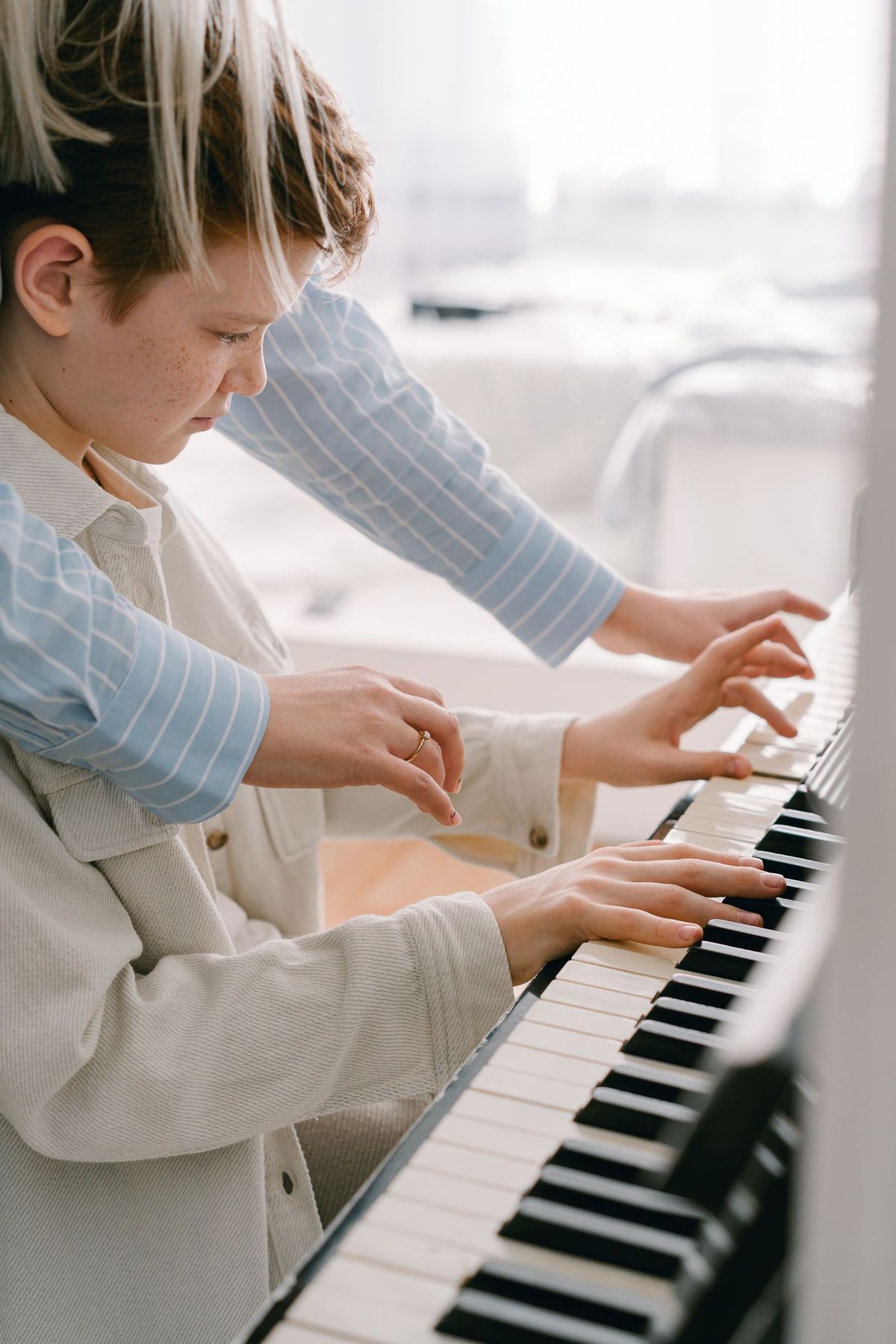
- A music teacher guiding a young student at the piano — Pexels — Mikhail Nilov — Pexels License
- A music teacher guiding a young student through a guitar lesson — Pexels — Yan Krukau — Pexels License
- A teacher and a teenage student practising piano with sheet music — Pexels — cottonbro studio — Pexels License