
AI tools for comic creators in India: panels, characters and webcomics that stay consistent
Published , Updated , 24 min read
A comic creator in India does not fail for lack of ideas. A comic creator fails when the hero looks different in every panel, when the speech bubbles are unreadable on a phone, or when a whole series is built on a platform that will not publish it. AI tools are genuinely useful for comics now, but they solve different problems, and picking the wrong one first wastes the most expensive thing a creator has: the weeks spent building an audience that expects the same characters, the same world, and a new episode on time. Character consistency is the whole game in comics, and it is the first thing you should test before you pay for anything.
The direct answer for India is this: if you want finished, readable comic pages with the least fuss, start with Anifusion free, because it combines panel layouts with editable speech bubbles in one place, and its paid credits do not expire. If you want a vertical webtoon episode drafted from a script, try LlamaGen free, but expect its free plan to cap you at four panels and one character. If your series lives or dies on the same cast appearing episode after episode, Mage is the strongest consistency tool in this list, with saved characters and references you can call by name in every prompt, starting at 10 dollars a month. For finishing, lettering, and exporting a publishable page, no AI generator replaces Clip Studio Paint, the long-standing comic and manga software that handles word balloons, panel borders, screen tones, and print-ready export. Everything else here is a supporting tool, not the spine of a series.
This article is written for creators working from India on a normal phone and laptop, paying in rupees where possible, publishing in English, Hindi, Hinglish, or a regional language, and reading mostly on phones. All the tools below work in India without a VPN through their normal websites, as far as their public pricing and help pages show at the time of writing. Prices and free limits change often, sometimes without announcement, so treat every price in this article as a snapshot, not a promise: re-check the official pricing and help page before you pay, before you promise a client a delivery date, and before you build a whole series around one free tier.
The short answer, in one table
| Job | Best pick | Free limit to watch |
|---|---|---|
| Finished manga pages with lettering | Anifusion | Free plan has only 100 credits; Creator is 9 dollars a month for 2,000 credits |
| Draft a whole vertical webtoon episode | LlamaGen | Free caps pages at four panels and one character; character consistency needs Pro |
| Same cast across many episodes | Mage | Basic is 10 dollars a month; unlimited flagship model needs the 30-dollar Pro plan |
| A full manga page in one generation | NovelAI | No free tier in this comparison; plans start at 10 dollars a month |
| Lettering, finishing, and export | Clip Studio Paint | Subscription from about 4.49 dollars a month in published comparisons; perpetual licences are separate |
| Free local colouring and fixes | Krita AI Diffusion | Free and open source; needs a computer that can run it |
| Panel art and character reference images | Midjourney | Paid only in current pricing; Basic is 10 dollars a month for about 200 image jobs |
| Assembling panels and covers | Canva | Free plan works for layout; AI features are metered |
| Scripts and dialogue | ChatGPT or Claude free | Free tiers are generous for drafting, but facts and names still need checking |
If you read nothing else, remember three rules. First, test one character across ten panels before you test ten characters across one panel. A tool that draws one beautiful hero once and a stranger nine times is useless for a series. Second, lettering is part of the art, not an afterthought. Bubbles that cover faces, text that is too small on a phone, and dialogue in the wrong reading order will lose readers faster than imperfect anatomy. Third, check the publishing platform before you draw the series. One major platform does not allow AI-generated comics at all, and that rule matters more than any feature list.
Anifusion: the simplest route to a finished page
Anifusion is a manga and anime comic creator with panel layouts and a lettering editor built in, and for a beginner that combination matters more than raw image quality. You pick a panel preset or draw your own grid, generate each panel, then letter it with editable speech bubbles, captions, and fonts, all in the same tool. Character sheets and LoRAs help keep a character on model, and Anifusion says its webtoon exports meet WEBTOON and Tapas specifications at 800 pixels wide, which is the practical size for vertical-scroll publishing.
The pricing is unusually friendly for a slow, careful creator. The free plan has only 100 credits, which is enough to learn the tool but not to finish a chapter. Creator costs 9 dollars a month for 2,000 credits, Pro is 24 dollars a month, credits do not expire, and paid plans include commercial use. Credits that do not expire change how you should work: you can buy a pack in a good month, spend it slowly across a chapter, and not feel forced to publish before the story is ready. That matters for Indian creators working around jobs, college, or exams, where a monthly subscription that burns while you are busy is a real cost.
Anifusion is best for manga creators on a budget who want art and lettering in one place, and for first-time creators who need to see a finished, readable page quickly. Its honest limits are worth knowing. The free credit pool is small, so a free user cannot iterate endlessly on one page. Its own help guidance suggests building a chapter page by page rather than generating everything at once, which is good advice for every tool on this list: AI comics reward patience and revision, not one giant prompt. If you want a whole episode generated from a script in one pass, look at LlamaGen instead, and if you want the strongest long-series character memory, look at Mage.
LlamaGen: script in, vertical episode out
LlamaGen is a comic generator with a dedicated webtoon mode that turns a script into a vertical episode, and that is a different promise from Anifusion’s page-by-page craft. Its webtoon generator lays out a vertical episode with a recurring cast, carries locations and lighting from scene to scene, and adds captions and comic lettering from the Standard plan, with up to 20 panels per prompt. Pro, at 30 dollars a month or 24 dollars billed yearly, adds character consistency, up to 40 panels per prompt, and comic-to-video, and lets you train a LoRA on your own art. LlamaGen’s terms give you the rights to what you make, including commercial use.
For a writer in India who has a story but struggles to draw, this is the fastest way to see whether a story works as a comic at all. Write a tight script, generate a rough episode, show it to five honest readers, and only then invest in polished art. The free plan is genuinely useful for that test, but it caps pages at four panels and one character, so it cannot carry a real multi-character episode. Character consistency itself starts at Pro, which means the free draft will drift: the same character may change face, clothes, or proportions between panels. Treat the free output as a storyboard, not a final. Also note the revenue condition in its terms: companies earning over 500,000 dollars a year need Pro or higher, which will not affect most independent Indian creators, but is worth knowing before a series becomes a business.
LlamaGen is best for writers who want a script turned into a rough episode fast, and for creators testing many story ideas before committing to one. It is not the best tool for a creator who already draws, or for someone who needs precise control over every panel, because its strength is speed and structure, not fine art direction. Pair a LlamaGen draft with Clip Studio Paint for lettering fixes and export, and the combination is stronger than either tool alone.
Mage: the consistency engine for a long series
Mage is a browser-based image and video platform whose Characters and References exist to solve the hardest problem in AI comics: keeping a cast consistent from episode to episode. You build a Character from one portrait, or turn a single image into a front, side, and back turnaround with its Character Sheet app, then call that character by its handle in any prompt. References save outfits, poses, locations, and objects the same way, so a prompt like a named hero in a named uniform on a named rooftop stays the same from episode to episode. Its exclusive flagship model, Mango 3, generates tall panels up to a 9:21 ratio and runs unlimited on the 30-dollar Pro plan, which also makes character creation unlimited. For classic manga line art, Illustrious checkpoints run unlimited from the 10-dollar Basic plan, with LoRA support. Inpainting fixes a hand or an expression without redrawing the whole panel, and images are private by default.
That is a serious toolkit, and it is priced like one. Basic is 10 dollars a month, Pro is 30 dollars a month, and the unlimited flagship model is a Pro feature. For a creator publishing weekly, that cost is defensible: the alternative is redrawing or regenerating a drifting cast every week, which costs far more in time. For a creator publishing one short comic a month, it is probably too much, and Anifusion or a free tool will serve better. Mage also has a clear gap: it does not letter or assemble episodes. You will still need Clip Studio Paint, Canva, or a similar tool to place bubbles, order panels, and export the final page. Think of Mage as the casting department and the art department, not the whole publishing house.
Mage is best for webtoon and manga creators who need the same cast in every episode, especially series with a small core cast, recurring locations, and a fixed visual style. Its discipline is also worth copying even if you never pay for it: build a character sheet first, lock outfits and locations as references, and reuse them deliberately. Creators who skip that step and prompt fresh every time are the ones whose heroes change face mid-chapter.
NovelAI: one prompt, one full manga page
NovelAI is an AI storytelling service whose V5 image model can draw a fully paneled manga page in one generation, speech bubbles included. You describe the page, and V5 returns a multi-panel layout in a single generation, with characters placed where you want them and dialogue in speech bubbles in English, Japanese, or Chinese. It also takes prompts in Japanese. Plans cost 10, 15, and 25 dollars a month, and NovelAI says what you create is yours to use, including commercially.
The appeal is obvious: one generation instead of ten, with bubbles already placed. The risk is equally obvious: when a whole page is generated at once, one bad panel means regenerating the whole page, and fixing a single bubble or face is harder than fixing a single panel. NovelAI suits creators who think in complete pages, who are comfortable regenerating and discarding whole pages, and who work in anime and manga styles. It suits a short comic or a one-page gag far better than a 40-panel chapter, where page-by-page tools give more control. Indian creators should also note the language limit: dialogue support covers English, Japanese, and Chinese, so Hindi or Hinglish dialogue will need to be lettered separately in Clip Studio Paint or a similar tool, with the AI art used for panels only.
Clip Studio Paint: the finishing tool no generator replaces
Clip Studio Paint, made by Celsys, is the leading comic and manga creation software worldwide, and it is the least glamorous and most important tool on this list. It is your all-in-one solution for drawing, inking, colouring, and finishing: realistic pencils and inking pens, customisable brushes, raster and vector colour, speed lines, screen tones, and built-in word balloons. Where AI generators stop, Clip Studio Paint starts: it handles lettering, panel slicing, page templates, and export at the sizes and resolutions that platforms and printers actually require.
Published comparisons put its subscription from about 4.49 dollars a month, with a one-time perpetual PRO licence also sold separately, and an EX edition that adds extra comic and animation features. Prices in rupees vary by store and edition, and older perpetual versions are still sold by third-party sellers in India, so do not trust a single marketplace listing: check the official Clip Studio Paint purchase page for the current edition, platform, and price before paying. The practical advice for India is to use the free trial or the cheapest honest route first, learn lettering and export on real pages, and only then decide between subscription and perpetual. A creator who can letter and export cleanly in Clip Studio Paint can publish AI-assisted art, hand-drawn art, or a mix of both, and that flexibility is worth more than any single generator subscription.
Clip Studio Paint is best for finishing and exporting episodes, for creators who draw their own line art and want AI only for cleanup and colour, and for any creator who wants a page that reads well on a phone and prints well on paper. If you buy only one tool from this article and you plan to publish seriously, buy this one last and keep it longest, because generators change every few months while lettering, panel flow, and export standards change slowly.
Krita AI Diffusion: the free, local workhorse
Krita AI Diffusion is a free, open-source plugin for Krita that helps artists who draw their own line art with cleanup, colouring, and fixes, running locally on their own computer. There is no subscription, no credit meter, and no queue: if your computer can run it, you can use it as much as you like. That makes it the best zero-budget companion for a creator who already draws, or who is learning to draw and wants AI help without handing a monthly fee to a company.
The honest cost is hardware and setup. Local AI needs a capable computer, some patience with installation, and realistic expectations: it will colour, clean, and fix your art, but it will not invent a consistent cast for you the way Mage does, and it will not letter a page the way Anifusion or Clip Studio Paint does. For an Indian student or hobbyist with a decent laptop and no budget, that trade is excellent. For a creator on a phone only, it is not practical, and a browser tool like Anifusion free is the better start. Pair Krita AI Diffusion with hand-drawn panels and Clip Studio Paint-style lettering discipline, and you have a fully free pipeline except for the final export tool, which is a remarkable position to be in.
Midjourney and Canva: reference art and assembly
Midjourney remains one of the strongest tools for striking panel art and character reference images, and its character-reference features help keep a face recognisable across images when used carefully. Its current pricing is paid only: Basic is 10 dollars a month for limited generations, about 200 image jobs a month, where one job produces four images, and Standard is 30 dollars a month with 15 hours of fast generations and unlimited relaxed image generations. General commercial terms are included on paid plans. There is no free tier on its current pricing page, so do not plan a series around free Midjourney access. Midjourney is best as a reference and cover-art tool for a comic, not as the episode engine: generate character sheets, posters, and key panels there, then build the episode itself in a comic-specific tool.
Canva plays a different, humbler role: laying out panels and lettering around images you already have, and designing covers, social posts, and episode announcements. Its free plan handles layout well, its templates speed up covers and Instagram posts, and its AI features are metered, so heavy AI generation inside Canva is not the cheapest route. If you already use Canva for social media, use it for comic covers and announcements too, and read our guide to graphic design tools for beginners before buying a design subscription you may not need. For the comic page itself, though, a dedicated lettering tool will give you better bubble control, better text flow, and cleaner export than a general design tool.
For scripts and dialogue, ChatGPT and Claude free are the obvious drafting desks. Use them to outline episodes, test dialogue, brainstorm twists, and rewrite a scene until it reads aloud well. Do not let them write the whole comic unsupervised: AI dialogue tends toward the generic, Indian readers notice quickly when slang, place names, or family dynamics feel imported, and every fact, date, or cultural reference still needs a human check. For pure image generation comparisons beyond comics, see our guide to free AI image generators.
Using these tools in India: language, phones, and publishing
India changes the comic workflow in three practical ways: language, device, and platform. First, language. Most AI comic tools letter best in English, and some, like NovelAI, support Japanese and Chinese as well, but Hindi, Hinglish, and regional-language dialogue usually needs manual lettering. That is not a reason to avoid AI art; it is a reason to split the job. Generate panels in English prompts, letter the final dialogue yourself in Clip Studio Paint, and keep a consistent font and bubble style across languages. A Hindi edition and an English edition of the same comic should share panels and differ only in lettering, which doubles your audience without doubling your art cost.
Second, devices. Most Indian readers will meet your comic on a phone, in vertical scroll, on Instagram, on a webtoon app, or in a chat forward. Design for that reality: test every page on a real phone before publishing, keep dialogue short enough to read without zooming, keep the most important face or action clear in the first panel of a scroll, and export at the width your platform asks for, such as the 800-pixel webtoon width Anifusion targets. A page that looks beautiful on a laptop and unreadable on a phone is a failed page.
Third, publishing, and this is where creators lose the most work. WEBTOON Canvas is the premier global self-publishing hub for webcomics, and it lets Indian creators reach a global audience directly, with creator earning routes for popular series. Tapas is also popular and friendly to reader support, but its content guidelines do not allow AI-generated content, according to published comparisons of platform rules, so an AI-assisted comic that is fine on one platform may be rejected on another. WEBTOON Canvas terms themselves do not mention generative AI in the same way, though its creator contests have required entries not to be made with generative AI. Rules change, contests have their own terms, and a platform can update its policy after you publish, so read the current guidelines of every platform you use, keep your original scripts, prompts, and edits as proof of your creative work, and never build your only audience on a platform whose AI rules you have not read.
Inside India, Pratilipi Comics reaches large vernacular readerships across Hindi, Tamil, Telugu, Bengali, and English, and Kross Komics serves vertical-comic readers with strong youth engagement, according to Indian webcomic guides. Instagram remains the fastest discovery engine for a new Indian comic: post single panels, short vertical episodes, and character art there, and use our guide to social media AI tools to plan that posting without burning out. For money, Indian creators commonly combine platform earnings with direct reader support through UPI tipping links, memberships, and merchandise at events like Comic Con India shows in Delhi, Mumbai, Bengaluru, Hyderabad, and Chennai. Print-on-demand services such as Notion Press and Pothi let indie artists sell paperback volumes through Amazon India and Flipkart without holding stock. None of that replaces the comic itself, but a comic with no audience route is a diary, not a series.
What to avoid
Avoid building a series on a tool that has already shut down, and check that any tool you adopt is still live before you pay. Dashtoon Studio, once a common pick for webtoon serials, shut down on 15 August 2026, according to its own site as reported in published comparisons. Creators who had built workflows around it had to migrate. The lesson is general: prefer tools with active pricing pages, recent updates, and export options that let you take your art with you.
Avoid publishing AI dialogue, names, or cultural details without a human read. AI tools confidently invent festivals, foods, train routes, and slang that sound Indian and are wrong, and readers in India will spot the error before any algorithm does. Avoid letting AI lettering cover faces, hands, or the action of a panel; if a bubble hides the emotion, move the bubble, shrink the text, or redraw the panel. Avoid generating a whole chapter in one prompt and publishing it unedited: the tools that promise one-click chapters are selling speed, and speed is the enemy of a readable comic. Avoid promising a client or a reader a deadline that depends on a free tier you have not tested, because free credit pools, queues, and daily limits can stall a chapter the night before it is due. And avoid ignoring licences: a free tier that forbids commercial use, a platform that bans AI content, or a model trained on art you do not own can all turn a popular comic into a takedown. When sources disagree about a price, a limit, or a platform rule, believe the official pricing or help page over a blog post, including this one, and say so to your readers if you recommend the tool.
A short note on copyright and honesty, because comics are commercial art. In the United States, the Copyright Office registered the text and the arrangement of the AI comic Zarya of the Dawn but not its AI-generated images, and its later report says prompts alone are not enough for protection. Your story, dialogue, panel arrangement, and any art you draw or substantially edit yourself can still be protected, but purely AI-generated images sit in uncertain territory. This article is general information only, not legal advice, and the law in India, on platforms, and in other countries differs and changes. If a comic becomes a business, check the current rules with a professional or the official source before signing a publishing deal, and be transparent with readers and clients about how much of the work is AI-assisted.
FAQ
Which AI tool is best for comic creators in India? There is no single best tool, because comics have three separate jobs. Anifusion is the best starting point for finished, lettered pages on a budget. Mage is the best for keeping one cast identical across many episodes. Clip Studio Paint is the best for lettering, finishing, and export. Start with the job you struggle with most, not with the tool that looks most impressive in a demo.
Can I make a full webcomic for free? You can make a short comic for free, but a long series will eventually need either money or your own drawing skill. Anifusion free gives only 100 credits, LlamaGen free caps pages at four panels and one character, and Krita AI Diffusion is free but needs a computer and your own line art. A realistic free route is a short story of a few pages, lettered carefully, published on Instagram or WEBTOON Canvas, and used to test whether readers want more.
How do I keep the same character looking the same in every panel? Build a character sheet first: front, side, and back views, a fixed outfit, and a fixed colour palette, then reuse that sheet as a reference in every generation. Tools like Mage let you save a character and call it by name, and tools like Anifusion and LlamaGen offer character sheets and LoRA training on paid plans. Even without those features, reusing the same reference image and the same descriptive prompt for every panel drifts less than writing a fresh description each time. Always check ten panels in a row before committing to a design.
Do I need to know how to draw to make an AI comic? No, but drawing skill changes what the tools can do for you. A non-artist can write, generate, letter, and publish a readable comic with Anifusion or LlamaGen. An artist can use the same tools faster and better, because they can fix hands, correct anatomy, redraw a bad panel, and letter with judgement. The most durable Indian comic creators in this wave will be the ones who learn panel flow, dialogue, and lettering even if they never learn to ink.
Can I publish AI comics on WEBTOON and Tapas? Read the current rules before you publish, because they differ. Published comparisons report that Tapas content guidelines do not allow AI-generated content, while WEBTOON Canvas terms do not mention generative AI in the same way, though its contests have required entries not to be made with generative AI. Platform rules and contest rules are different things, and both change. If a platform is central to your plan, confirm its current policy on its own help pages and keep your scripts and edits as evidence of your creative contribution.
How much does it cost to run an AI comic series each month? A careful beginner can start at zero with free tiers and Krita, then move to about 9 dollars a month for Anifusion Creator or 10 dollars a month for Mage Basic or Midjourney Basic when the series needs it. A weekly series with a fixed cast and professional finishing can reasonably reach 30 dollars a month for a stronger plan plus a Clip Studio Paint subscription. Prices and limits change, so re-check the official pricing page before paying, and budget in rupees with payment fees and taxes in mind, not just the dollar headline.
Will readers in India pay for or support an AI-assisted comic? Readers pay for stories, characters, and reliability, not for the tool used. Indian creators earn through platform revenue, UPI tips, memberships, merchandise, and print-on-demand collections, but every one of those routes depends on readers caring about the characters first. Publish on a regular schedule, finish short stories before starting long ones, and be honest about AI assistance where a platform or a client asks. A short, finished, honest comic beats a long, unfinished, secretive one.
What size and format should I export my comic in? Export for the platform you are publishing on, not for your own screen. Vertical webtoons are commonly exported around 800 pixels wide, while print needs much higher resolution and a different colour setup. Test every export on a phone, check that dialogue is readable without zooming, and keep a high-resolution master copy of every page so you can re-export for print, social media, or a new platform later without regenerating the art.
Final verdict
Start with Anifusion free for finished pages, add Clip Studio Paint for lettering, and use Mage only when one cast must stay identical.
Image credits:
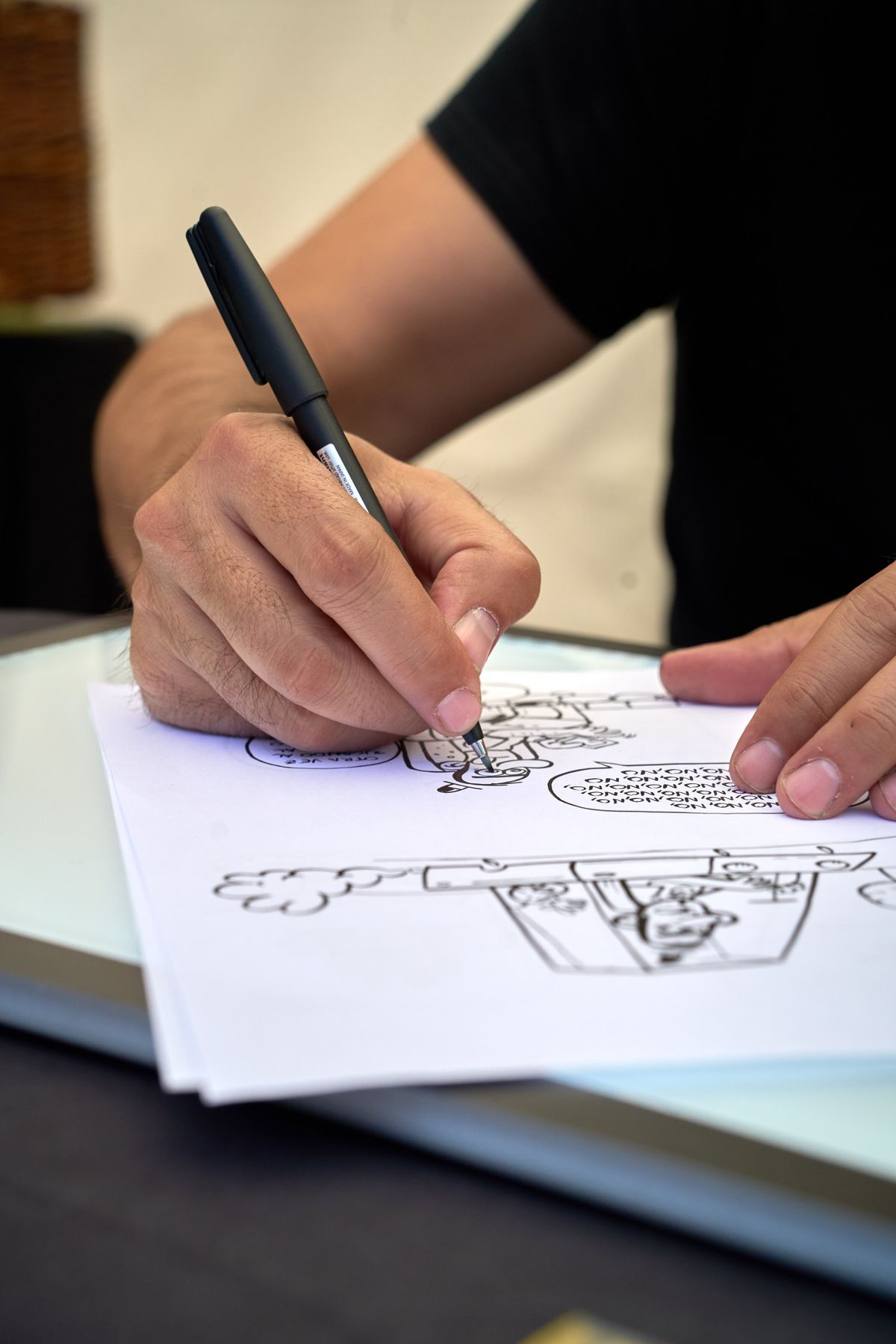
- An illustrator inking a cartoon comic page with speech bubbles — Pexels, photo by Mike Art, Pexels License (resized for this page).
- An artist sketching at a desk surrounded by drawing tools — Pexels, photo by Pavel Danilyuk, Pexels License (resized for this page).
- Close-up of hands drawing with a pen in a sketchbook — Pexels, photo by Greta Hoffman, Pexels License (resized for this page).