
AI tools for florists in India: arrangements, orders and delivery made easier
Published , Updated , 24 min read
A flower shop in India runs on timing. Roses bought at dawn in the mandi can look tired by evening, a wedding order for 500 stems cannot be guessed, and a birthday bouquet ordered at 11 in the morning must still look fresh when it reaches the other side of the city at 7 in the evening. The best AI tools for florists do not replace the florist’s eye. They take away the repetitive work around it: writing the first draft of a message, turning a customer’s vague request into a concrete arrangement, costing that arrangement before the stems are cut, and keeping orders and deliveries from getting lost in a notebook or a chat thread.
The direct answer for India is this: start free with ChatGPT for writing and arrangement ideas, WhatsApp Business for taking and organising orders, and Google Business Profile for being found on Search and Maps. Those three cost nothing to start, work in India without a VPN, and cover the three jobs that decide whether a small flower shop grows: being found, being messaged, and being understood. For photos and festival posts, Canva is the strongest next step, because its free plan includes AI design tools and templates a shop can reuse every festival. For costing and recipes, Floreboard is the most florist-specific tool found in this research: it builds an arrangement from the flowers you actually have in stock, works out cost and margin, and gives the customer a link to approve. Florisyn is the fuller shop system to consider later, with point of sale, orders, inventory and delivery in one place, but it is a paid business system with a free trial, not a free app. Gemini is a useful second writing and brainstorming assistant, especially if the shop already uses Google apps.
One warning belongs at the top, because prices and free limits change often and sources disagree about exact numbers. Every price and limit in this article was checked against public pages during research for this article, and several of them are already described by their own providers as estimates or as subject to fair-use limits. Before paying for anything, or before promising a customer a delivery time or a price based on a tool, re-check the official pricing and help page of that tool. An AI tool can draft a price list, but it cannot know today’s mandi price for roses in your city, and it cannot guarantee that a delivery rider will reach a given address by a given hour.

Short-answer table
| Job in a flower shop | Best free starting point | When to pay or upgrade |
|---|---|---|
| Writing messages, captions and arrangement ideas | ChatGPT (free plan) | Only if you hit caps on images, files or voice, or need a paid model |
| Brainstorming and Google-app work | Gemini (free, no plan) | Google AI Plus doubles limits, according to Google’s help pages |
| Taking orders on chat | WhatsApp Business app (free) | No upgrade needed for a small shop; larger teams need the paid WhatsApp Business Platform route |
| Being found nearby | Google Business Profile (free) | Free to create and manage; paid ads are optional and separate |
| Photos, festival posts and price cards | Canva Free | Canva Pro when the free AI allowance runs out or premium photos are needed |
| Costing an arrangement from real stock | Floreboard | Paid florist tool; check its current pricing page before committing |
| Running the whole shop: till, stock, delivery | Florisyn (14-day free trial) | Paid plans after the trial; delivery features sit on higher plans |
ChatGPT: the writing and ideas assistant
ChatGPT is the most useful general assistant for a florist because most of a shop’s daily writing is repetitive: a condolence message that must be respectful, a wedding enquiry reply that must sound professional, an Instagram caption for a new bridal bouquet, and a polite follow-up when a customer has not confirmed an order. ChatGPT drafts all of these in seconds, in English, Hindi, Hinglish or another Indian language, and the florist then edits the draft so it sounds like the shop, not like a machine.
For arrangements, ChatGPT works best when it is given specifics rather than a vague request. “Suggest a bouquet” produces a generic answer. “Suggest a Rs 999 birthday bouquet using roses, carnations and filler flowers available in Delhi in November, for a 25-year-old, with a cheerful colour scheme” produces something a florist can actually use, adapt, or reject with reasons. The same approach works for occasion lists: ask for ten Diwali centrepiece ideas under three price points, or five sympathy arrangements that avoid flowers some families consider inauspicious, and then use local knowledge to correct the list. ChatGPT does not know your stock, your supplier’s prices, or a particular family’s customs, so its list is a starting point, never a final recipe.
On the free plan, OpenAI’s help material, as summarised by independent checks in October 2026, describes unlimited everyday text chats, subject to abuse-prevention safeguards, with separate caps on file uploads, image generation, voice and data analysis. That distinction matters for a florist: writing fifty captions may be fine, while generating fifty AI images in a day may not be. The free plan runs on the current free model, and the most advanced models and thinking levels are paid. Sources disagree on model names and exact caps from month to month, which is itself a reason to check the in-app usage screen rather than trusting any article, including this one, for a number. ChatGPT works in India without a VPN through its website and apps.
Practical uses that save real time include drafting a standard reply for “Do you deliver to this area?”, writing a price-card description for each bestseller, turning a long wedding brief into a checklist of stems, colours, containers and delivery slots, and drafting a polite message for a late delivery. One habit protects quality: never send an AI draft without reading it. AI text can invent a flower name, a price, or a delivery promise, and a customer will hold the shop to whatever was sent.
Gemini: the second opinion, especially inside Google apps
Gemini is Google’s AI assistant, and it is worth having as a second opinion rather than as a replacement for ChatGPT. If a shop already uses Gmail, Google Sheets or Google Drive, Gemini sits closer to that workflow, and it can help draft, summarise and brainstorm in the same place where orders and price lists already live. For a florist, useful prompts include summarising a long wedding enquiry into dates, venues and quantities, brainstorming monsoon-safe flowers for an outdoor event, and drafting a short reply in Hindi or English to a customer asking about same-day delivery.
Gemini’s free limits work differently from a simple message count, and this is important to understand before relying on it on a busy festival day. Google’s own help page describes compute-based limits: each prompt uses part of a budget based on the model, the features used and the length of the chat, the budget refreshes every five hours, and there is also a weekly limit. In practice, that means short, focused chats last longer than one very long chat, and Google itself recommends starting a new chat when switching topics. The free context window is described as 32,000 tokens, which is enough for a long enquiry or a price list but not for a huge document. Google AI Plus is described as doubling the limits, and a higher plan raises them further, but prices and plan names change, so check Google’s current page before paying.
Gemini works in India without a VPN, and India is listed among the countries where Google AI plans are available. Its image tools and search grounding can help a florist check what a particular flower looks like or what is in season, but again, the AI’s answer about seasonality should be checked against a local supplier. A flower that is in season in one country may be imported, expensive or unavailable in an Indian city that week.
Canva: photos, festival posts and price cards that look professional
A flower shop sells with its eyes first. Customers choose a bouquet from a photo long before they smell it, and a blurry photo taken in bad shop light will lose to a clean photo of a simpler bouquet. Canva is the strongest tool here because it combines templates, photo editing and AI design tools in one place, and its free plan is genuinely usable for a small shop. A florist can photograph an arrangement, clean up the background, add the shop name and price in a consistent style, and produce a Diwali post, a price card and a WhatsApp status image from the same design.
Canva’s free plan includes AI usage, but with limits that its own pricing page now describes as an allowance rather than unlimited use. At the time of research, Canva described the free plan as allowing up to 20 uses of Standard or Premium AI tools per month, with no access to its most advanced Ultra AI tools, while Canva Pro allowed up to 200 uses of Premium AI tools or up to 20 uses of Ultra tools. Those numbers are estimates that depend on which tools are used and how complex each task is, and Canva itself notes that fair-use limits apply and that features may evolve. A small shop that makes a few festival posts a week will usually stay inside the free allowance; a shop generating dozens of AI images a day will not. The practical lesson is to photograph real arrangements and use Canva to present them well, rather than generating fake arrangement images with AI. Customers notice when the bouquet that arrives does not match the picture, and a refund costs far more than a photo session.
Canva also helps with consistency, which is where small shops often lose trust. One brand kit on the free plan, with a fixed set of colours and fonts, is enough to make every price card recognisable. Festival templates for Diwali, Valentine’s Day, Mother’s Day and weddings save hours, and the same design can be resized for Instagram, WhatsApp status and a printed shop board. For more on presenting a shop online, see the guides on social media tools and small business tools.
Floreboard: the florist-specific costing and design assistant
Floreboard is different from the general tools above because it was built for florists. According to its own site, a florist enters the occasion and the client’s needs, and Floreboard builds a recipe from the flowers the shop actually has, works out cost and margin, and checks season, vase life, pet safety and cultural taboos, then produces a preview image and a link the client can approve. Confirming a design produces a production sheet with container, mechanics, stem lengths and assembly order, and confirming that sheet deducts stock in one step. Client profiles remember pets, allergies, flowers to avoid and favourites, and apply them to every new design.
That combination addresses the exact mistakes that cost flower shops money: quoting a bouquet without costing the stems, forgetting that a client’s dog makes lilies a bad choice, promising a flower that is out of season, or building a beautiful arrangement that loses money once labour and wastage are counted. The client-approval link is also valuable in India, where a wedding or large event order often goes through several family members: one link, one approved version, and fewer arguments about what was agreed.
Floreboard is a specialist paid tool, and its current pricing, free trial terms and availability for Indian payment methods must be checked on its official site before signing up. It is web-based, so it is accessible in India through a normal browser without a VPN, but a shop should test it with real Indian stock, Indian flower names and rupee pricing before relying on it for a wedding season. If its seasonal data or wholesale prices are tuned to another country, its costings will need local correction. Use it as a costing and approval assistant with local prices entered by the shop, not as a source of truth for what roses cost in your mandi today.
Florisyn: the whole-shop system for a growing shop
Florisyn describes itself as an operating system for modern florists, bringing point of sale, order management, inventory, a website builder and AI assistants into one platform. Its listed features include taking walk-in, phone and online orders with customer records and order history, tracking floral inventory with low-stock alerts, building product recipes that tie ingredients to what is sold, organising delivery orders and routes, sending invoices, accepting payments, logging expenses, and tracking revenue, expenses and profit margin automatically. A photo studio feature turns arrangement photos into clean product images, and marketing features cover campaigns, email and seasonal promotions.
For a shop that has outgrown notebooks and scattered chats, that single system is the point: the order, the stock deduction, the delivery slot and the invoice all live in one place, so a second staff member can see what the first one promised. Florisyn offers a 14-day free trial with no setup fee and no long-term contract, according to its own site, and delivery organisation and routes sit on its Pro and Premium plans, while the website studio is also on those higher plans. That tiering matters: a shop that mainly needs delivery routing should confirm which plan includes it before the trial ends.
Florisyn is built around florist workflows in general, and a shop in India should test the parts that depend on local conditions: payment methods, tax and invoice formats, delivery-area handling for Indian addresses, and whether customer messages can go out on WhatsApp, which is where most Indian customers actually reply. A 14-day trial is long enough to enter one real week of orders and see whether the system saves time or adds data-entry work. If staff will not enter orders into it on a busy day, it will not help, however good its feature list looks.

WhatsApp Business: where Indian flower orders actually happen
Most Indian flower orders do not start on a website. They start as a WhatsApp message: a photo of a bouquet, a question about price, a delivery address, and a “please confirm” that the shop must not lose. The free WhatsApp Business app is therefore not a side tool for a florist; it is the order book. Its business profile acts as a small storefront with a logo, description, hours and website, and its catalogue lets customers browse arrangements with photos and prices without asking for each one separately.
The features that save a florist’s day are the quiet ones. Greeting messages welcome a new customer automatically, away messages set expectations outside business hours, quick replies answer “Do you deliver to Koramangala?” or “What is your minimum order?” in two taps, and labels sort chats into new orders, confirmed orders, deliveries today and payments pending. Broadcast messages can send a private message to many contacts at once, for example a Diwali offer to past customers, although broadcasts are available to eligible users in select countries and come with rules that must be respected. The app itself is free; the paid WhatsApp Business Platform is a different product for larger teams and is not needed by a single shop.
Good practice matters more than any feature. Confirm every order in writing on the same chat: arrangement, price, delivery address, date and time window, and who will receive it. Send a photo of the finished bouquet before dispatch when the order is large or the customer is anxious, because a photo prevents most “this is not what I ordered” disputes. Keep the catalogue honest: if a photo shows imported peonies, say so and price them accordingly, rather than letting a customer assume a local price. Never share a customer’s phone number, address or occasion details outside the shop, and do not use AI to write messages that reveal private details about a customer.
Google Business Profile: being found when someone searches “florist near me”
When someone in another part of the city searches for a florist to send flowers to their mother, they rarely know a shop’s name. They search, they open Maps, and they choose from the profiles that answer three questions fast: is this shop open, does it deliver to that address today, and do its bouquets look good. Google Business Profile is the free listing that answers those questions, and Google states that creating and managing it costs nothing.
A strong florist profile needs four things, in this order: the correct category and delivery area, accurate hours on the days when the whole town buys flowers, photographs of arrangements the shop actually made with a price beside each, and reviews that name the occasion. A profile that says it delivers to a neighbourhood, shows a Rs 799 birthday bouquet, and carries a review saying “delivered on time for my mother’s birthday” will win the order before a website is ever opened. Keep festival hours updated, because nothing loses a Valentine’s Day order faster than a profile that says closed when the shop is open, or open when it is shut.
Google Business Profile also gives a shop a place to post offers and updates, answer questions, and reply to reviews. Reply to every review, including unhappy ones, with specifics and without arguing in public. A calm reply to a late delivery, explaining what went wrong and what will change, reassures the next hundred readers more than ten perfect reviews. For a shop that also delivers, the delivery guide on delivery business tools covers routing and planning in more depth.
Using AI in an Indian flower shop, occasion by occasion
Daily birthdays and anniversaries are the bread and butter of a flower shop, and AI helps most here by speeding up the routine. A customer sends a budget and a vague idea, ChatGPT or Gemini turns it into three concrete options at three price points, Canva presents them as a clean price card, and WhatsApp Business confirms the chosen one with the delivery address. The florist’s job is to check that the suggested flowers are in stock and in season, and to adjust the price to today’s mandi cost.
Weddings and large events are where costing tools earn their keep. A wedding brief may involve a mandap, bridal bouquets, car decoration, table centrepieces and guest corsages, and guessing the stem count for each is how shops lose money. Entering the brief into Floreboard or a spreadsheet built with AI help, costing each item with local prices, and getting client approval on a single link prevents the most expensive misunderstanding: a family that expected one thing and a shop that built another. For event planning more broadly, the guide on event planning tools covers checklists and coordination beyond flowers.
Festivals are the stress test. Diwali, Valentine’s Day, Mother’s Day and Eid bring a flood of orders in a few days, and the shops that survive them are the ones that prepared templates in advance: standard bouquets at fixed prices, pre-written WhatsApp replies, a catalogue that is already updated, and delivery slots that are booked before they are promised. AI can draft the festival catalogue and the messages in a quiet week, but it cannot create extra delivery riders on the festival day itself. Book riders, confirm stock with suppliers, and set a clear cut-off time for same-day delivery, then let the tools enforce that cut-off in every message.
Sympathy and condolence orders need the most human care and the least AI showiness. Use AI to draft a respectful message, then read it slowly and remove anything that sounds generic, cheerful or sales-like. Check cultural and family preferences before suggesting flowers, because some flowers and colours carry meanings that vary by community and family. When in doubt, ask a family member directly rather than trusting an AI list of “appropriate” flowers. A quiet, correct arrangement delivered on time matters far more than a clever caption.
Corporate and hotel orders reward consistency. A hotel that orders lobby arrangements every week wants the same look, the same size and the same price, and a system like Florisyn, or even a well-kept spreadsheet with photos, protects that consistency. AI can draft the weekly proposal and the invoice note, but the florist should photograph each week’s arrangement and keep it on file, so a new staff member can match the standard. Over a year, that file becomes the shop’s most valuable asset after its customer list.
What to avoid
Do not publish AI-generated photos of arrangements you have never made. A customer who receives a different bouquet will feel misled, and a single angry review with photos of the mismatch will cost more orders than the AI image ever won. Photograph your own work, even with a phone, and use AI only to present it better.
Do not let an AI tool set your prices from another country’s data. A bouquet priced from American wholesale lists will be wrong in India, in either direction, and wrong prices either lose money or lose customers. Enter local mandi prices, add wastage, labour, packaging and delivery, and then check the margin before quoting.
Do not promise a delivery time that a tool suggested. AI does not know about traffic, rain, a rider’s breakdown or a wrong address. Promise a time window, confirm it with the rider, and message the customer early if the window slips. An early honest message keeps a customer; a missed promise without a message loses one.
Do not paste customer details into a public AI tool without thinking. Names, phone numbers, addresses and occasion details are private. Use AI for drafts and templates, keep customer data in the shop’s own order system, and check the privacy policy of any tool that will store order details.
Do not buy a specialist system in the middle of wedding season. A new till, inventory or delivery system needs a quiet week to learn, with old and new systems running side by side. Buy it, test it with a few real orders, train staff, and only then rely on it for a festival.
Do not trust an AI answer about flower safety, toxicity or allergy without checking. Lilies are toxic to cats, some flowers trigger allergies, and some flowers are avoided for particular occasions or communities. Check pet safety and allergy claims against a reliable source or a knowledgeable supplier before reassuring a customer, because a wrong reassurance can harm a pet or a person.
Frequently asked questions
Which AI tool should a small Indian florist start with? Start with ChatGPT for writing and ideas, WhatsApp Business for orders, and Google Business Profile for being found. All three are free to start, work in India without a VPN, and cover being found, being messaged and being understood. Add Canva when photos and festival posts start taking too much time.
Can AI design a flower arrangement for me? AI can suggest arrangements, colour combinations and stem lists from an occasion, budget and style, and a specialist tool like Floreboard can turn your actual stock into a recipe with costing. It cannot see your flowers, judge their freshness, or know what your supplier delivered this morning, so treat every AI design as a draft that the florist checks and corrects.
How do I cost a bouquet correctly with AI? Ask the AI tool to build a costing sheet with separate lines for stems, filler flowers, foliage, container, packaging, labour, wastage and delivery, then fill in today’s local prices yourself. Never accept a total that an AI tool produced from prices it guessed or imported from another country. Check the margin on every bestseller at least once a month.
Is Canva free enough for a flower shop? For most small shops, yes at first. The free plan includes templates and a monthly AI allowance, described at the time of research as up to 20 uses of Standard or Premium AI tools, which covers a few festival posts and price cards a week. If the allowance runs out regularly, or premium photos are needed often, Canva Pro is the upgrade to compare, after checking its current price on Canva’s official pricing page.
Does WhatsApp Business cost money? The WhatsApp Business app is free for small businesses, with a business profile, catalogue, greeting and away messages, quick replies and labels included. The paid WhatsApp Business Platform is a separate product for larger teams and is not required for a single shop taking orders on one phone.
How can a florist get more orders from Google? Keep the Google Business Profile accurate and full of real photos with prices, keep festival hours updated, define the delivery area clearly, and reply to reviews. Most nearby customers choose from Maps before visiting a website, so a complete profile with recent photos and occasion-specific reviews matters more than a fancy website with no prices.
Can AI handle deliveries and routes? General AI chatbots cannot dispatch riders or track live traffic reliably. A shop system like Florisyn offers delivery organisation and routes on its higher plans, and dedicated delivery planning tools help with routing. For a small shop, a simple system works well: confirm delivery slots before promising them, group deliveries by area, and message customers when a rider leaves the shop.
What should I avoid when using AI images for my shop? Avoid presenting AI-generated arrangement images as if they were your own work. Customers compare the photo with the bouquet they receive, and a mismatch leads to refunds and bad reviews. Use AI to clean up and present photos of real arrangements, and label any purely illustrative image honestly if it is used at all.
Are these tools available in India without a VPN? ChatGPT, Gemini, Canva, WhatsApp Business and Google Business Profile all work in India through their normal websites and apps without a VPN. Floreboard and Florisyn are web-based tools accessible through a normal browser in India, but their pricing, payment methods and locally relevant data should be confirmed on their official sites before paying, since they were not built specifically for the Indian market.
Do I need a specialist florist system, or is a chatbot enough? A chatbot is enough while the shop is small and one person handles orders, stock and delivery from memory. A specialist system becomes worth its price when orders start getting lost, stock counts stop matching reality, or a second staff member cannot tell what was promised. Test any paid system during its free trial with real orders before committing.
Final verdict
Start free with ChatGPT, WhatsApp Business and Google Business Profile; add Canva for photos and Floreboard only when costing eats your evenings. That combination gives an Indian flower shop the three things that actually bring in orders — being found, being messaged clearly, and being able to quote a price with confidence — without paying for a system the shop is not yet ready to feed with data. Photograph your own arrangements, price them from today’s local costs, confirm every order in writing on WhatsApp, and let AI do the drafting while the florist keeps the final word on flowers, prices and promises. Prices and free limits change, so re-check the official pricing and help page of any tool before paying or promising a customer a deadline based on it.
This article is general information only, not professional business, financial or legal advice. Prices, free limits and features change, and local costs, tax rules and delivery conditions vary by city, so check official sources and a qualified professional before making business decisions based on it.
Image credits:
- Hands arranging a vibrant pink floral bouquet on a wooden table — Pexels — Amina Filkins — Pexels License
- Close-up of a hand arranging delicate white roses alongside blue hydrangea indoors — Pexels — Teona Swift — Pexels License
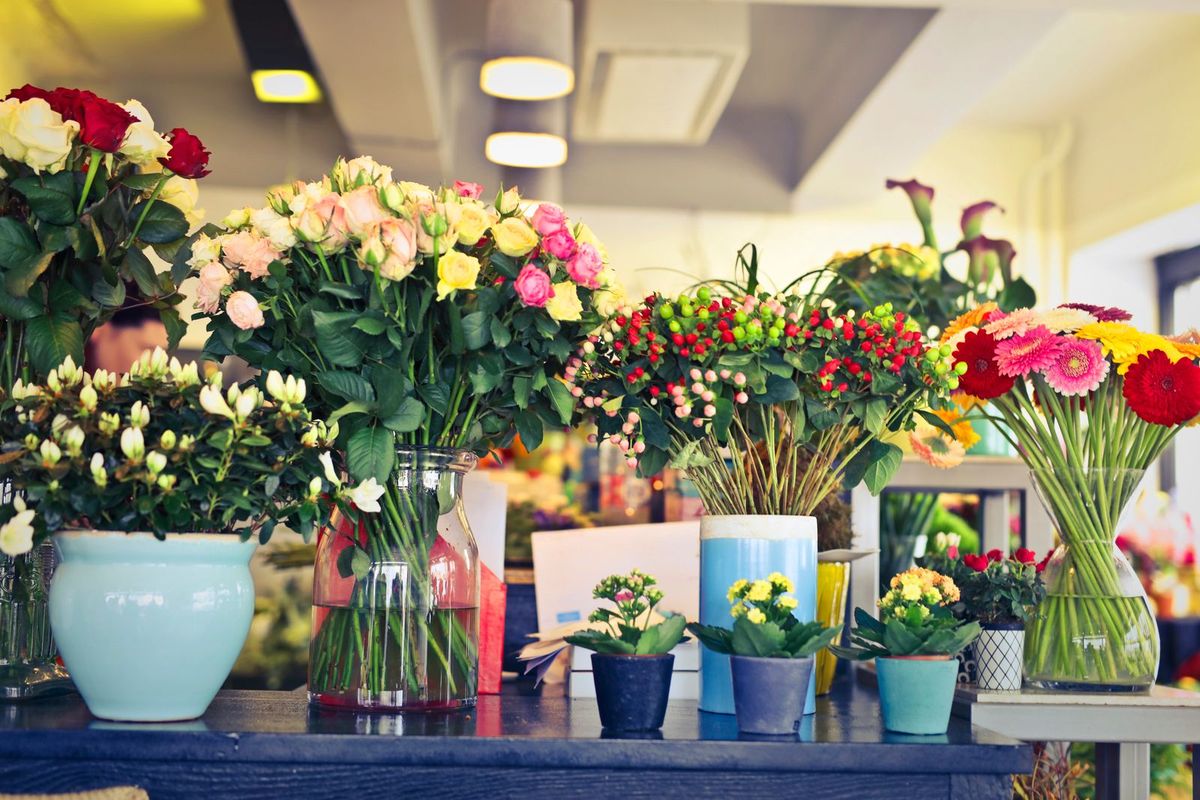
- A colorful array of flowers in various vases inside a modern florist shop — Pexels — Andrea Piacquadio — Pexels License