
AI tools for small businesses in India that handle billing, marketing and customers
Published , Updated , 14 min read
A small shop in India does not need expensive software. For most daily work — making a bill, tracking who owes money, posting an offer on social media, and replying to customers — there are free tools that work on an ordinary Android phone, accept UPI, and handle GST. This article covers only tools that work in India without a VPN, with their free limits stated honestly.
The short answer is: start with Vyapar for billing and stock, Khatabook for udhaar, and WhatsApp Business for talking to customers. If you send formal GST invoices to companies, use Zoho Invoice instead, because it is free forever for Indian businesses. Add a CRM like Zoho CRM only when your customer list becomes too big to manage in a notebook or on WhatsApp.

The short answer, in one table
| Job | Best free starting point | Free limit to remember |
|---|---|---|
| GST billing and stock | Vyapar (Android) | Android app free; desktop sync and premium themes are paid |
| Formal GST invoices | Zoho Invoice | Free forever for Indian businesses |
| Udhaar ledger | Khatabook | 100% free app |
| Full accounting | Zoho Books | Free plan: 1 user + 1 accountant |
| GST filing-ready records | Refrens | Free GST invoicing and accounting software |
| Customer list and follow-ups | Zoho CRM | Free: 3 users, 5,000 contacts |
| Simple CRM alternative | HubSpot free tools | Free CRM, forms and live chat; marketing limits apply |
| Posters and social posts | Canva | Free plan; 1 Brand Kit with 3 colours only |
| Talking to customers | WhatsApp Business app | Free app with profile, catalogue and quick replies |
| Being found on Google | Google Business Profile | Free listing on Search and Maps |
| Writing help and ideas | ChatGPT free | Free plan with message limits that change often |
If you also do freelance work on the side, the billing advice in AI tools for freelancers in India overlaps with this article, and the posting advice in AI tools for social media in India goes deeper into content planning.
Vyapar: billing and stock for the shop counter
Vyapar is a billing and accounting app made for Indian small businesses. Its Android mobile app is free to use, and the company says all app functionalities are free with no limitations on mobile. You can create GST bills, record expenses, manage stock, and send payment reminders from the phone itself.
The important limit is the platform: Vyapar works on Android phones and Windows desktop computers, and it is not available on iOS devices. On desktop, premium themes and live sync across devices need a paid licence for each device. So the honest rule is: if your shop runs on one Android phone, Vyapar costs nothing. If you need the same data live on two computers, check the current desktop price on the official pricing page before paying.
Vyapar suits kirana stores, mobile shops, garment shops, hardware stores, service providers, and freelancers who bill Indian customers. Stock tracking is the feature that separates it from a plain bill book: when you sell an item, the stock count drops, so you know what to reorder without counting shelves every week.
Zoho Invoice: formal GST invoices, free forever in India
Zoho Invoice is free for all Indian businesses, forever, at ₹0. It creates GST-compliant invoices in a few clicks, sends them by email or WhatsApp, and accepts payments through UPI, credit and debit cards, and net banking. It also supports quotes, recurring invoices, automated payment reminders, expense recording, and a customer portal where buyers can see their own bills.
This is the better pick when your buyers are companies that ask for proper GST invoices, quotes, and a professional format. It runs on Android, iOS, Windows, and Mac, so unlike Vyapar it does not lock you to Android. The trade-off is that Zoho Invoice is invoicing software, not a full shop system: it does not replace a stock register the way Vyapar does, and it does not manage a full ledger of daily udhaar the way Khatabook does. Use it for invoices; use the other tools below for the rest.
Khatabook: the digital udhaar ledger
Khatabook is India’s well-known digital bahi khata. The company says the app is 100% free, supports 12 languages, and is used by more than 5 crore registered businesses across 4,000+ cities. It records credit and debit transactions, creates invoices, manages inventory, sends automatic payment reminders, backs up data automatically, and lets you manage multiple businesses from one account.
For a shop that sells on credit, this is the daily habit that matters most: every udhaar entry goes in the phone the moment goods leave the shop, and reminders go out automatically instead of depending on memory. Khatabook is simpler than full accounting software, which is exactly why shopkeepers adopt it. If you later need balance sheets, profit-and-loss reports, and GST filing, move up to Zoho Books or Refrens below — Khatabook is for the ledger, not for the CA’s file.
Zoho Books: full accounting on the free plan
Zoho Books has a free plan for solopreneurs and micro businesses. The free plan includes invoices, quotes, bills, expenses and journals, online payment acceptance, automated payment reminders, a self-service customer portal, credit and refund handling, bank reconciliation, sales and purchase orders, inventory tracking, GST reports and filing, profit-and-loss and balance sheet reports (50+ reports in total), and 1 user plus 1 accountant.
The limit is people, not features: one business user plus your accountant. That fits a one-owner shop perfectly and stops fitting the day you hire staff who also need logins. At that point the paid plans begin, and you should compare them on the official pricing page rather than guessing. Zoho Books is the right free choice when your CA asks for proper books, GST reports, and reconciliation, and you are comfortable doing accounts on a computer or phone rather than in a paper register.
Refrens: GST filing-ready invoicing
Refrens offers free GST accounting software in India. Its features include auto-created GST invoices, e-invoices and e-way bills, automatic detection of IGST, CGST and SGST by place of supply, file-ready GSTR-1 and GSTR-3B summaries with HSN and SAC details, GSTR-2B reconciliation for input tax credit, ITC, TDS and TCS tracking, return deadline tracking, automated bookkeeping, balance sheet and profit-and-loss reports, bank reconciliation, and multi-user access with CA collaboration.
Refrens is the pick when GST compliance is your main worry rather than shop-floor stock. A business that files returns every month benefits most from the GSTR summaries and 2B reconciliation, because those directly reduce mistakes in input tax credit claims. The free scope of GST software changes from time to time, so before you depend on a specific feature for a filing deadline, re-check the official Refrens pricing and features page. Never promise a client or your CA a filing date based on a blog article alone.
Zoho CRM: customer follow-ups, free for 3 users
Zoho CRM’s free edition is not a time-limited trial. It gives three users forever, storage for 5,000 contact records, 150 emails per day, five workflow automation rules, webforms for lead capture, email marketing features, reports, and a mobile app, with no Zoho branding on your emails.
For a small business, the practical use is simple: every enquiry — from your website form, an ad, or a walk-in — becomes a contact with a follow-up date. The five workflow rules can assign new leads, send follow-up reminders, or flag deals that have gone idle. The 5,000-contact limit sounds large until a retail business adds every festival-season buyer; at that point you either clean the list or upgrade. Follow-up email writing is covered in more depth in AI tools for email writing in India.
HubSpot: the free CRM alternative
HubSpot’s free tools include a CRM with contacts and deals, forms, and live chat. The free tier is genuinely useful for a business that wants one place for customer records without learning a full CRM. The limits to know are on the marketing side: marketing email sends are capped per month based on your contact tier, form automation is limited to 10 automated actions, and conversational bots have limited features on the free plan.
Choose HubSpot if you already use its forms or live chat on your website, or if you want the simplest possible CRM. Choose Zoho CRM if you want more free users (three, against HubSpot’s free setup which is organised differently) and India-focused invoicing integrations through Zoho’s own apps. Either way, do not pay for a CRM until the free contact or email limits actually block you.
Canva: posters, offers and social posts without a designer
Canva’s free plan costs US$0 and includes AI usage, a large template library, and 1 Brand Kit limited to 3 colours. For a small business, that means festival offer posters, price lists, WhatsApp status images, and social media posts can be made on a phone in minutes, without hiring a designer for every small job.
The honest limit is the Brand Kit: with only 3 colours on the free plan, you cannot lock a full brand system with many colours and fonts. That is fine for a shop that needs clean, readable offers, and it is a reason to upgrade only when you run regular branded campaigns. Canva’s free AI features are limited and change often, so treat AI image and text generation as a helper for drafts, and always check the final poster yourself before printing or posting. For a full posting routine, see AI tools for social media in India.
WhatsApp Business: where Indian customers actually reply
The WhatsApp Business app is a free app built for small businesses. It gives you a business profile that works like a small storefront — logo, description, hours, and website — plus a product catalogue, automatic greeting messages for new customers, and tools to automate, sort, and quickly respond to messages.
In India this matters more than email, because customers read WhatsApp and ignore email. The practical routine is: catalogue for your products, greeting message for first contact, quick replies for price and timing questions, and labels to separate new enquiries, orders, and payments. The app is free; the paid WhatsApp Business API products from other providers are a different thing, meant for larger businesses with high message volumes. Do not buy an API plan until the free app genuinely cannot handle your message volume.
Google Business Profile: be found on Maps and Search
Google Business Profile is a free listing on Google Search and Maps. You control how your business appears, add photos, manage customer reviews, show products and services, and let customers find your location, hours, and contact details when they search for businesses like yours nearby.
This is the cheapest marketing a local shop can do, because it costs nothing and it reaches people who are already looking to buy. Keep the hours correct, reply to reviews, and add photos of the shop and products. A free listing is not a website, though: if you want a full online shop or booking page, the no-code options in AI tools for website builders in India are the next step.
ChatGPT free: writing help, with limits that change
ChatGPT’s free plan is useful for a small business for drafting product descriptions, offer messages, reply templates, and social captions. The limits change often and differ by model. One August 2025 report put the free plan at about 10 messages per hour on the standard model and one message per day on the thinking model, with automatic fallback to smaller mini models after the limit. Other sources give different numbers at different times, which is exactly why you should not plan a deadline around a specific free limit.
Use free AI chat for drafts and ideas, never as the final word on prices, GST rates, or legal promises. Check every AI-written price, date, and claim before it reaches a customer, because a wrong price in a forwarded message becomes your problem, not the chatbot’s.
Using these tools in India: language, payment, and no VPN
All the tools above work in India without a VPN, on ordinary internet connections and budget Android phones. Language is the first practical point: Khatabook supports 12 languages, Vyapar and Zoho products are built for Indian GST workflows, and WhatsApp works in the language your customers already use. Write offers and replies in the customer’s language first; English-only marketing loses buyers in most local markets.
Payment is the second point: Zoho Invoice accepts UPI, cards, and net banking, and Khatabook and Vyapar reminders are built around Indian payment habits. The third point is record-keeping: if you keep stock or sales records in a spreadsheet today, the advice in AI tools for data and Excel in India still applies — move the daily entries into the billing or ledger app, and keep the spreadsheet only for monthly review.
One more India-specific habit: keep a paper or PDF copy of every GST invoice and every month’s ledger summary. Apps change plans, phones break, and accounts get locked. A monthly export takes five minutes and protects you when anything goes wrong.
What to avoid
Do not pay for desktop billing software before you need multi-device sync; the Android free version covers a single-counter shop. Do not buy a paid WhatsApp API plan while the free Business app still handles your volume. Do not buy an annual CRM or design subscription on day one; use the free tier until a real limit blocks real work. Do not put customer phone numbers, addresses, or payment details into a free AI chat tool for drafting — keep customer data inside the billing, CRM, or WhatsApp tools that are meant for it. Do not trust AI-generated prices, GST percentages, or offer dates without checking them yourself. And do not run the whole business from one phone with no backup: turn on automatic backup in Khatabook and export your invoices monthly from whichever billing tool you choose.

Frequently asked questions
Which single free app should a small shop start with? Start with Vyapar if you sell goods and need bills plus stock, or Khatabook if most of your sales are on credit and the udhaar ledger is the main problem. Add WhatsApp Business on the same day for customer messages. One billing app plus one customer app is enough to start.
Is Zoho Invoice really free for Indian businesses? Yes, according to Zoho’s India pricing page, Zoho Invoice is free for all Indian businesses, forever, at ₹0, including GST invoices, UPI payments, and reminders. Paid Zoho products like Zoho Books are separate, so do not confuse the two.
Can I run my business without a computer? Yes, for most daily work. Vyapar, Khatabook, WhatsApp Business, Canva, and Google Business Profile all work from an Android phone. You need a computer mainly for heavy accounting in Zoho Books, bulk catalogue work, or printing large batches.
Do these tools work without a VPN in India? Yes. Every tool in this article is officially available in India and works on a normal Indian internet connection. If a tool ever asks for a VPN, that is a sign it is not meant for this market — skip it.
What happens when I outgrow the free plan? You upgrade only the one tool that blocks you. Common triggers are: needing more than 3 CRM users, needing desktop sync in Vyapar, needing more than 1 user in Zoho Books, or needing full brand controls in Canva. Upgrade that one tool and keep the rest free.
Should I use AI to write my offers and replies? Yes, for drafts. Free AI chat is good for offer wording, product descriptions, and reply templates. Always check prices, dates, and promises yourself before sending, and never paste customer personal data into a free AI chat.
The final verdict, and a checklist before you pay
Start with Vyapar for billing, Khatabook for udhaar and WhatsApp Business for customers — all free. Add Zoho only when your customer list grows. Before you pay for anything, check the official pricing page, confirm the free limit that actually blocks you, and make sure the paid plan fixes that exact problem. Free tools cover a small Indian business further than most owners expect; paid plans should follow real growth, not guesswork.
Image credits:
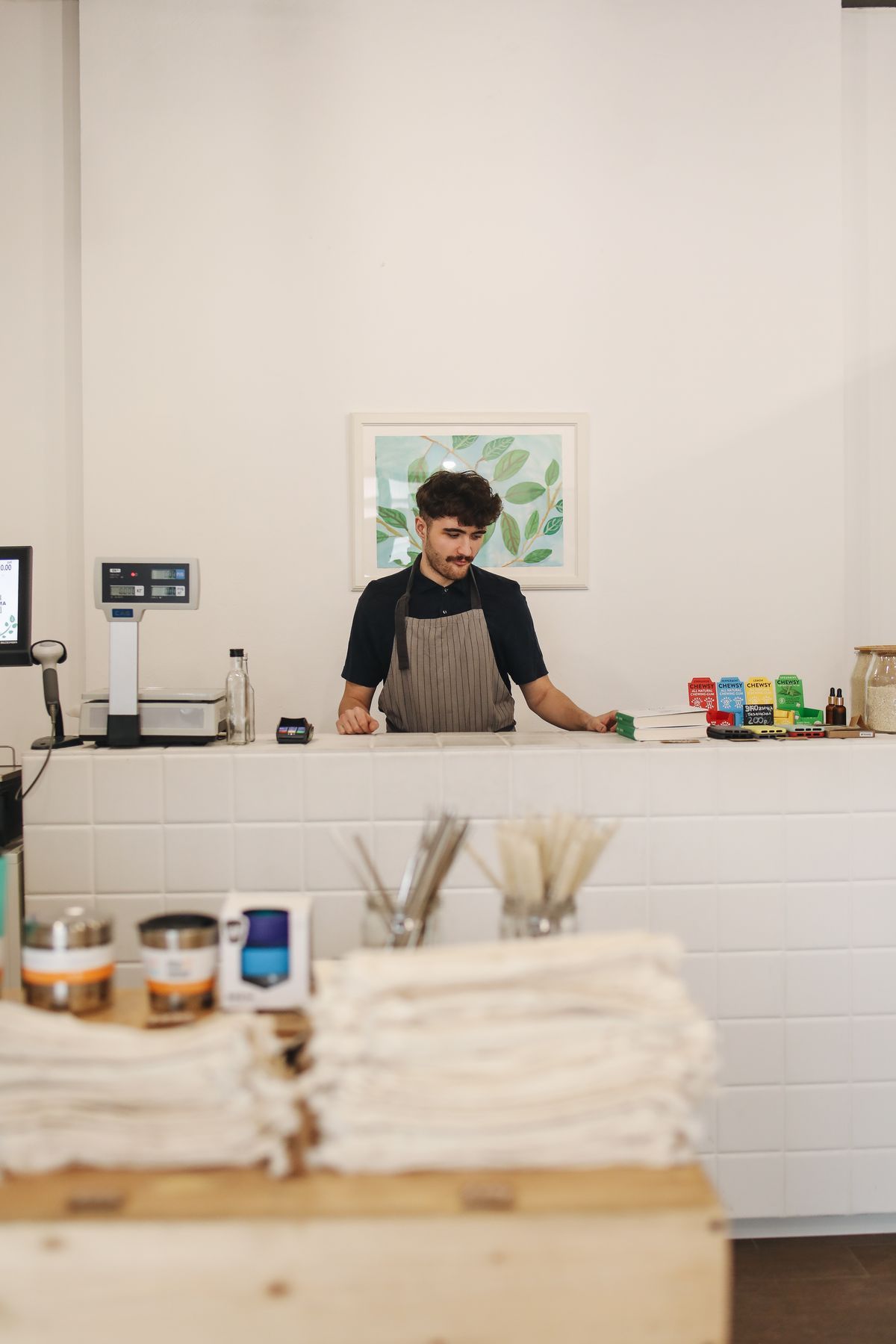
- Small shop owner standing by his storefront: Pexels photo by Zeynep Sude Emek, Pexels License.
- Cashier standing at the counter of a small retail store: Pexels photo by Polina Tankilevitch, Pexels License.
- Billing machine printing a receipt at a shop counter: Pexels photo by GOWTHAM AGM, Pexels License.