
AI tools for home services in India: booking, billing and customers for electricians, plumbers and cleaners
Published , Updated , 19 min read
An electrician, plumber or cleaning team in India rarely loses work because of poor skill. Work is lost because a call rings while the technician is on a ladder, a booking written on paper gets forgotten, a customer cannot find the business on Google, or a bill is never sent after the job is done. The tools in this article fix those four leaks: being found, booking the job, doing the job on time, and getting paid.
The short answer is: start free with a Google Business Profile so nearby customers can find you, WhatsApp Business so customers can message and book on the app they already use, and Zoho Invoice so every job ends with a proper GST bill. When bookings grow beyond what one phone and one notebook can handle, add Zoho Bookings for online scheduling. Only pay for a full field-service system such as Jobber, or an India-based AI receptionist such as Kallix or Vocora, when missed calls and messy scheduling are actually costing you paid jobs. Every tool below works in India without a VPN, and every free limit is stated honestly. Prices and free limits change often, so re-check the official pricing or help page before paying for anything or promising a customer a deadline based on a tool.

The short answer, in one table
| Job | Best starting point | Free limit to remember |
|---|---|---|
| Being found on Google and Maps | Google Business Profile | Free listing on Search and Maps |
| Customer messages and repeat bookings | WhatsApp Business app | Free app with profile, catalogue and quick replies |
| Online booking slots | Zoho Bookings | Free option for one user; paid plans start at US$6 per user per month |
| GST bills and payment reminders | Zoho Invoice | Free forever for Indian businesses |
| Billing and parts stock on Android | Vyapar | Android app free; desktop sync and premium themes are paid |
| Full job scheduling, dispatch and payments | Jobber | No free plan; 14-day free trial, then paid plans from around US$29 per month billed annually |
| Answering calls when technicians are busy | Kallix or Vocora | Paid India-based AI voice services; check current pricing on the official site before signing up |
| Posters, offers and before-after posts | Canva | Free plan; 1 Brand Kit with 3 colours only |
| Writing messages, quotes and replies | ChatGPT free or Gemini free | Free plans with message and image limits that change often |
If you also run a shop alongside your service work, the billing advice in AI tools for small businesses in India goes deeper into stock and ledgers, and the follow-up advice in AI tools for customer support in India covers handling repeat customers.
Google Business Profile: how nearby customers find you
Before any AI tool matters, customers must be able to find you when they search for “electrician near me” or “deep cleaning services” in their area. A Google Business Profile is a free listing on Google Search and Maps. You control how it appears, add photos of finished work, list your services and service area, manage reviews, and let customers request quotes or book appointments directly from the profile.
This matters more for home services than for almost any other small business, because the customer is usually in a hurry: a leaking pipe, a dead switchboard, or a flat that must be cleaned before guests arrive. A business with a complete profile, real photos, a service area that matches where it actually travels, and recent reviews will get the call before a business with only a phone number in a directory. Setting it up costs nothing, and it works even if you have no shopfront, because you can define a service area instead of a walk-in address.
The honest limit is that a profile alone does not bring jobs forever. You still need reviews from real customers, photos that show real work rather than stock images, and replies to questions and reviews. A profile with no reviews and one blurry photo will not beat a competitor who asks every happy customer for a review. Also, never pay anyone who promises a guaranteed top ranking on Google; rankings depend on relevance, distance and reputation, not on a one-time fee.
WhatsApp Business: the booking desk most Indian customers already use
Most Indian customers will not download a new app to book a plumber. They will open WhatsApp. The WhatsApp Business app is free and gives a small business a proper profile with its logo, description, hours and services, a catalogue of services with prices, a greeting message for new chats, quick replies for repeated questions such as “What are your charges for a full home deep clean?”, and labels to sort chats into new enquiry, booked, job done and payment pending.
For a home services business, the practical setup is simple. Put your service list and starting prices in the catalogue so customers stop asking the same five questions. Save quick replies for charges, service areas, working hours and payment methods. Use labels so that at the end of the day you can see exactly which jobs are booked for tomorrow and which payments are still pending. Broadcasts can remind past customers about annual maintenance, AC servicing before summer, or a festival-season cleaning offer, but only to customers who have contacted you and expect to hear from you.
The limit to remember is that the free WhatsApp Business app is built for one phone and a small team. It is not a full dispatch system: it will not automatically assign the nearest technician, optimise routes, or track which technician is free at 4 pm. When your team grows past two or three people, you will feel that limit every day, and that is the point at which a scheduling tool or a field-service system below starts to pay for itself. Also, keep business chats on the business number. When bookings live on a technician’s personal phone, the business loses the customer history the day that technician leaves.
Zoho Bookings: online slots without phone tag
Phone tag is the quiet killer of home services bookings. The customer calls, you are on a job, you call back, they are busy, and by evening they have booked someone else. Zoho Bookings lets customers pick an available slot themselves from a booking page, and it connects with calendars so double bookings are avoided. Zoho’s pricing page describes a free option for one user, with paid plans for teams starting at US$6 per user per month, and a premium tier at US$9 per user per month, with yearly billing saving over 25 percent. Those prices are in US dollars and can change, so check the official pricing page and convert to rupees before budgeting.
For a solo electrician or a two-person cleaning team, the free single-user option is enough to test whether online booking actually suits your customers. Put the booking link in your WhatsApp profile, your Google profile and your visiting card. Offer a small number of clear services with honest time estimates: a switchboard check is not a full rewiring job, and a two-bedroom deep clean is not a one-hour job. If customers repeatedly book the wrong service, fix the service names and descriptions instead of blaming the tool.
The limit is that a booking page does not solve trust. A new customer who has never heard of you may still prefer to call first, especially for expensive or urgent work such as a water leak inside a wall. Keep the phone number visible next to the booking link, and answer quickly. Online booking works best for planned work — AC service, painting estimates, regular cleaning — and less well for emergencies, where a phone call is still the right first step.
Zoho Invoice: every job ends with a bill
A job is not finished when the work is done; it is finished when the bill is sent and paid. Zoho Invoice is free forever for all Indian businesses, and it creates GST-compliant invoices in a few clicks, sends them by email or WhatsApp, and accepts payments through UPI, credit and debit cards and net banking. It also supports quotes, recurring invoices for annual maintenance contracts, automated payment reminders, expense recording and a customer portal where buyers can see their own bills.
For home services, the recurring invoice feature is the one most owners underuse. An annual maintenance contract, a quarterly AC service plan or a monthly cleaning subscription should bill itself on schedule, with a reminder going out automatically, instead of depending on someone remembering at month-end. Quotes matter too: sending a written quote before a painting or modular kitchen repair job prevents the most common argument in this business, which is the customer remembering a different price from the one you quoted on the phone.
The honest limit is scope. Zoho Invoice is invoicing software, not a stock register and not a dispatch board. It will not tell you how many metres of wire are left in the van or which technician is nearest to the next job. Pair it with Vyapar below for parts and stock if you carry material, and with a scheduling tool for dispatch. Also, a free invoice tool does not remove your tax duties: GST rules, thresholds and filing depend on your turnover and registration status, so check the official GST guidance or your accountant before assuming anything about what you must charge or file.
Vyapar: billing and parts stock on an Android phone
Many home services teams run on Android phones, and Vyapar is a billing and accounting app made for Indian small businesses whose Android mobile app is free to use, with no limitations on mobile functionality according to the company. You can create GST bills, record expenses, manage stock and send payment reminders from the phone itself. For a plumber or electrician, the stock feature is genuinely useful: pipes, fittings, switches, wires and cleaning chemicals can be tracked so that the van is restocked before a job, not during it.
The important limit is the platform. Vyapar works on Android phones and Windows desktop computers and is not available on iOS devices. On desktop, premium themes and live sync across devices need a paid licence for each device. So the honest rule is: if the business runs on one Android phone, Vyapar costs nothing for billing and stock. If you need the same data live on two computers, check the current desktop price on the official pricing page before paying. Vyapar and Zoho Invoice overlap, so do not run both for the same bills or you will create duplicate records. Pick one as the single place where bills live: Vyapar if stock on Android matters most, Zoho Invoice if formal quotes, recurring invoices and a customer portal matter most.
Jobber: the full system for teams that have outgrown notebooks
Jobber is a field-service management platform built for home and commercial service businesses, covering quoting, scheduling, invoicing, payments, customer communication and dispatch in one place. It serves trades including plumbing, electrical, HVAC and cleaning. Its comparison with Housecall Pro, another well-known field-service platform, lists Jobber’s starting price at around US$29 per month billed annually, with Housecall Pro starting higher at around US$59 to US$100 per month depending on industry and billing cycle, and both offering a 14-day free trial with no credit card required. Those are dollar prices for the international market, and they can change, so treat them as a starting point for comparison, not as a final quote.
Jobber makes sense when the pain is coordination, not just billing. If you have three or more technicians, jobs are missed because nobody knew who was free, customers complain that nobody told them the technician was delayed, or reviews mention no-shows, then one system that holds the schedule, the customer history, the quote, the invoice and the payment is worth paying for. Its built-in route optimisation is a real advantage for teams covering a whole city: fewer crossed routes means more jobs per day and less fuel wasted.
The honest limits are cost, currency and fit. There is no free plan, only a trial, and dollar pricing adds up in rupees, especially for a small team. Jobber is also built for international workflows, so before paying, test during the trial whether its invoice formats, tax handling and payment options fit how your Indian customers actually pay, which is usually UPI first. If most of your jobs still come through WhatsApp and your team is one or two people, Jobber will feel like an expensive diary. Buy it when coordination is the bottleneck, not before.
AI receptionists: Kallix and Vocora answer when you cannot
The most Indian-specific development in this space is the AI voice receptionist. Kallix offers AI voice agents for home services that book jobs on the first call, confirm technician visits, renew annual maintenance contracts and follow up on quotes, working in Hindi and English, and connecting with tools such as Zoho CRM, Google Sheets, Google Calendar, WhatsApp Business and Zapier. Vocora offers a similar AI receptionist for home services in India, capturing the job type, pincode, urgency and visit window and confirming on WhatsApp, in Hindi, English or Hinglish, while deliberately not diagnosing faults, not quoting parts prices and not handling emergencies.
This solves a real problem. When every technician is on site, the phone rings unanswered and the customer calls the next listing. An AI receptionist that answers, captures the service, address and preferred slot, and confirms on WhatsApp means the lead is saved for the morning schedule instead of lost. Kallix also notes the compliance points honestly: booking and confirmation calls go to customers who contacted you, offer campaigns fall under TRAI’s commercial-communication rules, customer address data is personal data under the DPDP Act, and calling windows should respect households by avoiding early mornings and late evenings for non-urgent calls.
The limits are important and should be stated plainly. Both are paid services, and pricing is typically confirmed through their official sites or a demo rather than a simple public free plan, so do not budget for them from a blog post. An AI receptionist must hand urgent jobs, complaints and anything unsafe straight to a human; a water leak, a sparking switchboard or an angry customer should never be left to an automated script. Test the Hindi and Hinglish quality yourself with real customer-style calls before launch, because an agent that misunderstands an address or a pincode creates a worse experience than a missed call that you return within the hour. Used well, this is a front-desk helper. It is not a technician, and it must never pretend to be one.
Canva and AI writing help: posters, offers and replies that look professional
Customers judge a home services business by its photos and its messages long before they judge its work. Canva’s free plan lets a small team make posters for festival offers, rate cards, before-and-after posts and visiting cards, with the free limit of one Brand Kit with three colours. That is enough for a consistent look if you pick your colours once and reuse them. The paid plan adds premium photos and more Brand Kits, but a cleaning business does not need premium stock photos of spotless kitchens when it can photograph its own finished work, which customers trust more.
For writing, the free plans of ChatGPT and Gemini can draft a polite quote message, a Diwali cleaning offer, a reply to a negative review, or a service description in Hindi or English. The Indian Express summary of 2025 free AI plans describes ChatGPT free as offering access to GPT-5 with limited file and image uploads and restricted image generation, and Gemini free as offering its 2.5 Flash model with limited access to 2.5 Pro, image generation and NotebookLM. Those limits change often, and the exact model names will change too, so treat this paragraph as a snapshot, not a promise. The practical rule is: use AI to draft, then read every message before sending. Never let an AI invent a price, a guarantee or a completion time. If the AI writes “same-day service guaranteed across the city”, and your team cannot deliver it, the review that follows will cost more than the time you saved.
Using these tools in India: a practical weekly routine
Tools only help if they become a routine. A realistic week for a small home services team looks like this. On Monday morning, check the booking page and WhatsApp labels for the week’s jobs and confirm each one with a message giving the technician’s name and expected arrival window. After every job, the technician sends before-and-after photos on WhatsApp, and the office sends the Zoho Invoice or Vyapar bill before leaving the site, while the customer is still happy. In the evening, ask for a Google review with a direct link, because reviews collected on the day are far more likely to appear than reviews requested a week later. On Sunday, look at the numbers that matter: how many enquiries came in, how many became booked jobs, how many bills are unpaid, and which service area produced the most work. That one weekly review tells you whether to spend on advertising, hire another technician, or simply fix your booking replies.
Language matters in India in a way that generic tool guides ignore. Your Google profile, WhatsApp catalogue and booking page should be in the language your customers actually speak in your city, whether that is Hindi, Hinglish, Marathi, Tamil, Bengali or plain simple English. An AI receptionist that only handles formal English will fail in a market where customers describe a problem as “motor me awaaz aa rahi hai” or “bathroom se paani leak ho raha hai”. Test every customer-facing tool in the language your customers use, not the language the tool’s demo uses.
Payment habits matter too. Indian home services customers expect UPI, and many expect to pay after the work is inspected. Keep cash, UPI and card options visible on the bill, and never ask a customer to pay the full amount in advance for a routine job unless that is genuinely your policy and it is stated in writing before the booking. A clear, written quote plus a proper bill is what turns a one-time repair into a repeat customer who calls you for every future job and recommends you to neighbours.
What to avoid
First, do not buy a big paid system before the free basics are working. If your Google profile is incomplete, your WhatsApp replies take a day, and bills go out late, Jobber will not fix those habits; it will only record them more expensively. Second, do not trust any tool’s price, free limit or feature list from a blog post, including this one. Prices, limits and model names change, sometimes without notice, so re-check the official pricing and help pages before paying or promising a deadline. Third, do not let AI quote prices, diagnose faults or promise timings. An AI message can draft words, but only a technician who has seen the site can price a rewiring job or a seepage repair. Fourth, do not collect customer addresses and phone numbers carelessly. Keep them in one business system, share only what a technician needs for that job, and respect do-not-disturb preferences for promotional messages. Fifth, do not fake reviews, before-and-after photos or qualifications. One exposed fake review damages a local business more than ten real three-star reviews. Finally, do not join a marketplace or aggregator platform without reading its terms: a free partner app is not the same as free customers, because commission, training requirements, service standards and penalties all affect what you actually earn per job.

FAQ
Which free tools should a new electrician or plumber in India start with? Start with Google Business Profile, WhatsApp Business and Zoho Invoice. All three are free, work in India without a VPN, and cover being found, taking bookings by message, and sending proper GST bills. Add Zoho Bookings when online slots would save you phone calls.
Do I need Jobber or Housecall Pro for a one-person business? Usually not. A one-person or two-person team can manage well with WhatsApp Business, a booking page and an invoicing app. Consider Jobber when you have three or more technicians, jobs are missed because of scheduling confusion, or customers complain about delayed updates. Use the 14-day trial with real jobs before paying.
Can an AI receptionist replace my phone answering? It can answer overflow and after-hours calls, capture the job type, address and preferred slot, and confirm on WhatsApp. It cannot replace a human for urgent jobs, complaints, safety issues or price negotiations. Choose a service such as Kallix or Vocora that hands those cases to your team immediately, and test its Hindi and Hinglish quality before launch.
How do I get more customers without paid ads? Complete your Google Business Profile, collect a review after every good job, post real before-and-after photos, and keep past customers warm with occasional WhatsApp updates about seasonal services such as AC servicing or festival cleaning. Most home services growth in a neighbourhood still comes from reviews and word of mouth.
Should I join a platform like Urban Company or stay independent? Both paths work, and they are not mutually exclusive. A platform’s partner app can bring customers who would not find you otherwise, but read the commission, training and service-standard terms carefully, because they decide what you earn per job. Staying independent keeps your customer list and your prices, but then finding customers is entirely your job through Google, WhatsApp and reviews.
What should I never let an AI tool decide for my business? Never let AI set a final price, diagnose a fault it has not seen, promise a completion time, or guarantee safety. AI can draft messages and organise bookings, but pricing, diagnosis and safety judgements belong to the technician on site.
Do prices and free limits in this article stay fixed? No. Prices, free limits and AI model names change often. Re-check the official pricing and help page of each tool before paying, before quoting a customer a price that depends on a tool, and before promising a deadline.
Final verdict
Start free with Google Profile, WhatsApp Business and Zoho Invoice; pay for Jobber or an AI receptionist only when missed calls cost you work.
Image credits:
- An electrician using a screwdriver to fit electrical sockets on a wall at home — Pexels by Ksenia Chernaya, Pexels License.
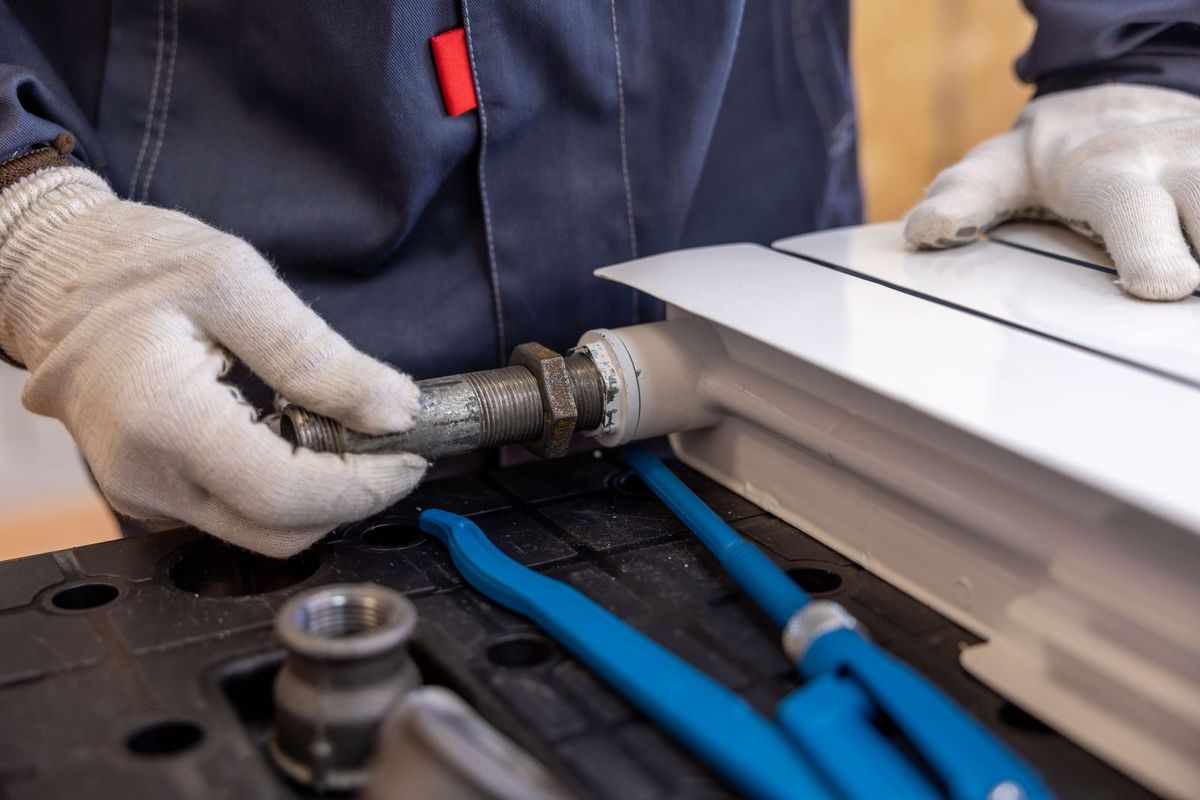
- A plumber in gloves installing a pipe with tools indoors — Pexels by Sergei Starostin, Pexels License.
- A professional cleaner in red overalls holding a mop indoors — Pexels by Tima Miroshnichenko, Pexels License.