
AI tools for jewellers in India: designs, billing, inventory and customers
Published , Updated , 22 min read
The short answer
If you run a jewellery shop in India — gold, silver, diamond, imitation, or a mix — you do not need one magic AI tool. You need four jobs done well: fresh design ideas, fast and correct billing, stock tracked by weight and purity, and customers who come back. Start free: use Gemini or ChatGPT for design ideas and customer messages, Canva for festival posts and catalogue images, a free WhatsApp Business catalogue for your regular buyers, and Vyapar or TallyPrime for GST billing and stock. Only consider a jewellery-specific system such as Valenza or Uji when your shop has grown past what a general billing app can track — multiple counters, karigars, old-gold exchange, schemes, or branches. That order matters because jewellery money is different from other retail money. A single billing mistake on making charges, wastage, or GST can cost more than a year of any software subscription, and a single wrong photo — an AI image shown as if it were the real piece — can destroy trust that took years to build.
The most important rule in this whole article is simple: AI pictures are for ideas, never for selling. Show a customer an AI image only when you clearly say it is a design idea or a concept, and show the real photograph of the actual piece before you take an advance or a booking. An AI tool cannot count prongs reliably, cannot guarantee a stone count, and cannot promise that a design can actually be made at the weight and price you quoted. A jeweller’s eye and a karigar’s judgement still decide what is real. Everything else in this article explains which tool does which job, what each one genuinely costs, and which traps to avoid.
All the tools in this article work in India on an ordinary phone and internet connection, without a VPN. Where a price or a free limit is given below, it is the figure found during research for this article, and prices and limits change often. Re-check the official pricing or help page of each tool before you pay for anything or promise a buyer a deadline that depends on a tool. Where sources disagreed, this article says so openly instead of picking the tidier number.

The short answer, in one table
| Tool | What it does for a jeweller | Free starting point, verified | Best for |
|---|---|---|---|
| ChatGPT (free tier) | Design briefs, product descriptions, festival messages, customer replies in Hindi, English or Hinglish | Free for basic use, with limited image generation on the free tier | Writing, ideas and replies fast |
| Google Gemini (free tier) | Design ideas, image edits, descriptions, works with Google apps | Free in the Gemini app, with usage limits | Trying designs and editing photos conversationally |
| Midjourney | Mood boards, campaign looks, styling ideas | No free trial; sources report plans starting at about $10 a month | Visual direction, not exact designs |
| Canva (free plan) | Festival posts, catalogue images, price cards, banners | Free plan with jewellery templates | Everyday shop graphics |
| TallyPrime | GST billing with making charges, piece-wise stock by purity and weight | Paid subscription; check the official pricing page before buying | Established shops needing full accounts |
| Vyapar | GST billing, inventory and accounting for small shops | Android app free for basic use; premium features paid | Small and single-counter shops starting out |
| WhatsApp Business | Catalogue, customer chats, quick replies, order messages | Free app | Selling direct to your own customers |
| Valenza / Uji | Jewellery-specific ERP: billing, stock by weight and purity, HUID, karigar and scheme tracking | Free trial or demo offered; full pricing on the official site | Growing shops with karigars, schemes or branches |
ChatGPT: the writing and idea assistant for your shop
ChatGPT’s free tier is the most useful starting point for a jeweller who has more work than words. You describe a piece in your own language — rough Hindi, Hinglish, or English — and ask for a short product description, a festival greeting, or a polite reply to a difficult customer question. A good prompt names the metal, the purity, the weight range, the occasion, and who the piece is for. For example: “Write a short WhatsApp message in Hindi and English for a 22-carat gold jhumka collection for Karwa Chauth, lightweight, daily-wear friendly, starting weight around 4 grams. Keep it to four short sentences, no false promises about price.” The result will not be perfect, and you must edit it, but it removes the blank page, which is where most shop owners stop posting altogether.
ChatGPT is also genuinely useful for design thinking, not just writing. Describe the customer — a bride who wants a temple necklace but finds heavy sets uncomfortable, or a young buyer who wants a minimal diamond pendant for office wear — and ask for ten design directions, each with metal, stone setting, and weight idea. Treat every answer as a starting sketch, not a finished design. Its image tool follows instructions well, including text on packaging or cards, but it still drifts on small details: prong counts, stone sizes, and exact metal colour can change between edits. Always count prongs and stones in the image yourself, and never quote a price from an AI picture. The price comes from the real weight, the real purity, the real stone, and today’s rate — never from a picture.
For daily shop work, ChatGPT saves the most time on repeat messages: “price of 22-carat gold today” replies, making-charge explanations, exchange-policy answers, delivery-time messages, and thank-you notes after a purchase. Write the approved answer once, save it, and reuse it with small changes. One caution: never paste a customer’s full name, phone number, address, or purchase history into a public AI chatbot. Use general examples, and keep customer data inside your billing system, not inside a chat window.
Google Gemini: design ideas and photo edits in conversation
Gemini’s free tier, available in the Gemini app with usage limits, is the best free place to explore jewellery designs conversationally. You describe a piece as a paragraph, look at the result, and then change one thing at a time — “change only the band metal to rose gold, keep everything else exactly the same.” This conversational editing suits jewellers because design is almost always revision: the customer likes the pendant but wants a smaller stone, a different chain, or a warmer gold tone. Gemini’s image editing is built for exactly that kind of back-and-forth, and recent versions are noticeably better at keeping the rest of the design unchanged while one element changes.
Gemini also works well for shop owners already using Google tools. A description drafted in Gemini can move into Google Docs, a festival-post idea can become a Canva design, and a price list can be organised in Google Sheets. For a small shop, that free chain — Gemini for ideas, Canva for posts, WhatsApp for customers, Sheets or Vyapar for stock — covers almost everything without a single paid subscription. The same honesty rule applies as with every image tool: Gemini images are concepts. Before a karigar starts work, the design must become a proper brief with metal, purity, weight, stone size and count, setting type, and finish — written down and approved by the customer, not left as a screenshot in a chat.
One practical tip: when you show a customer an AI concept, say so in one line — “This is a design idea, not the finished piece; the final piece will be photographed before delivery.” That one sentence prevents most arguments about colour, size, and shine, because a screen always makes gold look brighter and stones look larger than the real piece will.
Midjourney: mood boards and campaign looks, not exact designs
Midjourney is the prettiest tool on this list, and the easiest to misuse. It produces beautiful mood boards, campaign styling, and editorial looks — a necklace photographed in warm window light, earrings styled on dark silk, a bridal set in a festive scene. Sources report that it has no free trial and that plans start at about $10 a month, so it is a paid-only choice, and it should be bought only after the free tools are already earning their keep. Its images are visible on its own site unless a higher paid plan’s private mode is used, so never upload an unreleased collection or a customer’s private commission design to it without understanding that setting.
Use Midjourney for direction: the mood of a Diwali campaign, the styling of a bridal catalogue, the colour palette for a new lightweight collection. Do not use it for anything that must match exactly later — a customer’s approved setting, a stone count, a matching pair of earrings. Midjourney is known for mood and composition and is less dependable at holding exact construction, and it can quietly change a prong, a stone, or a clasp between versions. For a jeweller, that is not a small flaw; it is the difference between a design and a disappointment. If you use it, use it early in the process, when ideas are cheap, and replace it with real photographs and real measurements long before money changes hands.
Canva: festival posts, catalogue images and price cards
Canva’s free plan is the everyday graphics tool for a jewellery shop, and its free jewellery templates — sale posts, festival stories, catalogue cards, price promos — are genuinely useful. A shop owner can make a Dhanteras post, a wedding-season banner, or a “new lightweight collection” card in ten minutes on a phone, using the shop’s own photographs rather than stock images. That last point matters more than any template: customers buy from a jeweller they trust, and trust comes from seeing real pieces, real shop photos, and real people, not generic gold images that every other shop is also posting.
Canva’s honest limits are worth knowing. The free plan covers thousands of templates and basic editing, but some premium images, fonts, and background tools sit behind the paid Pro plan, and sources have disagreed on Pro pricing in India, so check Canva’s own pricing page rather than trusting any article’s number, including this one. For most small shops, the free plan is enough for months. Spend money on Canva only when you can name the bottleneck — for example, you post every festival and need faster bulk creation — not because a poster looks nice. And never put a price, a gold rate, or a “today only” offer on a Canva post unless you can honour it the day a customer walks in with a screenshot.
TallyPrime: full billing and accounts for established shops
TallyPrime is the established choice when a jewellery shop needs proper accounts, not just bills. Its jewellery billing features, as described by Tally Solutions, cover the genuinely hard parts of this trade: making charges calculated by fixed rate, percentage, or per gram; wastage handled without manual error; GST and HSN codes applied for gold, silver, diamonds, and fashion jewellery; and stock tracked piece by piece, by purity, weight, and type. Fast POS-style billing matters on festival days, when a queue at the counter is lost business, and branded invoices matter every day, because a jewellery invoice is a document a customer keeps for years.
TallyPrime is a paid subscription, and its exact price depends on the edition and the billing period, so check Tally’s official pricing page before buying rather than relying on a figure quoted elsewhere. The right question before buying is not “is TallyPrime good” — it is — but “does my shop need full accounts now, or would a simpler billing app do for this year?” A single-counter shop with one accountant, or with a CA who already works in Tally, will usually say yes. A new shop still learning its daily routine may be better starting on Vyapar and moving to TallyPrime when stock, karigars, and branches make the simpler tool feel tight.
Vyapar: the small shop’s billing and stock starting point
Vyapar is built for Indian small businesses, and that shows in the details: GST billing, inventory tracking, payment reminders, and local-language support, on a phone as well as a computer. Its Android app is free for basic use, with premium features — such as custom invoice themes and syncing across devices — paid, according to its own pricing page. For a jewellery shop starting out, the free version covers the core loop: create a bill, record the customer, reduce the stock, track who still owes money, and send a payment reminder on WhatsApp.
Vyapar is a general small-business tool, not a jewellery-specific one, so it will not track hallmark IDs, karigar job cards, or gold-scheme instalments the way a jewellery ERP does. That is a fair trade at the start: a simple tool you actually use every day beats a powerful tool nobody in the shop opens. The discipline that matters is the same in either tool — enter every piece, every weight, every sale, and every exchange on the same day it happens. Stock that lives only in the owner’s head, or in a notebook that stays at home, is not stock control, whatever software you own.
WhatsApp Business: where your customers already are
WhatsApp Business is free, and for most Indian jewellery shops it is the single most valuable customer tool, because customers already live there. Set up the business profile completely — shop name, category, city, working hours, and a short description that answers the three questions every buyer asks: what you sell, where you are, and how to order. Build a catalogue with close-up photos and on-worn photos, state purity and sizes in every listing, and group pieces the way buyers shop: rings, earrings, necklaces, bangles, bridal, lightweight, gifts. Hide sold pieces instead of deleting them, so a restock brings them back without redoing the work.
Quick replies save hours on festival weeks: one saved reply for today’s gold-rate question, one for making charges, one for exchange policy, one for delivery time. Labels keep the chaos organised — new enquiry, advance paid, making in progress, ready for delivery, old customer. One hard rule: the catalogue photo must be the real piece, or a real photograph of the same design in stock. If a customer orders from a catalogue photo and receives something visibly different, no AI disclaimer will save the relationship. WhatsApp is also where trust is lost fastest, because a forwarded AI image looks exactly like a real photograph in a chat, so label concepts as concepts, every time.
Jewellery-specific software: Valenza and Uji, for growing shops
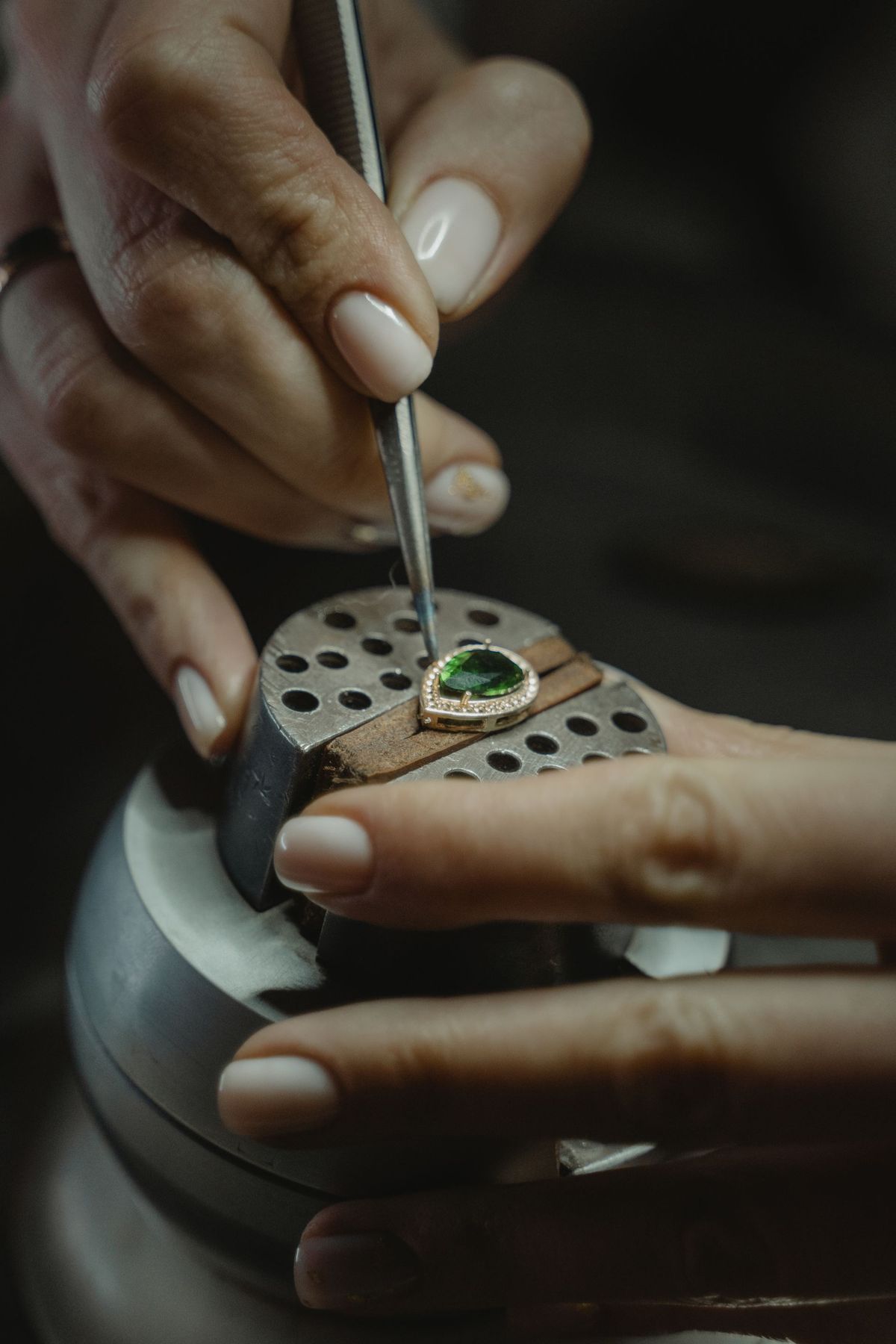
When a shop outgrows general billing apps, jewellery-specific systems such as Valenza and Uji are the next step, and both are built for Indian jewellers. Valenza offers an AI-powered owner dashboard that watches sales, stock, and dues and flags what needs attention, plus alerts for late orders, overdue memos, and scheme dues, and tools that read a photograph of a piece to search a design library, preview another metal tone, or draft a catalogue line. Its own pages are clear that billing, stock, HUID, schemes, accounts, and GST work without any AI key, and that the AI assistant runs on the shop’s own AI provider account, billed by that provider. Uji, similarly, tracks every piece by weight, purity, and HUID, shares live catalogue links over WhatsApp, manages karigars and campaigns, and offers design AI, virtual try-ons, and sales forecasting.
The honest way to judge either system is a trial on your own data, not a demo on theirs. Load ten real pieces, bill three real sales including one old-gold exchange, check one HUID, and ask the dashboard one question about your own stock. If the staff member who will actually use it cannot do those four things after the trial, the system is too complicated for your shop today, whatever its feature list promises. Price these systems only from their official pricing or sales pages, and ask in writing what is included, what needs your own AI key, and what happens to your data if you stop subscribing.
Using these tools in India: festivals, hallmarking, rates and trust
India’s jewellery calendar is the best reason to plan tool use in advance. Dhanteras, Diwali, Akshaya Tritiya, weddings, Karwa Chauth, and regional festivals each bring a rush, and a rush exposes every weak process at once. Prepare one month ahead: photograph the festival stock properly, write the festival posts in Canva, save the WhatsApp quick replies, check that billing and stock are up to date, and confirm karigar delivery dates in writing. AI tools help most when they are used before the rush, not during it — a festival post written calmly in advance beats ten panicked posts written at the counter.
Hallmarking is not optional background detail; it is the law of the trade. Under the Bureau of Indian Standards (BIS) scheme, hallmarked gold jewellery carries the BIS mark, the purity and fineness, and a six-digit alphanumeric Hallmark Unique ID (HUID), which customers can verify in the BIS Care app’s Verify HUID feature. Mandatory hallmarking has expanded over successive orders since 2021, and the BIS hallmarking brief updated in October 2026 lists seven gold caratages from 9K to 24KS. No AI tool replaces this. If a tool, a listing, or a supplier offers to skip hallmarking, treat that as a reason to walk away, not a shortcut. Your billing system should record the HUID against the piece, and your staff should be able to show a customer how to verify it.
Gold and silver rates are the other daily trap. Never let an AI chatbot quote today’s rate to a customer, and never copy a rate from a social media post without checking a trusted live source. Rates move during the day, and the rate that matters is the one your shop actually bills at, shown on the invoice with weight, purity, making charges, and GST broken out clearly. A customer who understands their bill comes back; a customer who discovers a hidden charge at the counter does not. The same honesty applies to AI-generated marketing: a “lightweight” collection must actually be light, a “handmade” piece must actually be handmade, and a festival discount must actually be a discount from a real earlier price.
Language is a quiet advantage for Indian jewellers. Most customers are happier in Hindi, Hinglish, or their regional language than in formal English, and ChatGPT and Gemini both draft well in Hindi and Hinglish when asked. Write the message in the language the customer speaks, keep sentences short, and read every AI draft once before sending — AI Hindi can sound stiff or use the wrong honorific, and a two-second edit fixes it. Photographs deserve the same care as words: one clean photo on a plain background, one photo worn or held for scale, and one close-up of the clasp or setting. Three honest photos beat twenty filtered ones.
What to avoid
First, never sell from an AI image as if it were the real piece. Label every concept image, photograph the finished piece before delivery, and refund or remake promptly when the finished piece does not match what was approved — that policy costs little and saves the shop’s name. Second, never paste customer names, phone numbers, addresses, or purchase records into a public AI chatbot; keep customer data in your billing system. Third, never quote a price, a weight, or a delivery date that an AI tool invented; prices come from real weight, real purity, real stones, and today’s rate, and delivery dates come from your karigar, in writing. Fourth, never buy a paid tool before the free tools are actually being used daily — an unused subscription is the most common waste in small shops. Fifth, never skip hallmarking, GST records, or proper invoices to save time on a busy day; the busy day is exactly when records matter most. Sixth, never post another jeweller’s design photo as your own, and never let an AI tool copy a branded or trademarked design for you to sell; use AI for direction, then make the design yours through your own karigar’s work.
Frequently asked questions
Can AI design a piece of jewellery I can actually sell? AI can suggest directions, moods, and variations, and it can draft a design brief for your karigar. It cannot guarantee that a design can be made at a given weight, that its stones will sit safely, or that its price will match a quote. Treat every AI design as a concept, turn it into a written brief with metal, purity, weight, stone size and count, and setting type, and get the customer’s approval on the real finished piece before delivery.
Which free AI tool should a small jewellery shop start with? Start with Gemini or ChatGPT on their free tiers for ideas, descriptions, and customer messages, plus Canva’s free plan for posts and catalogue images, and the free WhatsApp Business app for customers. Add Vyapar’s free Android app for billing and stock. Pay for something only when a specific daily bottleneck — usually photos, replies, or billing errors — is clearly slowing the shop down.
Can I use Midjourney designs directly for customer orders? No, not safely. Midjourney is best for mood boards and campaign styling, and it can change small construction details between versions. Use it for direction early in the process, then rebuild the chosen direction as a proper design with real measurements before any customer pays an advance.
Do I need jewellery-specific software, or is Vyapar or TallyPrime enough? For a single-counter shop with straightforward billing and stock, Vyapar or TallyPrime is enough, and TallyPrime is the stronger choice when full accounts matter. Consider jewellery-specific software such as Valenza or Uji when you regularly need karigar job tracking, gold schemes, old-gold exchange records, HUID tracking across branches, or an owner dashboard across counters.
How do I handle hallmarking and HUID in my shop? Sell hallmarked gold jewellery with its BIS mark, purity, and six-digit HUID, record the HUID against the piece in your billing or stock system, and show customers how to verify it in the BIS Care app. Hallmarking rules and covered districts have changed over time, so check the current BIS guidance before making a claim to a customer, and ask your assaying and hallmarking centre when anything is unclear.
Is it safe to put customer details into ChatGPT or Gemini? No. Do not paste customer names, phone numbers, addresses, or purchase history into a public AI chatbot. Use general examples for drafting, and keep real customer data inside your billing system, where access is controlled and records are kept for your accounts.
How should I price a piece shown in an AI image? You should not. Price only the real piece, from its real weight, real purity, real stones, making charges, and GST, at the rate your shop bills on the day of sale. If a customer falls in love with an AI concept, quote a range only after your karigar has seen the brief and confirmed what it will weigh and cost to make.
Can AI help during Diwali and wedding season rush? Yes, if prepared in advance. Write festival posts and WhatsApp quick replies before the rush, photograph stock properly, and keep billing and stock updated daily. AI helps least when it is used in a panic at a crowded counter, and most when it removes routine writing so staff can serve the customer standing in front of them.
What should I check before paying for any tool on this list? Re-check the tool’s official pricing and help pages on the day you pay, confirm whether a free plan covers commercial shop use or only personal use, ask what happens to your data if you cancel, and test the tool on your own real pieces and real bills during any trial. Prices and free limits change often, and a figure in any article, including this one, can be out of date by the time you read it.
Final verdict
Start free with Gemini and Canva for designs and posts, WhatsApp for customers, and Vyapar or TallyPrime for GST billing and stock by weight.
That single line is the whole plan, and it works because it follows the order a jewellery shop actually runs in: ideas first, customers second, correct billing always. AI earns its place in your shop the day it saves real time on real work — a faster festival post, a clearer customer reply, a design direction a buyer loves — without ever pretending that a picture is a piece, a guess is a price, or a chatbot is a karigar. Keep the real piece, the real weight, and the real bill at the centre, and let the tools serve them.
Disclaimer: this article is general information only, not professional advice. Tax, GST, hallmarking, and business rules change over time and depend on your specific situation, so check official sources such as BIS and the GST portal, and speak to your chartered accountant or a qualified professional before acting on any tax, legal, or compliance point in this article.
Image credits:
- A jeweller’s hands filing a gold ring at a workbench — Pexels — Tima Miroshnichenko — Pexels License
- Close-up of a jeweller setting a green emerald stone into a gold ring — Pexels — Tima Miroshnichenko — Pexels License
- Hands trying on a gold beaded bracelet in front of hanging necklaces — Pexels — Lara Jameson — Pexels License