
Best AI Tools for Textile Businesses in India: Design, Production and Sales
Published , Updated , 18 min read
Direct answer
If you run a textile business in India — a mill, a printing unit, a saree wholesaler, a garment manufacturer, or a boutique selling online — the most useful AI tools in 2026 are not one magic app. They are a small stack: one tool for fabric design, one tool for production-ready files, one tool for catalogue photos and sales copy, and one system for inventory, billing, and B2B orders. Start with the free tiers, test them on one real collection or one real buyer order, and only pay when the tool has already saved you time or prevented a costly mistake.
The tools in this guide all work in India without a VPN, on ordinary broadband and mobile connections. Where a tool is paid or enterprise-only, this article says so plainly. Prices and free limits change often, so before you pay for any plan, or promise a buyer a delivery date based on a tool, re-check the official pricing and help page of that tool. Do not rely on this article, or any blog post, as your price list.
Short-answer table
| Job | Best starting tool | Free option | Watch out for |
|---|---|---|---|
| Fabric prints and repeating patterns | Canva Pattern Maker | Yes, 20 free pattern credits | Free credits run out fast on a full collection |
| Production-ready design files | PatternAI | Free tier listed, paid Pro and Max tiers | Check machine and fabric compatibility before cutting |
| Textile design workspace | Textile Designer AI | Tools described as a professional workspace, check current pricing | Confirm export format matches your printer or mill |
| Catalogue and product photos | Adobe Firefly | Yes, 25 generative credits a month | Credits are monthly, not daily |
| Sales copy, emails, and product descriptions | ChatGPT | Yes, free tier | Always check prices, sizes, and stock before sending |
| Buyer communication and research | Gemini | Yes, free tier | Same rule: verify every fact before it reaches a buyer |
| Inventory, orders, and GST billing | Zoho Inventory | Trial and paid plans, check current pricing | GST and e-invoice rules change, confirm in the app |
| Production, fabric stock, and accounts | Tally textile and garment ERP | Paid, with demos from Tally | Needs proper setup for style, size, and colour tracking |
| B2B orders on WhatsApp | WhatsApp AI catalogue agent, for example Thunaivi | Free trial reported, then paid plans | The agent must quote only from your own catalogue |
Fabric design: where AI helps first
1. Canva Pattern Maker for prints and repeats
Canva is the easiest starting point for a small textile business because most teams already know it. Its AI pattern generator, built around the PatternedAI app inside Canva, creates seamless, repeating patterns from a text description. You can layer your own images, adjust colours, and use the result for a catalogue, a social media post, or a design discussion with a buyer.
Canva states that the pattern generator offers 20 free credits, with one credit generating one pattern, and that a subscription is needed after those credits are used. That matters for planning: 20 patterns may cover one small collection, but not a whole season of daily experiments. Canva Pro in India has been listed at around ₹1,299 per month with UPI accepted, but re-check the official Canva pricing page before paying, because plans and prices change.
Canva is best for ideas, presentations, and marketing visuals. It is not a substitute for a production file. A pretty pattern on screen still needs checking for repeat size, colour matching, and print resolution before it goes to a printer. If you only need catalogue images and social posts, Canva alone may be enough. If you need files your machines can run, read the PatternAI section below.
For a broader look at image tools, see AI tools for small businesses in India and AI tools for graphic design beginners in India.
2. PatternAI for prompt-to-production files
PatternAI is an India-based platform with a sharper promise than a general image generator: it turns a prompt, your artwork, or a trend reference into a textile design, and then into the machine file your factory runs. Its own site lists eight production techniques — print, embroidery, weave, knit, quilt, schiffli, embellish, and pattern cut — and factory-ready machine files including DST, PES, DXF, and jacquard formats.
That distinction is the whole point for a production unit. A general AI image tool gives you a picture. PatternAI claims to give you a file that matches the machine and fabric you chose, with checks for problems that would fail on the floor, such as a float that is too long, a stitch that is too dense, or a repeat that breaks at the seam. It also lists prices in INR, excluding applicable tax, with a free tier and paid Pro and Max tiers, and says prices and plans are subject to change.
Treat those claims the way you would treat a new supplier: test them. Run one design from brief to machine file, check the file on your actual machine and fabric, and only then build a collection around it. Never promise a buyer a delivery date for an AI-generated design until the file has passed your own production check. PatternAI is the most production-focused tool in this guide, and it is also the one where testing matters most, because a failed file costs fabric, machine time, and buyer trust.
3. Textile Designer AI for a design workspace
Textile Designer AI describes itself as an AI-powered textile platform with 21 professional tools for textile production, built for manufacturers, fashion brands, and production teams. Its listed tools cover pattern creation, colour automation, design extraction, and print-ready output, along with AI cataloguing using models, garments, and visuals.
This is a good fit if your bottleneck is volume: many designs, many colourways, many catalogue images, all needing a consistent brand look. The platform lets you experiment with colours, layers, patterns, and backgrounds, and produce product content for different settings. Before committing, confirm three things on the official site: the current price, the exact export formats, and whether the output resolution suits your printer. A tool that looks excellent on a laptop screen can still disappoint if its export is too low-resolution for a large fabric print.
4. Adobe Firefly for catalogue photos and marketing images
Adobe Firefly is Adobe’s generative AI image tool, available free at firefly.adobe.com with a standard Adobe account and no credit card required for the free tier. It offers text-to-image generation, generative fill, generative expand, and style references, and it is widely reported as the free-tier tool with the clearest commercial-use rights for client work, because its training data is licensed Adobe Stock and public-domain content.
The free tier has been reported at 25 generative credits per month. That is a monthly allowance, not a daily one, so plan your catalogue shoots around it: generate hero images for your best-selling items first, and use Canva or phone photography for the rest. Firefly works in India without a VPN, and Adobe’s India pricing is listed in INR, but again, re-check the official page before upgrading.
Firefly’s strength for textile sellers is honest, clean product imagery: a saree or kurta on a model-like figure, a fabric flat-lay in a studio setting, or a lifestyle shot for a festive collection, without booking a full photoshoot for every item. It does not replace real photography for colour-critical buyers. Fabric colour on a screen is never the same as fabric colour in hand, so always send a physical swatch for high-value B2B orders, and say so in your catalogue.
For more image options, see free AI image generators in India.

Sales copy, buyer emails, and B2B communication
5. ChatGPT for descriptions, emails, and quotations
ChatGPT remains the most practical writing assistant for a textile business because the work is endless: product descriptions for 200 sarees, a polite follow-up email to a retailer in Jaipur, a quotation format for a bulk order, a festive collection announcement in simple English, and a reply to a buyer asking about minimum order quantity. The free tier handles most of this well.
The rule that protects your business is simple: AI drafts, you verify. Never let an AI tool invent a price, a fabric composition, a GSM value, a delivery date, or a stock quantity. Those numbers must come from your own price list and stock register. Use ChatGPT to improve wording, shorten a long message, translate a draft, or turn rough notes into a clean catalogue entry — then read the result once before sending it. One wrong price in a forwarded WhatsApp message can cost more than a month of any AI subscription.
6. Gemini for research and Google Workspace teams
Gemini, Google’s AI assistant, is a strong alternative, especially if your team already uses Gmail, Google Sheets, and Google Drive. It can summarise buyer emails, draft replies, help compare collections, and assist with research on trends, fabrics, and markets. Its free tier is enough for most small teams to test it.
Sources disagree on which chatbot is “best” for any given task, and that disagreement is honest: the answer depends on your workflow, not on a single ranking. If your catalogue lives in Google Sheets, Gemini may fit better. If your team already uses ChatGPT, switching adds learning time for no clear gain. Pick one writing assistant, learn it properly, and keep your price list and stock data as the single source of truth that no AI tool is allowed to override.
Production, inventory, and accounts
7. Zoho Inventory for stock, orders, and GST billing
Zoho Inventory is an Indian-friendly inventory system that handles items, warehouses, sales and purchase orders, and stock tracking, with GST features including e-invoicing through the GSTN portal and e-way bills for goods above the applicable value threshold. Zoho also offers a connector that moves inventory data — customers, vendors, items, and transactions — into Tally accounting software, which matters because many Indian textile firms run accounts in Tally while managing stock elsewhere.
For a textile business, the useful features are batch and warehouse tracking, low-stock alerts, and the ability to see which fabrics, trims, and finished goods are actually moving. Dead stock is the silent profit killer in textiles: fabric bought for a season that did not sell, sitting in a godown while its value falls. An inventory system does not solve dead stock by itself, but it makes the problem visible early, while you can still discount, bundle, or repurpose the fabric.
Zoho Inventory is a paid product with trials and tiered plans, so check the official Zoho pricing page for India before budgeting. Also confirm GST and e-invoice behaviour inside the app itself, because tax rules and portal requirements change, and a blog post cannot be your compliance source.
8. Tally textile and garment ERP for production control
Tally Solutions offers textile and apparel ERP software that covers style and design management, bills of materials for garments, fabric and trim inventory, cutting and marker planning, production order tracking, quality inspection, and GST and financial management. In plain language, it connects the whole chain: what a design needs, what fabric you have, what is being cut and stitched, what passed inspection, and what the accounts say.
This is the right category of tool for a manufacturer with multiple stages — cutting, stitching, finishing — or multiple units. Its strength is that production and accounts live in one system, so a production delay, a fabric shortage, or a quality rejection shows up in the same place as the money. Its weakness is shared by all ERP systems: it only works if the data going in is accurate. Style, size, and colour masters, opening stock, and daily production entries must be maintained honestly, or the reports will look precise and be wrong.
Tally is paid software, and the right way to evaluate it is a demo with your own data: one real style, one real order, one real fabric lot, tracked from order to dispatch. If the demo cannot follow your actual process, a cheaper tool used consistently will beat an expensive system used halfway.
9. WhatsApp AI catalogue agents for B2B sales
Most Indian textile B2B sales still happen on WhatsApp. Retailers message wholesalers asking for new catalogue PDFs, set-wise pricing, fabric specifications, and transport bilty copies. WhatsApp AI agents built for this market — Thunaivi is one example, focused on textile, saree, and garment wholesalers in hubs such as Surat, Tiruppur, Mumbai, Kolkata, Jaipur, and Ludhiana — share lookbooks automatically, capture GST orders, and keep a shared inbox for the sales team.
Thunaivi has listed a 7-day free trial and flat monthly plans starting at around ₹1,999 per month, with official Meta WhatsApp Cloud API access and no per-resolution fee. Another Indian provider, Zutok, offers a WhatsApp AI sales agent that quotes only from your own catalogue rows, with plans listed from around ₹2,000 per month. Prices differ between sources and change over time, so verify on the provider’s official page before signing up.
The feature that matters most is not the chatbot’s fluency, but its discipline: it must never invent a price. The best-designed agents quote only from a matched catalogue row and hand over to a human when a question falls outside their instructions. When evaluating any WhatsApp agent, test it with a trick question: ask for a price on a combination that does not exist, and see whether it guesses or says it does not have that item. If it guesses, do not connect it to your buyers.
For related sales guidance, see AI tools for sales teams in India and AI tools for online sellers in India.
How to use these tools in India: a practical workflow
A small Surat printing unit, a Tiruppur garment manufacturer, and a Jaipur boutique will use these tools differently, but the workflow underneath is the same. Start with design: generate ten pattern options in Canva or Textile Designer AI, shortlist two with your team, and check colours against real fabric. Move to production: if the design needs a machine file, run it through PatternAI and test it on your machine and fabric before committing a full run. Then sell: photograph or generate catalogue images with Firefly, write descriptions with ChatGPT or Gemini, and share the catalogue through WhatsApp or your online store.
Meanwhile, keep the business system running in parallel. Every order that comes in should land in Zoho Inventory or Tally the same day, with fabric consumption recorded against it. That habit is what turns AI from a design toy into a business tool: when a buyer reorders, you know exactly what fabric you have, what it cost, and how long production took last time.
For a one-person business or a new boutique, the honest starting stack is free: Canva for patterns and posts, Firefly for catalogue images, and ChatGPT or Gemini for copy. Add a WhatsApp catalogue agent when buyer messages start taking more than an hour a day. Add Zoho or Tally when stock mistakes or billing delays start costing real money. Add PatternAI when you are producing designs at a volume where manual file preparation is the bottleneck. Each step should pay for itself before you take the next one.
Language matters too. Many buyers and karigars are more comfortable in Hindi, Gujarati, Tamil, or another Indian language than in English. Use AI tools to draft messages in the buyer’s language, but have a team member who speaks that language read the draft before sending. A polite, correct message in the buyer’s language builds more trust than a flashy English catalogue.
What to avoid
Avoid tools that ask for payment before any free trial or demo, especially for production files and ERP systems. A genuine vendor will let you test with your own design, your own fabric, and your own order. Avoid any tool that claims to guarantee sales, viral reach, or export orders; no AI tool can promise a buyer.
Avoid uploading your original designs, buyer lists, price lists, and proprietary patterns to a free tool without reading its terms on data use. If a tool trains on user uploads, your best-selling design could inspire someone else’s collection. Keep your signature designs and your buyer database in tools you control, and use public AI tools for experiments and marketing versions, not for your most valuable originals.
Avoid building your whole business on one tool’s free tier. Free credits end, plans change, and accounts can be suspended. Keep your catalogue, price list, and stock data in your own files or your own ERP, so that losing access to one AI tool is an inconvenience, not a shutdown. And avoid the most common mistake of all: generating a beautiful design that your machines, your fabric, or your budget cannot actually produce. Check production reality before you show a buyer the picture.
Finally, a short honest-limits note: this article is general information about software tools, not professional business, tax, or legal advice. Prices, free limits, GST rules, and export requirements change, and the official pricing, help, and government pages must be re-checked before you pay, quote, or promise a deadline. For tax and export decisions, confirm with your chartered accountant or a qualified professional.

FAQ
Which AI tool is best for textile design in India? For quick pattern ideas and marketing visuals, Canva is the easiest free start, with 20 free pattern credits. For production-ready machine files, PatternAI is the more specialised Indian option, because it claims to output files for specific machines and fabrics. For a full design workspace with cataloguing, Textile Designer AI is worth testing. The best choice depends on whether you need pictures or production files.
Can AI tools really make fabric designs my machines can use? Some can, and some cannot, and the difference matters. General image generators produce pictures that still need conversion and testing. PatternAI claims to produce machine files such as DST, PES, and DXF directly, with checks for production problems. Either way, test every file on your own machine and fabric before a full production run, and never promise a buyer a date until that test has passed.
Are these AI tools free for small textile businesses? Partly. Canva offers free pattern credits, Firefly offers monthly free credits, and ChatGPT and Gemini have free tiers that cover most writing work. Production tools and inventory systems are usually paid or trial-based. The free tiers are genuinely useful for testing, but a business producing at volume should budget for at least one paid plan.
Do these tools work in India without a VPN? Yes, the tools in this guide are reported to work in India on ordinary connections without a VPN, including Canva, Firefly, ChatGPT, Gemini, Zoho, and Tally. If any tool ever asks you to use a VPN to sign up or pay, treat that as a warning sign and check its official support page before continuing.
Can AI help sell textiles to retailers on WhatsApp? Yes, and this is one of the most practical uses. WhatsApp AI catalogue agents can share lookbooks, answer stock and price questions from your own catalogue, and capture orders around the clock. The essential test is whether the agent quotes only from your catalogue or invents prices. Choose an agent that hands over to a human when it does not know the answer.
Will AI replace textile designers and sales staff? No, not in the form that helps a real business. AI speeds up the repetitive parts — pattern variations, colour options, first drafts, catalogue images, and routine buyer replies — but colour judgment, fabric feel, buyer relationships, and production problem-solving still need experienced people. Businesses that do best with AI are the ones that use it to give their existing team more time for buyers and quality, not to remove the team.
What should I check before paying for any AI textile tool? Check four things on the official site: the current price in INR and whether UPI is accepted, the exact free limit and what happens when it ends, the export or file formats it supports, and its terms on your uploaded designs and data. Then run a trial with one real design or one real order. If the trial does not fit your actual process, do not pay for the promise that it will fit later.
Is my design safe if I upload it to an AI tool? Not automatically. Read the tool’s terms on data use and training before uploading original designs, buyer lists, or price lists. If the terms are unclear, upload only experiments and marketing versions, and keep signature designs in tools you control. When in doubt, ask the vendor directly and keep their written answer.
Final verdict
Start free with Canva and ChatGPT, add PatternAI for production files, and Zoho or Tally for stock and GST.
Image credits:
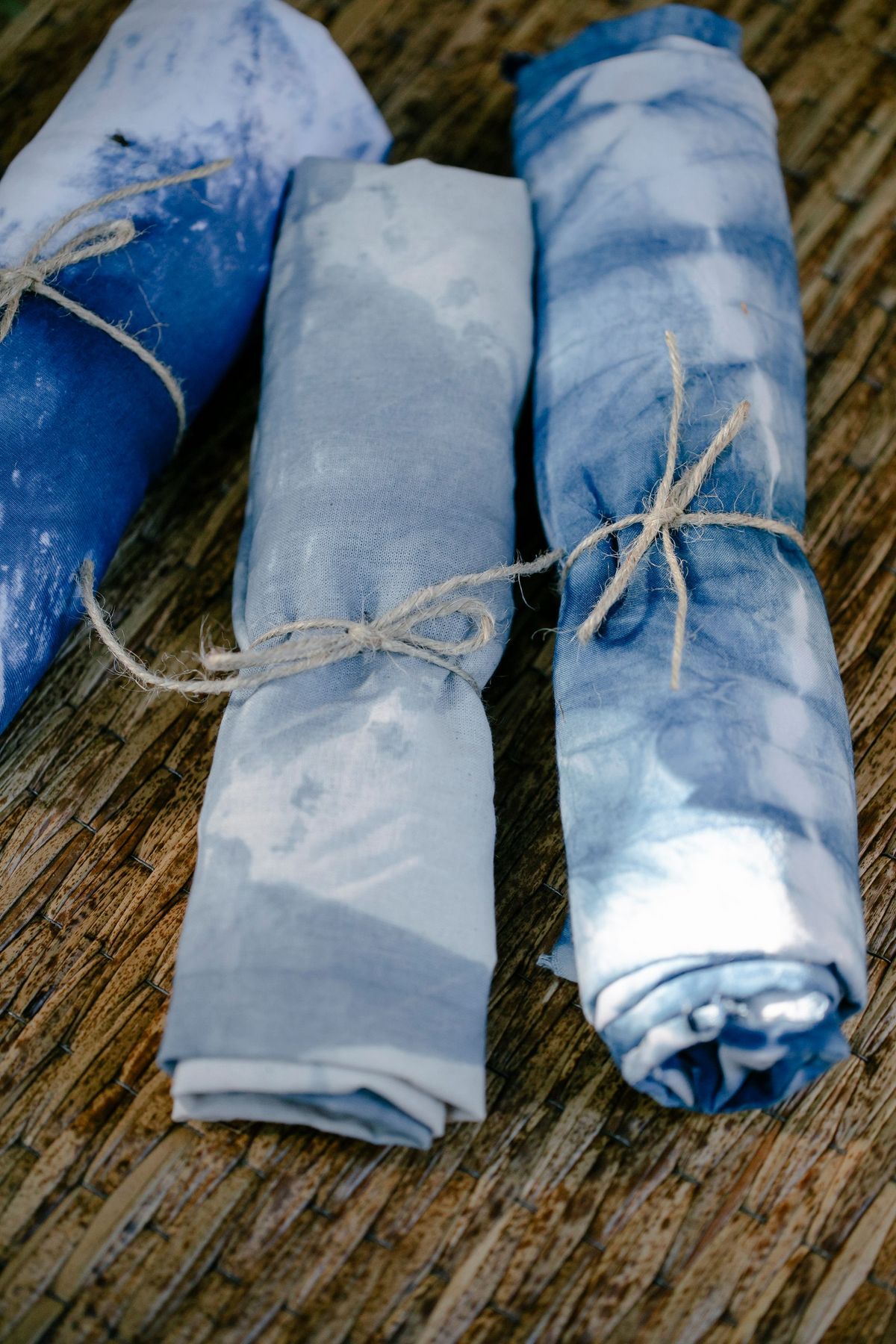
- Rolls of dyed fabric tied with twine on a woven surface — Pexels by Teona Swift, Pexels License (free to use).
- A loom shuttle with orange thread beside colourful woven cloth — Pexels by Jorge Acre, Pexels License (free to use).
- Top view of sewing thread spools arranged in a repetitive pattern — Pexels by Michaela St, Pexels License (free to use).